Forget Recorder — Google's working on a new AI-powered voice notes tool
Aug 7, 2026 — 1:41 PM ET
- Android Authorityhas reviewed strings related to a new Pixel feature called Conversation Capture.
- Conversation Capture will record and transcribe audio, and with optional Gemini integration.
- We expect this feature will debut on the Pixel 11 series.
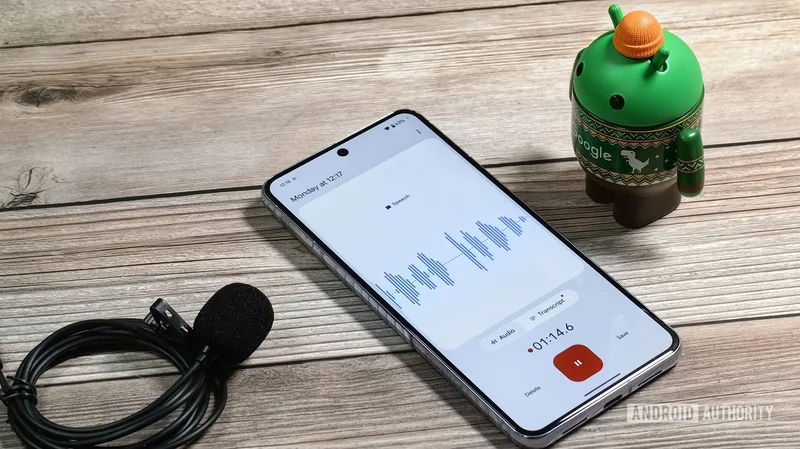
One of Google’s best machine-learning enabled products has long been its Pixel-exclusive Recorder app, which makes searchable transcriptions of your recordings. Now, Google is integrating that basic concept deeper into the Android experience with a feature called Conversation Capture.
Poking around the latest version of the Android System Intelligence app, we’ve seen a whole bunch of strings about Conversation Capture. Internally codenamed Auris, the feature sounds very similar to Google’s existing Recorder app, but built more deeply integrated with both Android and Gemini.
You’re reading an Authority Insights story. Authority Insights brings you all the latest exclusive reports, app teardowns, leaks, and in-depth tech coverage from the Android Authority team that you won’t find anywhere else.
Strings related to the Conversation Capture onboarding flow mention that the feature will let you “Get summaries, transcriptions, and suggested actions after important conversations like appointments, meetings, and more.” You’ll be able to share your recordings with Gemini to get suggestions about actions you could take.
<string name="auris_settings_title">Conversation capture</string>
<string name="auris_description">Get summaries, transcriptions, and suggested actions after important conversations like appointments, meetings, and more</string>
<string name="auris_onboarding_description">Capture important conversations you choose, like meetings and appointments, that you can then search, review, or share with Gemini later. Get AI summaries and suggested actions.</string>,
<string name="auris_onboarding_benefit1_title">Make it easy to follow up</string>
<string name="auris_onboarding_benefit1_subtitle">Set up reminders or get automatic calendar events after conversations</string>
<string name="auris_onboarding_benefit2_title">Get the details when you need them</string>
<string name="auris_onboarding_benefit2_subtitle">Ask Gemini questions or just do a search on your phone to recall details of your conversations</string>
It looks like you’ll need the Magic Cue feature enabled to get suggested actions:
<string name="magic_cue_button_label">Go to Magic Cue settings</string>
<string name="magic_cue_description">Magic Cue helps you get more out of conversation capture by automatically suggesting follow-up events, reminders, and more</string>
<string name="magic_cue_subtitle">Turn on Magic Cue for suggested actions</string>
It seems Conversation Capture will have its own app, and you’ll also be able to trigger the feature from a quick settings tile. The version we’ve seen looks like a stylized speech bubble:
You’ll get a notification once your recording has been processed and summarized. After that, you’ll be able to share the transcript and summary of your recording with Gemini. Similarly to Google’s Recorder app, Conversation Capture transcripts will include speaker labels.
<string name="share_conversation_with_gemini_title">Share conversation with Gemini?</string>
<string name="copy_summary_and_transcript_option">Copy summary and transcript</string>
<string name="share_summary_only_button_label">Share AI summary only</string>
<string name="summary_and_transcript_label">Summary and transcript</string>
<string name="speaker_label">Speaker %1$d</string> <string name="summary_and_transcript_copied_message">Summary and transcript copied</string>
<string name="summary_copied_message">Conversation summary copied</string>
Strings related to data storage and privacy say that data is saved both on-device and in the cloud, but also that related data is end-to-end encrypted. Your data won’t be shared with Google “Unless you give permission,” the strings say.
<string name="auris_onboarding_privacy_step1">Your data is stored in a private, protected space on your device and in the cloud.</string>
<string name="auris_onboarding_privacy_step2">Transcripts and other data are kept secure with end-to-end encryption.</string>
<string name="auris_onboarding_privacy_step3">Unless you give permission to share data with Gemini or other apps, Google can’t access it.</string>
<string name="auris_onboarding_privacy_step4">If you do give permission, you can view all data access in the log in your Now Playing settings. Data shared with Google is handled in accordance with the Privacy Policy.</string>
Based on what we’ve seen, using Conversation Capture at all might require installing “the Labs version of Private Compute Services,” at least at first.
Despite the many, many references to the feature we’ve found in the latest version C.5.playstore.pixel11.955707791 of the Android System Intelligence app, we weren’t actually able to get Conversation Capture to work. We’re expecting the feature will make its debut on the Pixel 11, which will officially launch next week.
⚠️An
APK teardownhelps predict features that may arrive on a service in the future based on work-in-progress code. However, it is possible that such predicted features may not make it to a public release.