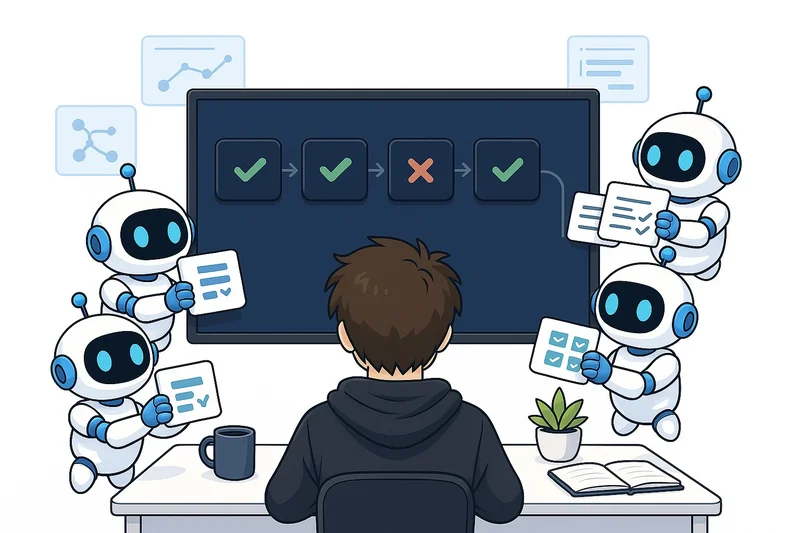
One of the main other bottlenecks is reviewing the output of code, i.e., going through the application to review the updates that have been added to ensure the new code actually does what it’s supposed to do. However, another task that I’ve noticed is becoming more and more of a bottleneck is CI/CD and working with GitHub and deployments.
This is definitely an issue I’ve struggled with personally. When I have a lot of agents working in parallel trying to get the code into development or production at the same time, it can be a challenge to make all the agents work effectively with each other. In this article, I’ll cover the techniques that I use to effectively work with multiple agents in parallel when it comes to merging and deploying code to production.
Why CI/CD has become a bottleneck
CI/CD stands for continuous integration and continuous delivery. It basically refers to the pipeline you have from after you’ve written the code and you want to deploy the code. So, this includes running a lot of tests, for example, merging the code into a development branch or a main branch, and deploying the code.
You can imagine that previously 80% of a coder’s time was spent writing the actual code, simply because writing a lot of code takes a lot of time.
However, now this has completely shifted because code can be written super quickly now that we have coding agents to write all the code for us. And the bottleneck has moved to other tasks within software engineering. These are tasks such as:
- CI/CD
- Human testing
- Organizing and planning tasks to be done
This is definitely a progression. Bottlenecks moving around to different tasks is very common once tasks become more optimized, such as the writing of code being optimized by coding agents. However, now that the bottleneck has moved to, for example, CI/CD issues, we need to find ways to minimize that bottleneck and increase speed so that we can make the most out of these coding agents.
So, the simple reason CI/CD has become a bottleneck is just that other parts of programming have become more effective. And the reason you should care about it is naturally that CI/CD now takes a significant portion of a software engineer’s time.
How to optimize CI/CD with coding agents
Now I’ll start discussing different techniques that I use to optimize CI/CD with Claude Code. I’ll cover the main techniques in different subsections below.
Automating code reviews
The first thing I’ll cover with CI/CD optimization is that code reviews should be automated. I would argue that in most cases you do not need a human review when merging stuff to a dev environment. This is simply because a dev environment is meant for testing in a lot of cases, and in my opinion, code that has been written by a coding agent such as Claude Code and reviewed by a coding agent such as Codex is less likely to contain bugs than if a human had done the entire thing.
This is based on experiences from when I’ve written code in production settings and from quantitative numbers that I’ve seen on the number of bugs from production settings. For confidentiality reasons, I can’t share these exact numbers, but you’ll just have to trust me that this is the case.
Running everything in parallel
The second point I would like to cover is probably obvious to a lot of you. But you should, of course, run everything in parallel that can be run in parallel. For example, you can run tests and code reviews in parallel, and all your tests should be run in parallel. Now, this might sound very obvious, but if you ask your coding agent right now to look through your CI/CD pipeline and see if anything can be optimized through parallelization, there’s a pretty significant chance for a lot of you that something can be made even more effective with a simple fix.
I just urge you right now to run the following prompt to try to optimize your CI/CD pipeline, which might save you significant time. This is because you might save one or two minutes per run of the CI/CD pipeline. For example, with tests, these tests might be run an average of two to three times per PR, and you might create 30 PRs per day. From the numbers, you can easily see that this will save you a large amount of time over time.
Look through our CI/CD pipeline and see if anything can be optimized
through parallelization. If there are tests or code reviews that can be
run in parallel, I would like you to update the pipeline to do this in
parallel as long as it doesn't impact any of the quality of the CI/CD
pipeline.
Snapshot the dev branch to merge to main
Another technique I recently had to implement is snapshotting the dev branch before taking it to prod. An issue I started experiencing more and more was that when I wanted to do a release PR from dev, dev constantly moved, because I had so much code going in dev constantly. When I have around 20-30 PRs going in dev per day, the branch, of course, moves very consistently, and it’s hard to have a static branch to take to production that has also been tested with a human review.
Thus, I started implementing what I call a snapshot dev branch to take into prod. This basically means that whenever I want to take dev into production, I take a snapshot of dev, take it to a new branch, and take that branch through Codex reviews so that I can review all code going to production at once. The code has, of course, also been reviewed when going into dev, but all the code was not reviewed together. And then I take this snapshot branch into production when it’s ready. This allows dev to consistently update after the snapshot has been done, so that the other agents can still continue their work even while code is being pulled into production.
And I found that this technique worked really well right away, and it’s a simple change you can implement right now with a single Claude Code prompt.
Constantly optimize
The last technique I want to cover is that you should constantly optimize your CI/CD pipeline. I suggest that you, at least on a weekly basis, do a review with your coding agent, for example, your Claude Code or Codex, and review your CI/CD pipeline given all the code that has been merged in the last week. This will allow you to discover bottlenecks in the CI/CD pipeline. For example, if code reviews are taking too long, if the Vercel deploys are failing often, and so on.
I urge you also to not only let an agent fully autonomously look into the CI/CD pipeline and optimize it, but for you to understand what’s going on in the CI/CD pipeline, make the coding agent explain it to you so you understand how it works and how it can be optimized, and then have the agent implement the optimization techniques. This is important because I have experienced that agents sometimes make sub-optimal decisions, and having a good understanding of the pipeline yourself allows you to help the agents make the optimal decisions to maximize the effectiveness of your CI/CD pipeline over time.
Conclusion
In this article, I discussed how to deploy code effectively. Deploying code has become quite different now that we produce so much more code and because of coding agents. While a previous bottleneck was to write the code itself, bottlenecks have now shifted from writing the code to other software engineering tasks, such as deploying the code and the CI/CD pipeline. I think you should consistently be optimizing your pipeline to make sure it works as effectively as possible, which will save you a large amount of time when you have many agents working in parallel in the same repository.
👉 My free eBook and Webinar:
👉 Find me on socials:
💌 Substack