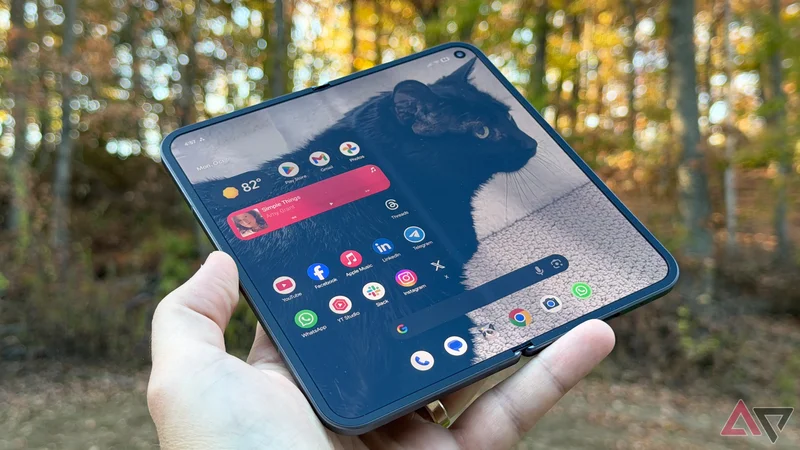
Even though Google entered the foldable market late compared to other major brands like Samsung, the Mountain View tech giant challenged the Samsung Galaxy Z Fold formula on several fronts.
I particularly like how Google refused to follow a Samsung-style outer display, which was too narrow to look like a conventional phone when closed. Instead, it widened the outer display to make it look like a regular phone when folded.
This was one major reason I chose the Google Pixel over the Galaxy when I bought the Pixel 9 Pro Fold, my first foldable phone. However, I paid little attention to what the outer screen could do.
I remained in the dark about one of its most impactful settings for several months. My perception of the cover screen changed after I found one setting on my phone.
I stopped ignoring the Pixel Fold cover screen after changing one setting: Continue using apps on fold.
The cover screen on my foldable Pixel phone finally feels worth using
I get to choose what happens when I fold
I got Android 14 out of the box when I bought my first foldable Pixel phone, though I didn't have to wait long to receive Android 15. I have to give credit because without its arrival, I wouldn't have used the cover screen this much.
It wouldn't have been possible without the Swipe up to continue button in the Continue using apps on fold setting. It strengthened the role the outer display plays in the overall foldable phone experience.
The feature allows the phone to move apps from the inner screen to the outer screen when you close the device. However, what I like about it is that it wouldn't happen without human intervention.
After closing the phone, you need to "swipe up" on your outer screen to keep using those apps that have now shifted from the larger inner display when you folded your Pixel.
So, closing the foldable Pixel no longer means the phone ends your session. If I feel fatigued using apps on a tablet-like display on my foldable Pixel, I can fold and keep using them on the outer display.
When folded, supported apps also change layouts and become more useful for one-handed use on the outer display. It feels exactly like using apps on my regular phone.
None of this is forced. It won't let me resume whatever I was doing on the inner display if I don't swipe up on the outer display after folding the device.
So, the cover display still plays a central role, even when I don't want to continue using the app after folding my device. This is when I realized that I could no longer ignore the cover screen of my foldable Pixel phone.
How I made the cover display more useful
It doesn't hide deep in settings
The Continue using apps on fold feature is easy to find in Settings. All I did was open Settings, tap Display, and then select the Continue using apps on fold option.
This gives you three options: Always, Swipe up to continue, and Never.
The first one always opens the app on the outer display, while the last option turns off the front display upon folding. You can choose the Always option to resume your session after closing the phone, but it's not as flexible as the swipe-up gesture.
This is a good enough reason to select the Swipe up to continue button instead of the first one.
Your favorite apps may not be well-optimized for the inner screen
Not everything needs a bigger screen
Google's first-party apps are optimized to run on a foldable phone, and you can switch between both displays without issues. In addition, other major platforms like WhatsApp take advantage of the dual-display form factor.
However, you are better off running some apps on the outer display than opening them on the inner screen. So, if you open one of those apps while the Pixel is open, you can quickly transition into the regular phone view by folding the device.
Even if the app is well-optimized, certain situations require you to fold your phone for a better experience. For example, I would love to use Google Maps on a tablet-sized display, but I would not use a navigation app like this while walking.
A well-functioning cover screen, like the one I have on my Pixel 9 Pro Fold, saves you from these kinds of situations.
The cover screen finally makes sense to me
Without the smooth transitioning of apps from a large inner display to the outer screen, a foldable phone feels like two separate displays.
But a foldable phone isn't that. It has to offer pick up where you left off in both directions, whether you move from the inner screen to the cover screen or the other way around.
The cover screen on my foldable Pixel phone makes sense to me because it perfectly complements the larger one, thanks to the Continue using apps on fold option.
The Pixel 9 Pro Fold features all the bells and whistles of its predecessor, alongside a more durable hinge that lets it sit flat, seven years of OS updates for the foldable (up from three), and all the AI smarts you could ask for.