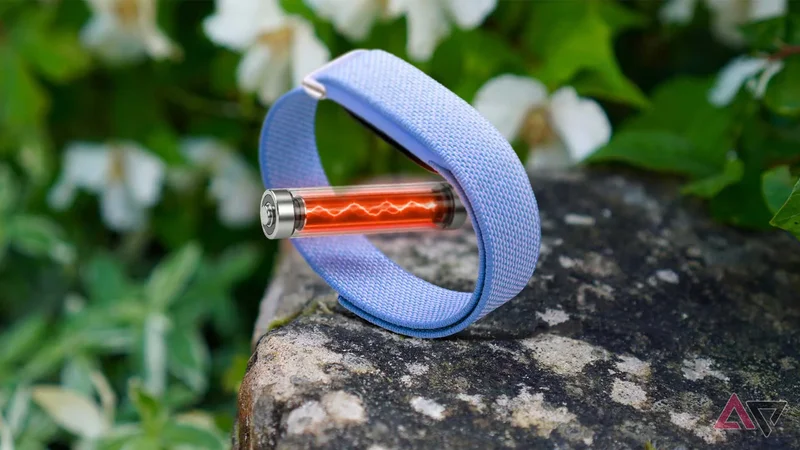
For over a month, I’ve been wearing the Google Fitbit Air 24/7. The only time it leaves my wrist is when I jump into the shower or throw it on the charger.
Coming from a standard smartwatch, its advertised seven-day battery life felt like a much-needed relief. While I managed to hit that week-long milestone during my first run, it proved to be a fluke.
Throughout the rest of my testing, the tracker consistently gave out after four to five days, which is far from the promised longevity in Google’s marketing push.
I was convinced my Fitbit Air unit had a defective battery cell or that a glitchy software bug was draining the tank.
However, after putting the device under my belt, I uncovered a few distinct culprits behind this erratic battery behavior.
With a handful of setting tweaks on my Fitbit Air, I ironed out these battery woes and improved its running time.
Fitbit Air has given me battery anxiety
Google needs to fix this immediately
Battery endurance was a primary reason I picked up the Google Fitbit Air.
Google claims it lasts up to seven days, which sounds fantastic on paper compared to what you get from a Google Pixel Watch or Samsung Galaxy Watch.
At the start, that claim held true. I charged it to full, and it comfortably powered through a full week without needing a top-up or finding an outlet.
That initial shine didn’t last long, though.
Erratic battery drain quickly became the norm on my Fitbit Air, and initially, I couldn’t figure out what was causing the sudden battery drop-off.
On one occasion, I topped it off to 100% before noon, only to watch the juice plummet to 81% roughly 12 hours later and before going to bed.
That drop happened without tracking a single workout or exercise session on that day.
From there, I went to sleep with overnight tracking enabled, which usually sips a modest amount of power. So you can expect a modest consumption for the entire night, which puts the battery at around 70 to 75%.
Running those numbers across a full week results in four days of runtime at best. And that is nowhere near the seven-day ceiling Google advertises.
Worse yet, those numbers were without exercise logging, meaning heavier workout days would further cut that running time.
Bluetooth could be the culprit
Switching it off might save battery life
During my troubleshooting, the wireless connection proved to be one of the primary reasons behind the erratic battery drain.
The Fitbit Air relies on a Bluetooth connection to sync with my Pixel 9 Pro XL. This operates automatically in the background depending on system activity and push notifications.
For instance, the two devices sync whenever I launch Google Health or trigger a manual refresh on the app.
Under normal circumstances, background syncing shouldn’t significantly eat into battery reserves. But during testing, the result was contrary to my expectations.
I noticed several instances where my Pixel struggled to connect with the tracker, leaving sync attempts for several minutes before it successfully connected.
At its worst, the Bluetooth pairing broke in one instance, forcing me to clear the Bluetooth profile and re-pair the tracker from scratch.
It is likely that the constant reconnection process impacts the battery in my Fitbit Air.
With that, limiting how often the tracker checks in with the phone could help extend the running time.
So instead of keeping the Bluetooth on my Pixel phone turned on all day, I disable it before heading to bed. This prevents the Fitbit Air from syncing with my Pixel phone while I sleep.
I tested with the Bluetooth disabled overnight. As seen in the screenshot above, the Fitbit Air consumed 4% of its battery level, dropping from 81% to 77%. That’s even with an active alarm set.
Limiting the use of the Google Health app can also bring a similar runtime saving. Instead, I open the app when needed, such as during a workout or to check the battery life.
Ensure that Bluetooth’s Automatically turn on tomorrow toggle is switched off to keep Bluetooth disabled.
Too much vibration usage might impact longevity
Reduce or disable use of vibration for alerts
Because the Fitbit Air lacks both a display and a speaker, it relies entirely on haptic feedback for alarms and incoming notifications.
That tiny vibration motor can be surprisingly demanding on power. Plus, given the modest size of the battery cell, frequent haptics can sap the juice faster than they would on a full-sized smartwatch.
To mitigate this, reduce the vibration intensity to moderate, or switch it off entirely if you rarely rely on alerts.
Alternatively, you can stop using Fitbit Air for alarms. That might save you a little precious battery percentage every morning.
To access these settings, open the Google Health app, tap the device icon in the upper-right corner, and then choose Fitbit Air. Now, select Device preferences > Vibration to open the settings.
Wearing it wrong might mean a poorer battery
Check that it is on the right wrist
Wearing the Fitbit Air on the wrong wrist can contribute to unexpected battery drain. That might sound counterintuitive, but physical positioning impacts how the onboard sensors process movement.
In the Google Health app settings, the Fitbit Air allows you to specify whether it is worn on your dominant or non-dominant wrist to refine tracking accuracy.
As a left-handed user, I set the app preference to my non-dominant wrist.
Configuring this setting correctly helps the algorithms process arm swings and daily gestures more accurately.
If the alignment is off, the tracker may overcompensate by keeping its motion sensors in a high-power state to interpret erratic data.
I tested switching the Fitbit Air’s position between my left and right wrists. I noticed better battery efficiency when the setting was matched with the correct wrist placement.
You can change the wrist preference by tapping the device icon in the Google Health app and then selecting Device preferences > Wrist preference.
Test what works best for you
Beyond tweaking these toggles, classic battery-preservation methods might be as effective on the Fitbit Air as they are on a smartphone.
For example, excessive heat is one significant reason for faster battery drain in phones. So, keeping the Fitbit Air out of direct sunlight for extended periods, including during outdoor workouts, might also extend its running time.
Opting for a strap or band style that adds another loop to cover the module can lower the temperature compared with it being exposed.
However, your mileage will still vary, and not all of these might be helpful. Case in point, test or tweak what works best for you.
Fitbit Air
-
**Battery Life** - 7 days
-
**Health sensors** - Optical heart rate, 3-axis accelerometer, temperature sensor
-
**Dimensions** - 35 x 17 x 8.3mm (Module)
-
**Water Resistance** - 50 meters
The Google Fitbit Air is a screen-less, compact fitness tracker. Order one at Google or major retailers.