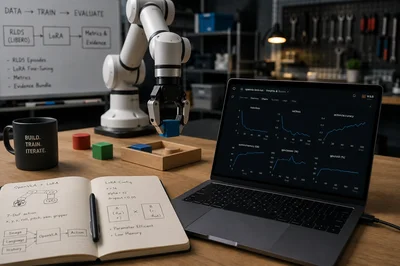
model sounds expensive, fragile, and hard to verify. I wanted a smaller test: can I run a real OpenVLA LoRA fine-tune in Colab, prove that the dataset loaded correctly, confirm that the GPU performed real training, and leave behind evidence that someone else can inspect?
If you are trying to understand whether OpenVLA fine-tuning is approachable, this article gives you a small, reproducible path before you spend time on larger robot experiments. By the end, you will know what changes in OpenVLA fine-tuning, what a LoRA adapter buys you, how to run the official training path in Colab, and how to verify that the result is more than a notebook that simply finished without crashing.
The OpenVLA paper introduces OpenVLA as a 7-billion-parameter open-source vision-language-action model trained on 970,000 real-world robot demonstrations. That scale is exactly why a small, verifiable first run is useful.
OpenVLA is a model for robot control. A vision-language-action model, or VLA, takes two inputs: a camera image from the robot workspace and a natural-language instruction such as “put the cup on the plate.” From those inputs, it predicts the next action the robot should take.
Fine-tuning means taking a pretrained model and training it further on a specific dataset. For OpenVLA, the dataset consists of robot demonstrations. Each demonstration shows what the robot saw, what instruction it was following, and what action it took next. The goal is to improve the model’s ability to predict the demonstrated action for a task family that matters to the run.
This article walks through one small, reproducible OpenVLA fine-tuning run. It uses the `openvla/openvla-7b` checkpoint, which is the 7-billion-parameter checkpoint used in the official OpenVLA recipe, and trains a Low-Rank Adaptation (LoRA) adapter instead of updating the full model. LoRA keeps the run smaller because it trains only a small set of adapter weights, while most of the original model remains frozen.
The run uses the `libero_spatial_no_noops` Robot Learning Dataset Standard (RLDS) dataset. Robot Learning Dataset Standard is a format for storing robot demonstrations as episodes. Each episode contains observations, instructions, actions, and step information. In this run, OpenVLA learns from those episodes by comparing its predicted action tokens with the demonstrated action tokens.
The rest of the article follows that path from setup to evidence. It explains the dataset, the training command, the important hyperparameters, what OpenVLA predicts, what the loss and action accuracy metrics mean, and how the completed run was checked in Weights \& Biases (W\&B). The goal is not to make the run look larger than it is. The goal is to make it inspectable.
What this is and is not
This tutorial demonstrates a reproducible, end-to-end OpenVLA adaptation workflow. The LIBERO dataset loads successfully, the official fine-tuning pipeline runs, LoRA adapter
weights are updated, training metrics are logged, GPU utilization is visible, and the resulting run can be inspected in W\&B.
The short Colab run is an integration validation, not a task-performance benchmark. Measuring whether the adapted policy improves success rates would require held-out
simulation rollouts or real-robot evaluation. Here, the goal is to give readers a working, verifiable foundation before they commit to a longer training and evaluation run.
Reproduction materials
Colab notebook: https://colab.research.google.com/drive/1AiiJuFvNUTyQ-eksm9Mj7wAGtvH_V4zQ
W\&B run: https://wandb.ai/wb-authors/openvla-lora-finetune/runs/zwo162re
Dataset: libero_spatial_no_noops
Model: openvla/openvla-7b
Hardware: Colab A100 High-RAM
Training length: 100 steps
Image by author. OpenVLA fine-tuning pipeline. A workspace image and natural-language instruction are processed by the pretrained OpenVLA-7B model. During fine-tuning, only the LoRA adapter is updated. The model predicts discrete action tokens that are decoded into normalized 7-DoF robot commands before execution.
What OpenVLA fine-tuning changes
After the checkpoint is loaded, fine-tuning changes the model’s behavior by training on robot demonstrations. A robot policy is the part of the system that chooses the next robot action. In this run, OpenVLA is the policy: it receives a workspace image and an instruction, then predicts action tokens for the next robot move.
Action tokens are discrete vocabulary entries that stand for robot control values. The released OpenVLA action represents a normalized seven-degree-of-freedom end effector command. The end effector is the tool or gripper at the end of the robot arm. The seven values represent x, y, z, roll, pitch, yaw, and gripper. A robot system must convert those normalized values back to the action scale used by its own robot and dataset before execution.
Image by author: How OpenVLA converts predictions into robot actions. Given a workspace image and language instruction, the model predicts discrete action tokens. These tokens are decoded into normalized seven-degree-of-freedom (7-DoF) commands representing the robot’s position, orientation, and gripper state before being executed by the robot controller
During training, the model sees an image, a language instruction, and the next action demonstrated in the LIBERO dataset. The LoRA adapter learns small weight updates that make the model more likely to predict the action tokens demonstrated in this task family.
Prompting and reinforcement learning solve different problems. A prompt changes the instructions given to the model when it is used. Fine-tuning updates weights using demonstration data. Online reinforcement learning improves a policy through trial and error, reward, and feedback from an environment.
Fine-tuning is useful when the pretrained policy is close to the task but mismatched to the robot setup. Common causes are a new camera angle, a new gripper, a different action scale, different objects, or task language that was not well covered in the original training data. Robotics papers often call this problem embodiment shift: the robot body, sensors, or action space changed, so the old policy no longer matches the new setup.
Why start with LoRA
Low Rank Adaptation (LoRA) is the adapter method used in this run. It trains a small set of new weights while most of the base OpenVLA checkpoint stays frozen. That makes LoRA a practical first experiment for a large robot model because the run uses less memory and produces a smaller adapter checkpoint.
Image by author: Comparison of full fine-tuning and Low-Rank Adaptation (LoRA). Full fine-tuning updates every model parameter, while LoRA freezes the pretrained OpenVLA weights and trains only a small set of low-rank adapter matrices. This reduces GPU memory requirements, produces much smaller checkpoints, and enables parameter-efficient fine-tuning.
The OpenVLA project reports that LoRA matched full fine-tuning in its parameter-efficient fine-tuning experiments while training only 1.4 percent of the parameters. That claim supports the choice of LoRA for a first run, but it does not make this 100-step run a full model quality evaluation.
For this article, LoRA is useful because it keeps the experiment small enough to run in the notebook while still using the official OpenVLA fine-tuning script. The result is a smoke test with real training evidence: the dataset loads, the adapter trains, metrics are logged, and the finished run syncs to W\&B.
The dataset used in this run
LIBERO is a benchmark for language-conditioned robot manipulation. The spatial split focuses on tasks where the robot must follow spatial relationships between objects, such as moving one object relative to another object. Robot Learning Dataset Standard (RLDS) stores robot demonstrations as episodes. Each episode contains observations, language instructions, actions, and step metadata. The no_noops suffix indicates that no-op actions have been removed, so the training data focuses on steps in which the robot changes the task state. The notebook downloads the dataset automatically and stores it in the Colab runtime.
Image by author: Structure of the LIBERO dataset stored in Robot Learning Dataset Standard (RLDS) format. The dataset consists of multiple episodes, each of which is a sequence of timesteps. Every timestep records the robot’s camera observation, natural-language instruction, 7-DoF action, and associated metadata used during OpenVLA fine-tuning.
The sample episode below shows what the dataset contains. The frames are camera observations from one robot demonstration. The instruction for this episode is: “pick up the black bowl on the ramekin and place it on the plate.” The first action has seven values: x, y, z, roll, pitch, yaw, and gripper.
Image by author: Six frames from one real `libero_spatial_no_noops` episode. The metadata file records the instruction, observation keys, action shape, and first action values. Image by author from the Colab dataset visualization cell.
The animated GIF below shows the same episode over time, while the contact sheet above gives a stable still view for readers and exports.
Animated figure: Observation sequence from the same `libero_spatial_no_noops` episode. Image by author from the Colab dataset visualization cell.
/content/data/rlds/modified_libero_rlds
The OpenVLA training script needs two dataset values. –data_root_dir points to the folder that contains the modified LIBERO RLDS data, and –dataset_name selects the exact LIBERO split used for training:
--dataset_name libero_spatial_no_noops
Those two values are the link between the downloaded data and the training command. If the folder or split name is wrong, OpenVLA cannot load the demonstrations.
Dataset license. This run uses the libero_spatial_no_noops split from the modified LIBERO RLDS data distributed by the OpenVLA project. The LIBERO datasets are released under the Creative Commons Attribution 4.0 International (CC BY 4.0) license, which permits commercial use with attribution. The LIBERO and OpenVLA codebases are released under the MIT License. Dataset source: LIBERO (Liu et al., 2023).
Colab runtime setup
The notebook is built for a single Colab run: set the runtime once, add a Weights \& Biases API key in Colab Secrets, and run the cells from top to bottom. It is designed for an A100 High-RAM Colab runtime, not a free CPU runtime or a small local laptop. The goal is to keep the experiment small enough for one notebook session while still using the real OpenVLA training path. The fixed dataset path and automatic W\&B entity detection keep the command consistent across accounts.
Use this runtime type:
Runtime type: Python 3
Hardware accelerator: A100 GPU
High-RAM: on
The notebook reads WANDB_API_KEY from Colab Secrets. During sync, it asks W\&B which default entity belongs to the key and writes the run there. The final run URL belongs to the account connected to that key.
OpenVLA pins older machine learning dependencies, so the notebook uses two Python environments:
/content/openvla_venv    OpenVLA training environment
/content/wandb_sync_venv    W&B sync environment
The training environment runs the official OpenVLA script. The sync environment uses a current W\&B client to upload the offline run after training finishes. This split keeps the OpenVLA dependency stack stable and still supports current W\&B authentication.
The distinctive part is the sync logic. The notebook trains offline in the OpenVLA environment, creates a fresh sync environment, resolves the entity from the API key, and uploads the offline run:
```
!pip install -U wandb
import wandb
from google.colab import userdata
wandb.login(key=userdata.get("WANDB_API_KEY"))
wandb.init(project="openvla-lora-finetune")
```
Training command
The notebook runs the official OpenVLA LoRA entry point, vla-scripts/finetune.py. The core command is:
torchrun --standalone --nnodes 1 --nproc-per-node 1 vla-scripts/finetune.py \
  --vla_path openvla/openvla-7b \
  --data_root_dir /content/data/rlds/modified_libero_rlds \
  --dataset_name libero_spatial_no_noops \
  --run_root_dir /content/openvla_runs \
  --adapter_tmp_dir /content/openvla_adapter_tmp \
  --lora_rank 32 \
  --batch_size 2 \
  --grad_accumulation_steps 8 \
  --learning_rate 0.0005 \
  --image_aug True \
  --wandb_project openvla-lora-finetune \
  --wandb_entity "$WANDB_ENTITY" \
  --max_steps 100
Gradient accumulation means the trainer accumulates gradients across several small batches before performing a single optimizer update. The effective batch size is:
effective batch size = batch size x gradient accumulation steps x number of training processes
For this run:
2 x 8 x 1 = 16
The run uses 100 training steps. That is enough to verify that the dataset loads, LoRA trains, metrics are logged, and W\&B sync works.
The hyperparameters are intentionally conservative for an A100 Colab smoke run. LoRA rank 32 and learning rate 0.0005 follow the OpenVLA LoRA example’s scale. A batch size of 2 keeps GPU memory manageable. Gradient accumulation of 8 gives an effective batch size of 16, while the physical batch size remains small. Image augmentation stays on because the OpenVLA LoRA recipe uses it to improve robustness to visual variation.
Evidence captured by the notebook
At the end of the Colab run, the notebook writes an evidence folder and zip file:
/content/openvla_article_outputs/
/content/openvla_article_outputs.zip
The evidence folder contains:
colab_environment.json
openvla_lora_colab_command.sh
openvla_lora_train_stdout.txt
wandb_run_url.txt
wandb_verified_run.json
The training log confirms the actual model and dataset:
Fine-tuning OpenVLA Model `openvla/openvla-7b` on `libero_spatial_no_noops`
The verified W\&B metadata points to the synced run:
https://wandb.ai/wb-authors/openvla-lora-finetune/runs/zwo162re
What the run showed
The 100-step run produced a visible learning signal. Three metrics matter before reading the numbers. train_loss measures supervised training error, so lower is better. l1_loss measures absolute action error, so lower is better. action_accuracy measures how often predicted action tokens match demonstrated action tokens, so higher is better. The important result is not the final action accuracy by itself. The important result is that all three signals move in the expected direction during a real training run: supervised loss decreases, action error decreases, and action-token accuracy improves. The W\&B summary recorded:
train_loss: 3.42928
l1_loss: 0.2222
action_accuracy: 0.28571
Training loss falls sharply during the first ten steps and then stabilizes around 3.2–3.6, ending at 3.42928. This shows that the LoRA training loop is updating the model, but it does not by itself measure robot-task success. W\&B chart captured by the author.
L1 action loss decreases from approximately 0.46 at the beginning of training and then fluctuates between roughly 0.18 and 0.29, ending at 0.2222. Lower L1 loss means the predicted continuous actions are closer to the demonstrated actions. W\&B chart captured by the author.
Action-token accuracy increases from approximately 0.09 at the start to a peak near 0.35 at step 90, before ending at 0.28571. The upward movement provides a learning signal for this short validation run, not evidence of successful task execution in simulation or on a robot. W\&B chart captured by the author.
image by author: System telemetry from the OpenVLA LoRA Colab run. Host memory stabilizes after the initial setup period, while process GPU power remains roughly between 165 and 195 watts and around 40–48 percent of the available power range during training. Together, these measurements confirm that the notebook performed sustained GPU work. Image by author from W\&B.
This is the system evidence. system/memory shows the host’s memory usage. Process GPU Power Usage (W) and Process GPU Power Usage (%) show that the Colab A100 was active during the training window. Process GPU power was roughly 170 to 190 watts for much of the run, and process GPU utilization sat around 40 percent. These panels help confirm that the notebook performed real GPU training work and then synced the metrics to W\&B.
These metrics show that OpenVLA LoRA fine-tuning ran on the RLDS dataset, used the A100 GPU, and synced interactive charts to W\&B.
Use the tracker as evidence
For this kind of robotics tutorial, the experiment tracker is the audit trail for the run. The important question is whether each article claim connects to logged metrics, system telemetry, files, and metadata from the same training job.
This run uses W\&B because the notebook and captured evidence were synced there. The same evidence pattern applies to any tracker capable of storing metrics, system telemetry, files, and a stable run URL. The run gives the tutorial a reviewable record:
- Run URL
- Training loss curve
- L1 action loss curve
- Action accuracy curve
- System memory
- GPU power usage
- Synced run files
The notebook trains with W\&B offline logging first, then syncs the finished run. That makes the run resilient to dependency conflicts while still ending with a dynamic W\&B page that readers can open.
Reproduce the run
Open the companion notebook:
https://colab.research.google.com/drive/1AiiJuFvNUTyQ-eksm9Mj7wAGtvH_V4zQ
Set the runtime to A100 GPU with High-RAM. Add WANDB_API_KEY in Colab Secrets. Then choose:
Runtime -> Run all
The notebook performs the full sequence in order. It installs dependencies, clones OpenVLA, stages the modified LIBERO RLDS dataset, creates the OpenVLA Python 3.10 environment, runs the LoRA fine-tune, syncs the offline W\&B run, verifies the W\&B run URL, and zips the evidence files.
When the run completes, open the W\&B link printed by the notebook to inspect the run history, charts, files, and metadata.
What this run gives you
A 100-step LoRA run will not tell you whether a robot policy is ready to deploy. It will tell you whether the training path is wired correctly: the right dataset loads, the official script runs, the adapter receives updates, the graphics processing unit does real work, and the metrics survive outside the notebook.
That is the practical value of the article. Before scaling to longer training, simulation evaluation, or real robot testing, you have a compact baseline that is reproducible, inspectable, and honest about what it proves.
The same pattern applies beyond OpenVLA. For any large-model fine-tuning tutorial, the useful question is not only whether the notebook is complete. The useful question is whether the run leaves behind enough evidence for another person to inspect the data, command, metrics, hardware activity, and final artifacts. For me, that is the real lesson: before asking whether a fine-tuned robot model is good, first prove that the training run is real, reproducible, and measurable.
Sources
- OpenVLA: An Open Source Vision Language Action Model, the paper behind the model, architecture, dataset scale, and fine-tuning claims.
- OpenVLA project page, the project description for model structure, robot evaluations, and parameter-efficient fine-tuning.
- openvla/openvla GitHub repository, the official source for installation, LoRA command arguments, dataset setup, and training scripts.