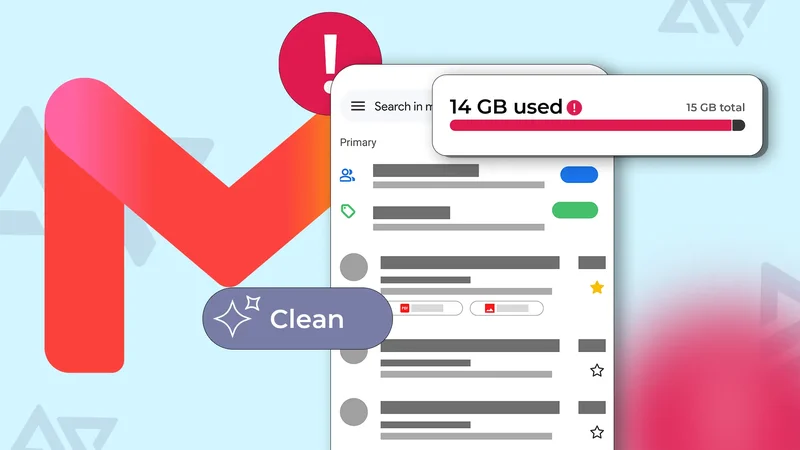
I dread cleaning my inbox and haven't properly decluttered it in years. Mail storage always seemed insignificant against Google's shared 15GB, so I focused on large files and ignored everything else.
Then I reclaimed 10GB and realized hundreds of 2MB attachments can be just as obstructive.
These days, I watch my storage like a hawk from my and computers. These uncommon tricks helped me.
Deleting emails isn't the first step for me
It's among the last things I do
Google Docs, Sheets, and Slides created before June 1, 2021, don't count toward the 15GB storage quota. But anything you create or edit after then converts to billable space.
I'm always working on drafts, and I sometimes have to reference an old pitch or sample for a publication.
My Gmail storage gets tighter without a new email arriving because my account's space splits across Google Workspace apps and services.
Messages themselves aren't large. The average one is a few kilobytes unless it contains an attachment. Even then, it takes multiple times to add up to anything meaningful.
I had 16GB worth of emails before now, but bulk deletion and smarter search with Gemini made managing them less intimidating. I've trimmed the size down to about 4GB.
I can't deny being a hoarder. But sometimes, there's the off chance that an email turns out to be important later.
So, I downloaded a Google Takeout copy of only my Mail data as an MBOX file before I cleared anything. Takeout is Google's official export tool for your data stored in its products.
Afterward, I used the Google One app to bulk select and delete emails and attachments. It does a good job of grouping cloud files into different compartments and filtering emails with preset categories.
Without the app, Gmail's built-in search operators are alternatives for filtering messages. You probably didn't know the mobile app treats size as searchable metadata.
It's indexed the same way as sender information, date, and subject. I searched for larger:10M, and Gmail checked a stored value to return matches across years of mail in seconds.
Adding has:attachment narrowed further to messages that were both above the searched size and carrying a file. Then I bulk selected and deleted them.
Likewise, the smaller:10M operator fetches smaller files. You can even switch the units. For example, K for kilobytes and G for gigabytes.
Newsletter subscriptions are a storage trap
They're a duplicating headache
Your mind is in the right place if you think of attacking large emails as they come. But there's such a thing as a fruitless endeavor.
Email subscriptions thrive on a subscribe-and-forget model because there hasn't been a standardized way to revoke your consent for a long time.
So, I'd rather let them pile up than track down individual unsubscribe links buried in the footers. I used to rely on the Email Studio extension to mass opt out of them.
It's a good thing Google introduced a one-click unsubscribe button in 2024, followed by a subscriptions organizer menu in 2025.
The former stops me from receiving future versions from the same sender, while the latter helps me review past permissions.
Otherwise, I may delete every promotional email from a sender, but it merely resets the counter.
Instead, I open them and tap the Unsubscribe button first. I tap the menu icon in Gmail's upper-left corner and select Manage Subscriptions to do a deeper audit.
However, there's no unsubscribe action baked into the Promotions tab. It's only a smart category that sorts messages based on layout, sales language, and sender patterns.
Messages can appear based on a past transaction, data sharing between companies, account signup, or checkout where you provided your email, even if you didn't consent to any reminders.
I cross-check them because some are PR outreach for product reviews. If a sender doesn't offer me value, I tap the three-dot icon beside the Unsubscribe button. Then I select the Block option to route future mail to spam.
Next, I'll grab their domain and run it through a search operator in Gmail, like from:sender@domain.com, and batch delete their emails.
Speaking of the deletion system, it's a two-stage system that works against me. The initial step moves messages to Trash, where they still count against my quota.
Emptying the folder removes them permanently and returns the space. It automatically empties itself if you take no action after 30 days.
At this point, I confirm that I didn't miss important information and that local backups are secure.
Old imports may be taking up room
Revisit the past and confront them
Years ago, I performed a post office protocol (POP) import on my old Gmail account and merged emails with the new one.
It's older than the Internet Message Access Protocol (IMAP), and is the standard Google normally uses to pull messages from its servers to your desired client.
It seemed like a good idea to keep everything under one roof and let go of one account. I changed my mind because it was messier than expected.
Emails appeared at the top of the inbox instead of chronologically, burying recent ones underneath old content. Also, none of my separate labels carried over.
Everything collapsed into one label named after the old address. Luckily, imported messages exist independently, and wiping them didn't affect the old account.
So, I selected conversations inside the old account label and cleared them. You may need to build a filter if it's not so easy.
In the Gmail web app, go to Settings > Filters and Blocked Addresses. Enter the shared trait for duplicates into the matching fields.
For example, entering "Jane Doe" in the From field surfaces every message from that sender by display name.
Click Create filter, and Gmail prompts you to skip the inbox, mark as read, apply a label, forward it, delete it, and more.
Check Delete it, then Also apply filter to matching conversations at the bottom to clear matching emails in your inbox.
Unfortunately, you can't create permanent automatic filter rules inside the Android app. But you can use search filters to find emails quicker.
Create your own space
The shared part of Google's 15GB storage is a major limitation.
You'll always have to audit your Gmail, Google Drive, and Google Photos more frequently than someone paying to expand space to terabytes.
If you're not careful, you'll buy more than you need. Thankfully, I learned the easy way with a free trial of the $250-a-year Student AI plan.
It offers 2TB of storage, though I barely even filled 20GB of space. Quitting cloud storage subscriptions and building my own local hub has helped me save money for deserving services.