Microsoft has a default phone companion app for Windows PCs. It's called Phone Link.
Using Phone Link, you can get your important phone notifications on your desktop, copy and paste text between devices with ease, and so much more.
However, this app is heavily gate-kept. You need an online Microsoft account to get to the main screen, only to find that most of the good stuff is reserved for certain smartphone brands (Samsung, mostly).
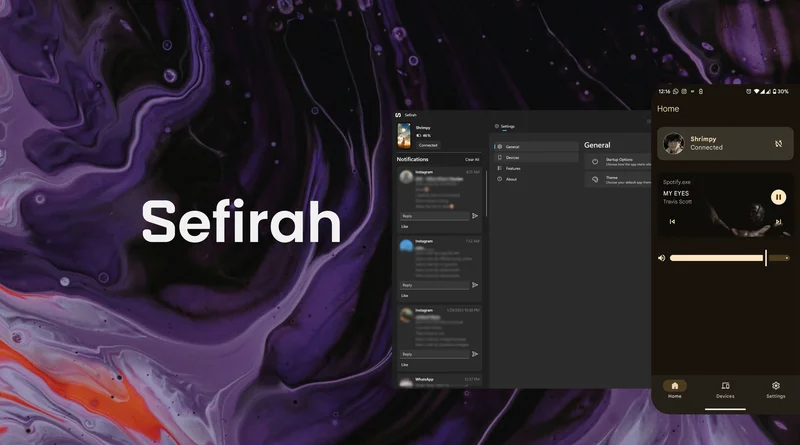
Sefirah is an open source version of the Microsoft Phone Link concept. I've been using it for over a month, and it is surprisingly good at its job.
All its features work on all Android phones
Compatible with everything
First, this app is totally free; there are no paywalls or ads. It's fully open source, available on the Google Play Store and every open source repository.
Even the repository is excellently maintained and documented, which is always a good sign.
All its features work on all Android phones, and the phone connects with Windows flawlessly every time. There is even an early release Linux version.
Lastly, it does not need an online account or any kind of account to work (more on that in a bit).
Quickly connects without any kind of account
Pairs perfectly with a local Windows account
On Windows, it feels intentionally designed to look and feel familiar to people coming from Microsoft's Phone Link.
The phone app works great. After it connects, the phone app shows me my laptop's battery status and its speaker controls.
All you do is press the Add Device button on your phone. The onboarding dialog asks you whether you want to connect to a Linux or Windows PC.
It automatically detects the Windows computers connected to your home network.
A screen pops up on your Windows computer where you installed Sefirah. It asks for confirmation to connect and does so as soon as you click.
Then it asks where to save incoming files.
Finally, it throws this laundry list of permission requests at you. Only the top two are essential for things like notifications or clipboard sync.
You can leave those off if you only need the basic file sharing functions. You can leave the rest of the settings as default.
Sharing the clipboard is simply seamless
Sane clipboard sync, finally
When you copy text on one device, it is instantly copied to the other device. So when you copy text on your computer, you can pick up your phone and tap Paste. That's all. It works the other way around too.
There is a setting I enabled that isn't on by default.
Images aren't usually included in the clipboard sharing, but when toggled on in the settings, I can copy and paste images between my phone and computer.
You can also enable a toggle to get a toast message whenever text is copied.
This app sets the bar for file sharing between a phone and PC
Step aside, KDE Connect
There is a share icon under the phone status. This is used to send files over to the phone. On your phone, you will find Sefirah in the Android share menu.
The files show up on your device with an alert. You can send multiple files at once, too.
This is the simplest file sharing system I've seen in an app of this kind.
KDE Connect, another popular open source companion, can only send one file at a time from your computer to the phone.
Even LocalSend fails on me from time to time, but this app has not glitched out once so far.
It has more features than Phone Link
They're handy too
Microsoft has limited many of Phone Link's useful features to Samsung phones and certain Chinese brands.
Things like storage integration (so you can access your phone files on your computer) or PC remote are only available for those brands.
Sefirah brings those locked features to every Android phone. It can also do screen mirroring (you will need to add another open source plugin).
You can dial phone calls and move them to your computer. It shows you call logs and SMS messages too. You can also send SMS messages from your PC.
Where Phone Link limits storage access to photos only, Sefirah gives you full access to the Android file storage system in Windows Explorer.
Here is the full list of its features.
If you want to disable its background activity and stop the app, there is a neat toggle in the main menu.
The verdict
KDE Connect was the closest thing we had to a Phone Link alternative for the longest time, but this app has changed that.
The open source community has set the bar. Sefirah beats the trillion-dollar tech giant's version in every category.
Windows users will find it to be a pleasant-to-use, less intrusive version of the official Phone Link app.