Reading the news with your first coffee, marking up a presentation in the afternoon, then disappearing into a favorite series at night — your tablet display sits at the center of all these moments. Choosing between an OLED tablet and an IPS tablet is therefore more than selecting a panel label. It is a choice about how your everyday digital life will look and feel.
An AMOLED display uses organic compounds and allows every pixel to produce its own light and be controlled independently. Pixels can switch off when displaying black, supporting deep black levels and high contrast. Panel technology should be selected around the intended use, together with resolution, color accuracy, brightness, anti-reflective treatment, touch sensitivity and response time.
If dark-scene detail, vivid color and high contrast shape your enjoyment, the character of an OLED display is a natural match. Independently lit pixels support strong black levels and contrast, while quick pixel control contributes to clear motion in video and games.
A panel name alone does not define a productive display. Resolution, brightness, anti-reflective treatment, touch sensitivity and response time all shape daily comfort. If your day includes long documents, split-screen research or handwriting, the aspect ratio and usable workspace deserve equal attention.
Strong-looking colors are only one part of the creative experience. Resolution, color coverage, contrast, brightness and reflection management make the display easier to assess in measurable terms. A visual creator should therefore look beyond the OLED label and evaluate the complete screen specification.
Independent pixel control contributes to fast response in AMOLED displays. Yet panel type is only part of gaming performance. Refresh rate and response time also shape how fluid and clear fast-moving scenes appear, so the decision should be based on the complete display rather than OLED or IPS alone.
Movies, video, games or visual content play a major role in your day.
Deep blacks, high contrast and vivid colors are priorities.
You use the display for presentations, portfolios or creative work.
You value wide viewing angles and a clear image from different positions.
Your use centers on everyday reading, browsing and general tasks.
You plan to judge the complete specification, including resolution, brightness and touch experience.
Ultimately, the best tablet display becomes meaningful in the rhythm of your day — not in a specification list alone. Start with where, how long and with which content you use your tablet, then choose the display that best supports that routine. OLED is a strong choice when visual quality sits at the center of your lifestyle. IPS can still be the right fit for a balanced everyday experience. Begin with your use case, then compare resolution, brightness, color, refresh rate, response and reflection control — not the panel name alone.
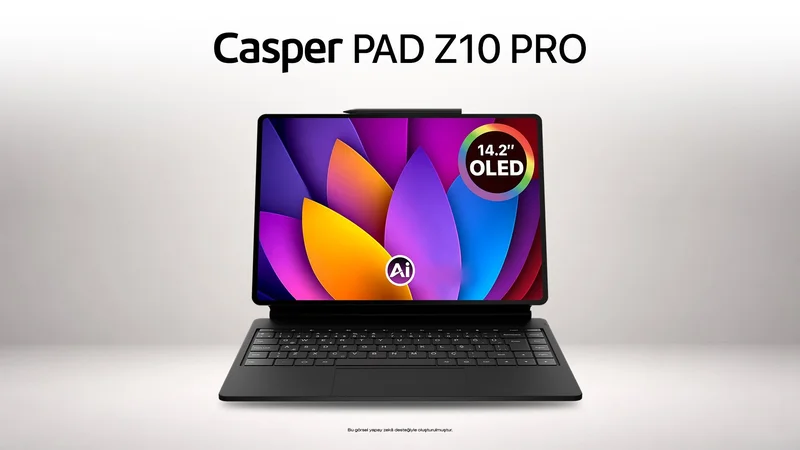
The Casper PAD Z10 Pro is a premium Android tablet designed for both viewing and productivity, with a 14.2-inch 2.8K OLED display and a 3:2 aspect ratio.
A tablet that moves from morning meeting notes to afternoon sketches and an evening watchlist needs to adapt to several roles. On its current product page, Casper positions the PAD Z10 Pro as a premium Android tablet built around this flexible work-and-life rhythm.
14.2-inch 2.8K QHD OLED display with 2880 × 1920 resolution
3:2 aspect ratio and 244 PPI pixel density
600-nit standard brightness and up to 800 nits with HBM support
1,000,000:1 contrast ratio, 10-bit color and 100% DCI-P3 coverage
144 Hz refresh rate and 2 ms screen refresh time
Anti Glare display technology designed to reduce reflections
12 GB LPDDR5 memory, 256 GB storage and MediaTek Dimensity D8300 processor
10,000 mAh battery, 30 W charging support and up to 10 hours of video playback
Four 1 W stereo speakers with Dolby Atmos
Active pen, touchpad-equipped Magic Keyboard and split-screen support
Together, these features turn the display from a surface for watching into a workspace for note-taking, document review, presentations and side-by-side apps. Casper says the 3:2 ratio provides more vertical working room, while Anti Glare technology is designed to reduce reflections from office lighting or windows. The OLED panel’s deep-black and high-contrast character supports visual experiences ranging from movies to portfolios.
There is no universal winner. OLED/AMOLED is strong in deep blacks, high contrast and vivid color, while IPS provides wide viewing angles and a clear image from different positions. The right choice depends on the intended use.
If deep blacks, high contrast and vivid color matter most, the visual character of OLED is particularly well suited to movies and multimedia.
Evaluate resolution, brightness, anti-reflective treatment, touch sensitivity and response time. Aspect ratio and pen support also matter for notes and split-screen work.
Yes. Its 14.2-inch 2.8K OLED display, 3:2 aspect ratio, active pen, touchpad-equipped Magic Keyboard and split-screen support make it well suited to productivity tasks such as note-taking, document review, presentations and side-by-side apps.