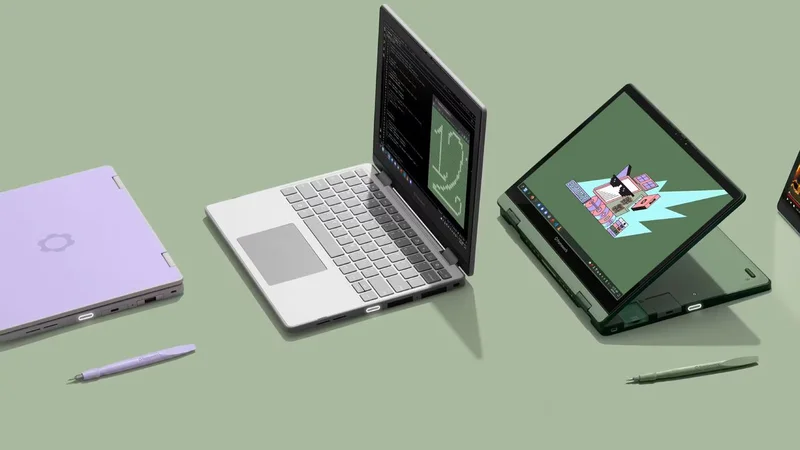
Framework has just announced a new version of its Framework 12 laptop that apparently gets a bunch more battery life. That's despite it keeping the same 50 Wh battery and thanks to Intel's Wildcat Lake processors.
The Framework 12 is the company's two-in-one (touch-and-type), low-power, entry-level offering, mainly used for study and light work. Previously it used low-power Raptor Lake-U (13th Gen) processors, but now ones that you pre-order will use fresh—but still low-power—Wildcat Lake, ie, Core Series 3, processors.
Framework currently lists a few options to choose from:
| Header Cell - Column 0 | Max clock speed | Cores | Price |
|---|---|---|---|
|
| 4.3 GHz | 1 P + 4 LPE | $549 / £549 |
|
| 4.6 GHz | 2 P + 4 LPE | $779 / £779 |
|
| 4.8 GHz | 2P + 4 LPE | $999 / £999 |
Those prices are, of course, base prices before adding on the other storage and memory to your DIY kit.
These processors obviously won't get you close to running any kind of heavy productivity tasks with ease, but for general day-to-day use they should be fine. It's also unlikely to be great for gaming, given even the top processor here, the Intel Core 7 350, has just two Xe (GPU) cores. Even Intel's newly-rumoured low-power handheld processor is said to have four.
That being said, the switch to Wildcat Lake, Framework claims, greatly improves battery life. The company is claiming 57% extra hours while browsing the web and 70% extra hours streaming Netflix. Those are some bold claims, but given what we've seen of Panther Lake's battery life (different processors but using the same 18A node), it's not beyond believability.
There are a number of other improvements, including:
Keep up to date with the most important stories and the best deals, as picked by the PC Gamer team.
- Wi-Fi 7
- Backlit keyboard
- Thunderbolt 4
- Fingerprint reader
- Pre-installed Fedora Linux
Of course installing Linux isn't exactly difficult, but it's nice to see Fedora installed by default for those who just want to buy a laptop and get to it, right out of the box.
Fedora in particular is a great choice, in my not-so-humble opinion. It at least gave me a better time of things than many other distros did. But hey, I don't want to go sparking the perennial distro debates in the comments.
Other than those changes, you're getting the same convertible, two-in-one touch and type lappy as before.
1. Best overall: Razer Blade 16 (2025)
2. Best budget: Lenovo LOQ 15 Gen 10
3. Best 14-inch: Razer Blade 14 (2025)
4. Best mid-range: MSI Vector 16 HX AI
5. Best high-performance: Lenovo Legion Pro 7i Gen 10
6. Best 18-inch: Alienware 18 Area-51
Jacob got his hands on a gaming PC for the first time when he was about 12 years old. He swiftly realised the local PC repair store had ripped him off with his build and vowed never to let another soul build his rig again. With this vow, Jacob the hardware junkie was born. Since then, Jacob's led a double-life as part-hardware geek, part-philosophy nerd, first working as a Hardware Writer for PCGamesN in 2020, then working towards a PhD in Philosophy for a few years while freelancing on the side for sites such as TechRadar, Pocket-lint, and yours truly, PC Gamer. Eventually, he gave up the ruthless mercenary life to join the world's #1 PC Gaming site full-time. It's definitely not an ego thing, he assures us.