There are numerous bottlenecks that I’ve experienced now that coding has become commoditized and we can write more code a lot faster with Claude Code and Codex. I’ve covered some of these bottlenecks before, in previous articles, with topics such as:
- Reviewing code
- Deciding what to work on
However, there is a third one that I’ve definitely experienced more and more issues with, and I spent a lot of time thinking through how to optimize, and that is how to align my intent with Claude Code now that I spin up so many sessions.
When I say aligning my intent with Claude Code, what I mean is that Claude Code understands exactly what I want to implement and that Claude is thus able to make a lot of assumptions about how the implementation should be done. Essentially, Claude should understand what I want to implement and implement it as accurately as possible so that when I review the work afterward, I minimize the amount of stuff we have to tweak.
Why alignment is so important
As usual, I like to cover why the topic I’m covering is so important. The reason alignment with Claude Code or coding agents in general is so important is that if your intents are not aligned with your coding agent, the coding agent will not implement what you expect it to implement or what you want it to implement.
A disconnect can, for example, take shape with the model not implementing the design as you want, not having the correct logic in the feature it’s implementing, and many other things.
Essentially, it boils down to the fact that it now takes you, the human, more time to complete the task. Because when you spun up the task, you tried to share with the coding agent what you wanted to implement, and if you were not aligned, the agent implemented the wrong thing or implemented something incorrectly. In this situation, you had to go in, review the agent’s work, give feedback on what it did incorrectly and how to do it correctly next time, and then this process might have to continue for several more rounds until the agent has actually managed to implement what you wanted originally.
Not being aligned with your coding agent costs a lot of time.
And as you know, time has now become even more valuable, now that we can build even more stuff in a shorter amount of time, which is why you have to protect it as much as possible. And this is the reason that you should spend time optimizing how well you align with your coding agent. I’ve tried a lot of different techniques and tests to see how to align best with my coding agent to make it complete work as effectively as possible, with a minimum amount of human interference.
How to align with your coding agent
Now let’s dive into how to align with your coding agents. In this section, I’ll cover a few different techniques, though I will spend most of the time optimizing the single most effective technique that I found to align with my coding agent and to understand its understanding of my tasks. First, however, I’ll cover some smaller techniques you can use to improve alignment with your coding agent.
Plan mode
Plan mode is the first thing you can do. Plan mode is essentially where you have the agent do a read-only sweep of the repository and make a plan on how to implement the feature that you’re requesting. The good thing about plan mode is that the agent will now spend time asking you questions to make sure that it understands you correctly.
Having the coding agent ask you questions is a great technique to improve alignment. Instead of you having to ask the agent questions about how to do things or how it understands things, you should have the agent ask you questions, which is much quicker for you to answer and is overall a more effective technique to improve model alignment.
However, sometimes I don’t use plan mode for smaller tasks. I don’t think it’s necessary in a lot of cases because I believe I can make my initial prompt clear enough that the model and the agent don’t need planning or question-and-answer, and yeah, I think it’s mostly important for larger issues or tasks that you’re working on.
Detailed prompts
The second technique I want to cover is to make the prompt you provide your coding agent detailed. You should try to include as much context as possible. And this can be done in 2 main ways. One is that, of, you try to remember context yourself and explain it in your prompt. I think it’s worth noting here that the length of your prompt doesn’t really matter, you shouldn’t worry about adding too much text, as more context is usually simply better. The second is that you should add context from different sources. So, for example, a good source might be a Slack message, which also includes some screenshots that are relevant for an implementation, or a Notion knowledge base that you should take into account, and so on. You should feed as much info as possible, for example, you should make sure the coding agent has access to all of these sources and tell it to use them actively during implementation and research.
Sometimes, for example, I even make the prompts using a separate coding agent. So I make a separate coding agent present me with a detailed prompt for exactly the task I want to implement, which is basically like a pre-work agent and helps me make much clearer and more detailed prompts that include answers to a lot of the questions a coding agent might have if I didn’t prepare the prompt like this beforehand.
The most effective technique for model alignment
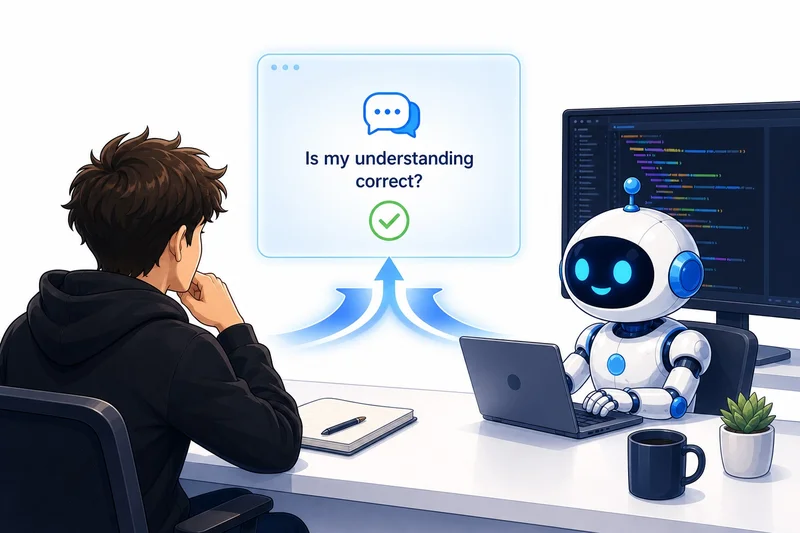
Telling the model “is my understanding correct: ”. I use this technique probably 10 to 20 times every day, if not even more if I have a very active day, to make sure that I’m fully aligned with the coding agent I’m working with.
The reason this technique is so powerful is that you’re putting the questions in the hands of the coding agent so you don’t have to come up with the question yourself. This comes back to the point I made earlier in this article: you want the coding agent to ask you questions and not the other way around.
I would say that using this technique of telling the model: “is my understanding correct”, has 2 main benefits:
- It’s a good way for you to understand all the problems the coding agent is working on.
- The coding agent gets to read and understand your perspective and can tell you if your understanding is wrong in any way or if it’s fully correct or partially correct. This ensures that you have a complete understanding of everything that’s being done, and it makes it super easy for the coding agent to point out where your understanding is incorrect so that you can correct it. Of course, and then you can, of course, correct it with the help of a coding agent explaining it to you.
The alternative is to let the coding agent explain everything it did and then verify it yourself. It presents some work that it’s done, you can test whether the feature or bug that it fixed was done correctly, and you come back to it. The problem, however, is that you don’t gain a full understanding of everything the coding agent did. Yes, you can check the surface-level implementations by, for example, clicking around the app and just trying to reproduce the bug and see if it’s being reproduced, but you don’t have that full understanding of everything the coding agent did, or at least you can’t verify that you have that full understanding.
Now I want to give an example from a specific task that I’ve been working on. I was implementing an app where I can have a Vercel website, which makes it so that I can access my coding agents from any location, for example, my phone or my Mac. And it makes it super easy for me to discover which coding agents need input and which ones can continue running. And I get a swipe functionality so that I can quickly go through all of my coding agents. This is basically an app idea I thought of to make it more effective to interact with all of my coding agents because I had a hard time having an overview of all of them when I started having 15+ agents running at a time.
What I did was start making a plan for implementing this feature where I explained everything, for example:
I want an application, a Vercel application, that I can access from
both my phone and Mac, so it needs to be optimized for phone view
and PC view. And it should give me an easy overview of all my coding
agents. It's very important that I can see all my coding agents from
that view, whether it's Codex or Claude Code. It should easily be able
to discover which coding agents are running autonomously and thus do
not need any input, and which coding agents need input from me, and it
should alert me if they need input from me. It should also use an LLM
to make the queries for me as simplified as possible so that I can, in
most cases, just respond with one of the predetermined alternatives
and so on.
I then let the agent make a plan and look into how to build it, and it started explaining the application and so on.
Later, I wanted to understand better how the LLM system in my application worked because I wasn’t sure how the LLM understood which tasks were outstanding, like which threads I had to work on, and how it understood how it built the multiple-choice questions from the threads that had outstanding work.
I thus prompted something like:
I wanna understand the LLM system in the application better. Is my
understanding correct? That the system works so that we have cron
job running every 10 minutes where we then run a codex agent going
through all my threads. It identifies which threads are currently
running and which ones are stopped, and then out of the ones that
are stopped, it discovers if anything is waiting for input from me
and discovers the tasks that is waiting for input on and presents
them to me in a multiple choice format. Is that understanding correct?
The agent then explained to me that the system was not based on a cron job, for example, it was based on a webhook system, and it explained that I was using a Codex subscription and the Codex API key, and so on.
However, this was very key because the agent also highlighted that part of my understanding was correct. Thus, I had fully aligned myself with the coding agent on what I was building, and we could start building it because I agreed on the implementation details.
I think it’s also worth adding here that making these explanations — like presenting my understanding of the system — is very good practice to better understand code. It helps you present your understanding of the situation, and the LLM corrects it, which basically helps you enhance how you interact with code. I would also like to note, though, that to a certain extent it definitely requires a minimum level of code understanding because, of course, you have to know how different systems work to be able to describe them. But I definitely think this is one way to learn. You try to explain it as well as you can, and the LLM helps you both understand it and explain it better over time so that you’ll become more proficient working with code and thus more efficient as well.
Conclusion
In this article, I discussed how to effectively align your intents as an engineer with a coding agent. I described some different techniques that I use to make sure that my coding agents and I are aligned, which I find work really well. The best technique I presented, however, which is by far the techniques that work best for me to align with my coding agents, is to tell the model: “Is my understanding correct?” and then present my understanding of an implementation or a fix. The LLM will then tell me whether I’m correct, partially correct or incorrect and present me a corrected response. I find that this helps me make sure I understand the code that is being built and also helps me understand what the LLM intends to build based on my prompts.
👉 My free eBook and Webinar:
👉 Find me on socials:
💌 Substack