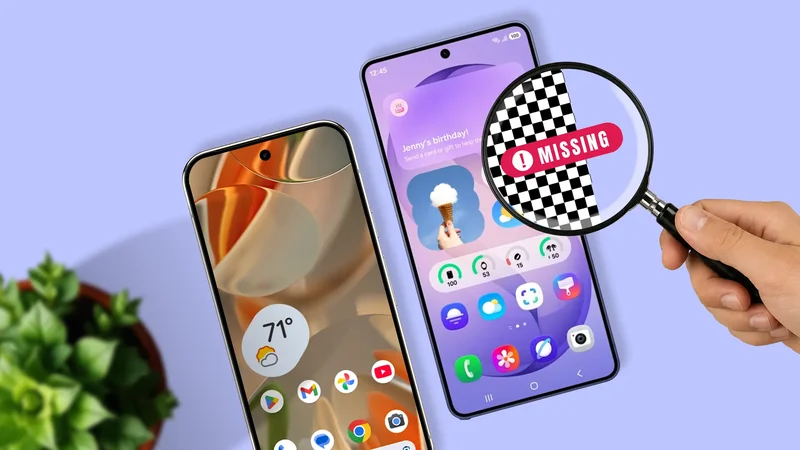
Almost every user follows this process when they unbox a new Samsung Galaxy phone: Peel the plastic, hold the power button, and begin the purge.
Samsung Internet, Notes, Calendar, and a bunch of other apps are dropped into a folder called Bloatware. Then it's straight to the Google Play Store for Chrome, Gboard, Keep, and Messages.
Google is practically everywhere and set up as the default, so it's no wonder this happens.
Yet Samsung pours millions into software R&D each year, and the One UI ecosystem is built to run hand in hand with the hardware.
Could we be ignoring potentially better software out of habit? I decided to find out for myself.
I spent two full weeks relying only on Samsung's software. Here's what happened.
Why Samsung Keyboard never clicked for me
It was too much work
The keyboard lies at the center of every interaction with your phone. Every day, you interact with it hundreds of times, and if it fails, the whole phone feels useless.
It didn't take long in my experiments to notice that the Samsung Keyboard was stiff. Predictive text fails to deal with slang, and autocorrect is harshly literal.
I ended up pressing the backspace key far more than usual. I'll admit part of it was the usual adjustment period with a new layout, but even so, it was still irritating.
Gboard, on the other hand, seems to read your mind and learn your typing style in no time. That said, Samsung Keyboard really shines in one area: customization.
Samsung's Good Lock opens up a world of customization. You can change the key sizes and maybe type more comfortably. But even with that, Gboard still won me over for raw text entry.
Samsung Messages falls behind Google where it matters most
Samsung Messages only works on your Samsung hardware
Since messaging is where we type the most, it's only natural to compare this next, and Google leads here as well.
Although both Samsung Messages and Google Messages support RCS features, Samsung Messages is tied to Samsung hardware.
Unlike Google Messages, which has a web interface, Samsung Messages can't be used on other devices through the cloud.
While I'm working, I often keep a browser tab open to send texts. Until Samsung adds this feature, it can't really compete with Google. At least for me.
Samsung Pass works great on Galaxy, until you leave
Samsung doesn't make payments very convenient
I love Google Password Manager. It gets the job done, and you hardly even notice it. Create a strong password on your Android, save it to your Google account, and within seconds, it's ready to autofill everywhere else.
Compared to Google, Samsung Pass is phone-first. On mobile, it's great, but as soon as you switch to another device, the system falls apart.
Samsung tried to address cross-device access by integrating Samsung Pass features into Samsung Wallet and providing browser sync through Samsung Cloud. Still, cross-platform management remains clunky compared to Google.
So Google won again, but what about payments? How do they compare?
The truth is, it depends. Samsung Wallet is built for Galaxy devices and guarded by Knox if you care about security.
That said, Google is also very secure, so does Knox really change anything? That's for you to decide.
Convenience is where Google wins. Although both work fine for everyday physical payments, Google has the edge online with wider quick-checkout support.
Samsung Notes might be the best app on a Galaxy
It's the gold standard of note-taking apps
For students, professionals, or anyone who takes handwritten notes with their S Pen, Samsung Notes is gold.
You get complex folder structures, PDF annotation, and handwriting-to-text that's shockingly accurate.
One UI 7 even added AI-driven summarization and a one-tap feature to organize messy handwriting. By comparison, Google Keep feels like a basic sticky note app.
Until about a year ago, my main reason for avoiding Samsung Notes was the same — you guessed it, poor compatibility with other devices.
It used to be strictly locked to Galaxy Book laptops, and while a Windows app exists, Samsung officially restricts full compatibility to its own Galaxy Book line.
Samsung Internet solves problems that Chrome ignores
Browse your way
Personally, Chrome has always felt like a desktop browser shoehorned onto a phone, while Samsung Internet feels made for mobile.
You can completely customize the toolbar. Want the back button on the right? Move it there. Need a Tabs button under your thumb? Easy.
One-handed browsing is effortless on Samsung Internet.
Samsung also saved me from dealing with ads. Google's major business model is advertising. Because of that, Chrome on Android does not support ad-blockers.
The only issue I ran into over these two weeks was that mobile bookmarks don't sync with Chrome on Windows or Mac.
After digging around, I discovered Samsung has an official Samsung Internet Chrome Extension that syncs bookmarks via Samsung Cloud.
This worked fine most of the time, unlike the Samsung Pass extension. However, I did see some sync hiccups here and there.
Samsung apps are better than you think, but Google wins the ecosystem game
Google dominates the Android ecosystem because it operates as a cloud-agnostic layer. Google understands that people move between phones.
You might carry a Samsung phone, type on a Windows Dell laptop, and watch movies on an Apple iPad, and Google apps work seamlessly across all of them.
Samsung keeps you anchored to its hardware, and after you leave, you're quickly back in Google's arms.
But sometimes Samsung offers a better experience that you might be missing out on. Samsung Notes and Internet, for example, are great. Samsung Keyboard is hit-or-miss. I didn't like it, but maybe you will.