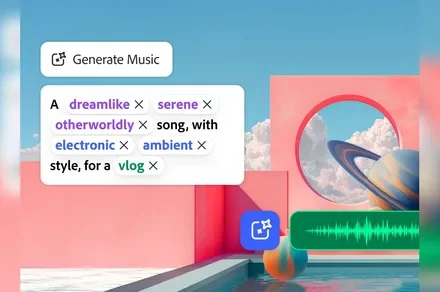
Adobe Firefly has spent the past few years learning to make images and video. Now Adobe wants it handling the soundtrack too.
Generate Music, Generate Speech, and Generate Sound Effects are now generally available in Firefly, giving creators tools for producing music, narration, and custom effects without leaving Adobe’s AI workspace. Adobe says Generate Music can create fully licensed, royalty-free tracks, while Generate Speech supports voices in more than 20 languages.
That gives Firefly a much bigger role in video production. Instead of generating a clip and then bouncing between other tools to finish it, creators can now keep more of the audio work in the same place.
What the three tools actually do
Generate Music can build instrumental tracks from a description, with controls for things like genre and tempo. Firefly can also analyze an uploaded video and create music that better fits the footage.
Generate Speech handles narration by turning scripts into voiceovers with adjustable delivery and pronunciation. Adobe says it supports more than 20 languages, which could make alternate versions of the same video easier to produce.
Generate Sound Effects covers the smaller details around those two. Creators can describe an effect with text or use reference audio as guidance, including a vocal performance meant to shape the result.
Taken together, those tools cover a large chunk of the audio work that would usually send creators elsewhere.
Why Adobe wants this inside Firefly
Every extra tool adds another handoff. Music may come from one service, narration from another, and effects from somewhere else entirely.
Adobe is trying to cut down those detours by keeping more of the workflow inside Firefly. For creators already using it for images or video, that could mean fewer exports and less time jumping between apps before a project is ready to publish.
Convenience will only carry this so far, though. Creators who already trust dedicated audio tools still need a reason to replace them.
What creators should watch next
The real test is whether Firefly’s generated audio is consistently good enough to earn that bigger role. A soundtrack or voiceover can meet the prompt and still sound generic or awkward once it’s attached to a polished video.
Adobe has made the direction clear. Firefly is moving deeper into the production process, and audio gives creators another reason to stay there after the first image or video has been generated.