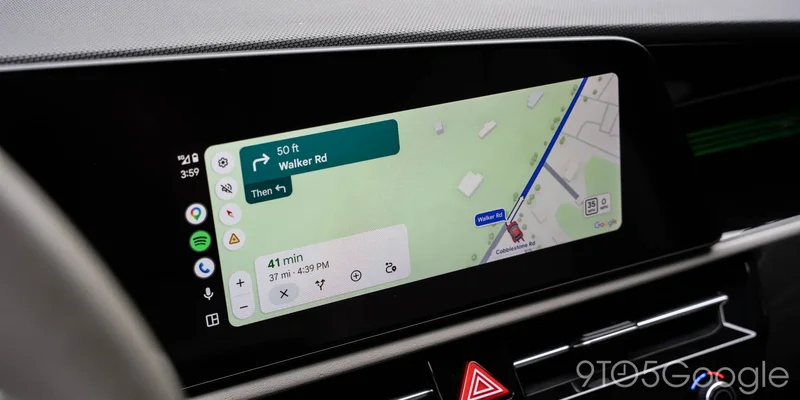
Google Maps appears to be opening the floodgates on the rollout of Immersive Navigation and support for a speedometer in Android Auto right now, as both features are showing up more broadly.
Immersive Navigation for Google Maps was announced earlier this year as the “biggest” update in years, with more specific directions and more detailed maps while on the go. But it’s been a slow rollout, only starting to appear for some in recent weeks. When we polled 9to5Google readers about the change earlier this month, only a little over 10% of respondents had Immersive Navigation on their devices.
In the couple of weeks since, it appears to be more broadly rolling out. More importantly, our experience seeing the revised experience go live is not on the Google Maps beta, where prior versions appeared to be on beta releases.
We’re seeing Immersive Navigation on Google Maps, and there are also some more public reports popping up. It’s still not a broad rollout, but it’s clear Google is slowly opening up the tap here. There are mutiple factors in play with this one, though, including the region you’re in and, according to some, even the device you’re using.
On Android, the change is immediately obvious as the Gemini icon has replaced Assistant in the top-right corner.
Beyond that, Google Maps also appears to be rolling out the live speedometer – not to be confused with speed limits – on Android Auto more widely.
This long-awaited feature started popping up earlier this month, and we’re again now seeing it on devices not enrolled in the Maps or Android Auto beta programs. It’s unclear at this time if the two rollouts are connected or not, but it’s clear that this is a server-side update that doesn’t care if you’re on the beta track or stable.
Let us know in the comments below if you’re seeing either of these, or both!
More on Google Maps:
- Android Auto redesigned Google Maps alerts to be less distracting – it’s a huge upgrade [Gallery]
- Google Maps on Android Auto now shows bigger labels on streets along your route [Gallery]
- Google shows how you should use ‘Ask Maps’ as the feature rolls out widely
Follow Ben: Twitter/X, Threads, Bluesky, and Instagram