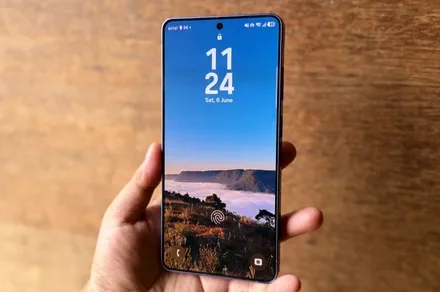
Samsung is making the lock screen much harder to break on Galaxy devices launching with Android 17-based One UI 9. Enter the wrong PIN, pattern, or password 13 times, and the phone will stop accepting attempts. A full factory reset will then be the only way to use it again.
The change is designed to stop brute-force attacks, where someone repeatedly guesses different passwords until one works. It is a major shift from older One UI versions, which mainly relied on temporary waiting periods rather than a mandatory final lockout.
How is One UI 9.0 changing failed unlock attempts?
On previous One UI versions, entering the wrong PIN only triggered longer waiting periods. Once the timer ended, users could try again with no permanent limit. Samsung did offer an optional setting that erased the phone after 15 failed attempts, but it had to be turned on manually.
One UI 9.0 makes the final lockout mandatory. After five wrong attempts, the phone blocks new entries for one minute. The wait increases after each failure, reaching 90 minutes after nine attempts, four hours after 10, 12 hours after 11, and 24 hours after 12. A wrong entry on the 13th attempt permanently locks the phone. The only way to use it again is to perform a factory reset, which erases all locally stored data.
| Number of Failed Attempts | Lockout Duration |
| 5 attempts | 1 minute |
| 6 attempts | 5 minute |
| 7 attempts | 15 minute |
| 8 attempts | 30 minute |
| 9 attempts | 90 minute |
| 10 attempts | 4 hours |
| 11 attempts | 12 hours |
| 12 attempts | 24 hours |
| 13 attempts | Permanent lockout, requires factory reset |
Samsung will display warnings and show exactly how many attempts remain. It is also adding Smart Counting, so entering the same incorrect PIN twice in a row counts as one failure instead of two. This should reduce accidental lockouts caused by repeated pocket taps or children pressing the same numbers.
Is Samsung taking the lockout rule too far?
Some users worry that children could repeatedly enter random numbers and lock the phone. In practice, reaching the final attempt would take more than 42 hours because every timeout must expire before another password can be entered. The owner would also receive several warnings long before reaching that point. However, the consequences remain serious for anyone who genuinely forgets a password.
Fingerprint and face unlock do not remove this risk. Android still requires the backup credential at least once every 72 hours, and Samsung cannot remotely recover it. Regular backups will therefore become even more important on devices shipping with One UI 9.