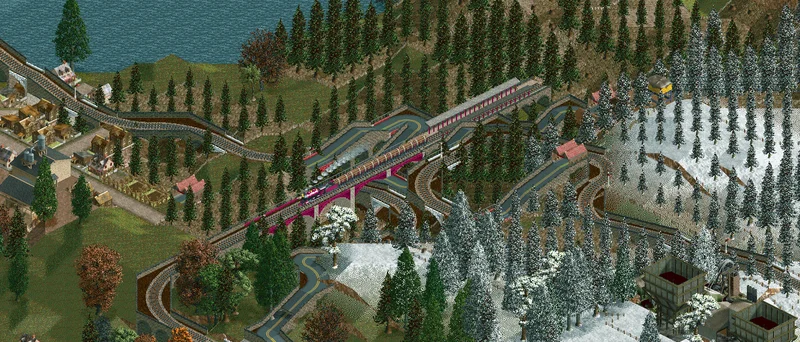
OpenLoco v26.07 is out! This month’s release incorporates changes made both this month and last as we didn’t have enough to put into a dedicated 26.06 release. As such, we’ve got some quality-of-life additions to UI, bug fixes for window and chart rendering, plenty of under-the-hood engine work, improvements to the codebase itself in terms of cleanliness and maintainability, updated translations, and plenty of shiny new OpenGraphics objects!
Extra zoom levels
Sneaking in at the very last minute, @ZehMatt dropped us all an epic feature - extra zoom levels! Now there are 2 additional zoom levels allowing you to zoom in 2x and 4x further respectively. This is a huge improvement that we are sure everyone will love!
Cargo statistics
@spacek531 added some useful cargo statistics display to the towns and industries windows, giving the player more info about what is happening in the game.
Jukebox and music
@LeeSpork made some improvements to the UI for music options, adding extra options to the Audio settings and allowing it to open the jukebox without having to start/load a game. They also fixed a bug with the jukebox window not invalidating after unchecking “Play music” from the main toolbar.
Home button in file browser
@LeeSpork added a welcome UI improvement; a button in the file browser dialogue to allow the user to return to the ‘home’ folder for your locomotion files, ensuring you can always get back to the default save folder, no matter where you’ve ended up.
String formatting fixes and spelling updates
Grammar and spelling aficionados, rejoice! @LeftofZen and @AaronVanGeffen added some improvements and
fixes to string formatting and English translations. Amongst other things, no longer to en-GB users have
to see ‘z’ in half their words, and no longer do en-US users need to see annexe.
One of the longest-standing spelling mistakes, and indeed a vanilla spelling mistake, is the in-game
track A Traveller's Serenade, which was spelt incorrectly as seranade. No longer!
Bug Fixes & Stability
A large number of visual and gameplay bugs have been resolved. @AaronVanGeffen solved the long-standing issue of jittering in scrollviews in the terraform, town list and industry list windows. He also fixed an issue with the population chart overflowing and thus rendering as a visual glitch, and to top it off he also fixed a bug preventing windows from showing their resize handles.
Additionally, @duncanspumpkin fixed an issue with the data path when starting the game from command line.
Keybinding/Shortcut improvements
@ZehMatt added multiple improvements to shortcuts/keybinds, including a very neat keybinding previewer:
Performance and Engine Optimisation
Under the hood we have some noticeable performance gains, particularly in loop-heavy operations. @ZehMatt optimised the code for yearly update cycles, improved tile element iterators, refactored how the tile elements are stored, refactored the startup process of the game to separate out CLI logic from the rest of the game logic, and improved the widget system allowing easier future improvements, expansion and safety.
@LeeSpork refactored some window events and @AaronVanGeffen improved how custom mouse cursors are stored, as well as a bug being fixed by @LeftofZen around those custom cursors not being rendered properly.
Codebase Cleanup & Refactoring
The codebase itself received a lot of attention and refactoring to improve development ease and compile times. @spacek531 and @LeftofZen continued the long project of providing human-readable names for previously-unknown variables in the code base, stemming from the reverse-engineering efforts. @AaronVanGeffen and @duncanspumpkin improved null pointer checking, which should hopefully result in less crashes. Transitive header dependencies in the codebase were improved by @AaronVanGeffen and @LeftofZen, and @ZehMatt improved the Visual Studio CI/CD setup to handle VS 2026. @duncanspumpkin improved the code surrounding how tree removal is handled, and last but not least, new contributor @killerdevildog added some useful helper functions around iterating over in-game objects, something which is done frequently.
OpenGraphics
Over the last 2 months we have had an enormous number of contributions from @shusaura85 and @phosphorus551. We also fixed some issues with some very old PRs, so we were able to merge some vehicles from @glenjimen as well. We are now up to a total of 150 OG objects, bringing us over 25% mark of vanilla’s 545 objects! Additionally, a number of vehicles were updated with new stats in anticipation of a rebalanced US vehicle set.
Vehicles
Trains
@phosphorus551 added no less than 19 trains since the last OG update, and @glenjimen contributed
3 himself:
Trams
@phosphorus551 added all of the tram replacements; pictured in order: OG_TRAM1, OG_TRAM2, OG_TRAM3,
OG_TRAM4, and OG_TRAMCOMB:
Town Names
@shusaura85 implemented all of the town names replacements.
| Object name | Name style |
|---|---|
| OG_ATOWNNAM | American names |
| OG_ETOWNNAM | English names |
| OG_FTOWNNAM | French names |
| OG_LTOWNNAM | Latin-American/Spanish names |
| OG_STOWNNAM | Silly names |
Here is a selection of names that you could see in-game if you use “silly” town names from OG_STOWNNAM:
Roads, Tracks, Bridges
@shusaura85 added OG_BRDGSUSP, aka the suspension bridge, as well as both US roads (OG_ROADUS1,
and OG_ROADUS1). Finally, @phosphorus551 recreated the standard-gauge track object, OG_TRACKST.