brew tap PortZeroNetwork/portzero && brew install portzerohow to install Homebrew on macOS# Eliminate port conflicts
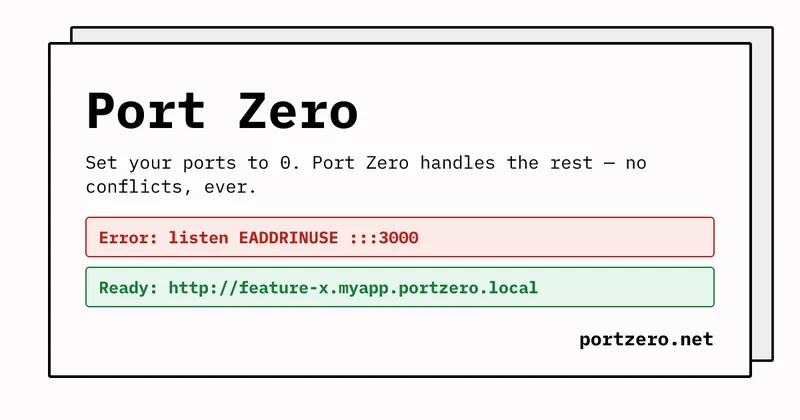
Set every port to 0 and start your dev server. Port Zero gives each process or container a stable domain â no port to remember, no EADDRINUSE, ever.
$ PZ_TUNNEL="web.myapp-feat-checkout-redesign.portzero.local" node app.ts
$ PZ_TUNNEL="web.myapp-feat-dark-mode.portzero.local" node app.ts
Hello from the PortZero Node.js TypeScript process example. PZ_TUNNEL=nodejs-typescript-process.portzero.local:80 localhost_port=52431
Hello from the PortZero Node.js TypeScript process example. PZ_TUNNEL=nodejs-typescript-process.portzero.local:80 localhost_port=52431
Run every branch at once, in git worktrees
Each worktree's dev server gets its own self-explanatory URL â no port juggling between branches, no collisions.
$ PZ_TUNNEL="web.myapp-feat-checkout-redesign.portzero.local" node app.ts
$ PZ_TUNNEL="web.myapp-feat-dark-mode.portzero.local" node app.ts
Hello from the PortZero Node.js TypeScript process example. PZ_TUNNEL=nodejs-typescript-process.portzero.local:80 localhost_port=52431
Hello from the PortZero Node.js TypeScript process example. PZ_TUNNEL=nodejs-typescript-process.portzero.local:80 localhost_port=52431
See it on your phone
Local domains stop at your machine. A cloud tunnel takes the same app to your phone, a tablet, or anyone you choose â HTTPS included.
$ PZ_TUNNEL="nodejs-typescript-process.acme.tunnel.portzero.cloud:80" node app.tsHello from the PortZero Node.js TypeScript process example. PZ_TUNNEL=nodejs-typescript-process.portzero.local:80 localhost_port=52431
Hello from the PortZero Node.js TypeScript process example. PZ_TUNNEL=nodejs-typescript-process.acme.tunnel.portzero.cloud:80 localhost_port=52431
What do you need?
One tool, six jobs
Port Zero starts local and free, and grows as far as you need. Pick what brings you here â or just explore.
Kill port conflicts for good Stable local domains instead of port numbers.
## Run every branch at once One URL per worktree, however many you spin up.
AI agents and git worktrees each start their own dev server. Every one gets a self-explanatory URL, so N parallel builds never fight over :3000 â and your coding agent can manage it all over MCP.
See the agent workflow â## See it on your phone Local domains stop at your machine. Tunnels don't.
*.portzero.local can't reach a phone or tablet. A cloud tunnel takes the same app across the device boundary with HTTPS â tap the URL on any device and iterate. Works per worktree, too: every branch can get its own cloud URL.
See cloud tunnel plans â## Put a local app on the internet Webhooks, demos, previews â one command, public HTTPS.
## Get it judged by the person who knows A named collaborator uses the real thing and comments in context.
Share a live build with the one person who can tell you it's wrong. They sign in by name, use the actual app, and leave feedback comments right on it â no deploy, no git clone, every iteration.
See plans â## Control what your team exposes Approvals, policies, one flat bill.
Nothing goes public without an approval. Team access policies, shared subdomains, and organization billing â one flat price, no per-seat charges. Audit log available on Enterprise.
See the Team plan âAgent-ready
Ready for agentic coding
Point your coding agent at Port Zero and it handles the tunnel for you â no copy-pasting JSON, no guessing ports.
- Easy configuration- One command wires up every AI coding agent it finds on your machine.
- MCP-
portzero mcpexposes live tunnel and service state as tools an agent can call directly. - Skill-
portzero skill installteaches an agent to extract a production topology from your compose file.
See the AI agents doc for the full MCP tool reference, or paste the condensed reference into any agent working in your repo.
Download
Choose the Port Zero CLI installer for your platform.
curl -fsSL https://portzero.net/install.sh | shwhat the install script doesDownload the latest .msi release assetdownload MSI installerPort Zero Local (*.portzero.local tunnels) is free, open-source software under the GNU GPL v3.0. Cloud features are governed by the Terms of Service.
Pricing
Local tunnels are always free and don't require a portzero.cloud account. Paid plans are flat â no meters, no overages, no per-seat charges.
Free and Open Source
$0
Free forever
- Unlimited local tunnels, open source
- Cloud tunnels on paid plans
- Community support
Professional
$49/mo
or $490/yr billed yearly
Everything in Free, plus:
- Unlimited cloud tunnels
- Generous cloud bandwidth & requests*
- Visitor auth & access control
- Feedback comments on live tunnels
Team
$149/mo
or $1,490/yr billed yearly
Everything in Professional, plus:
- Unlimited members â no per-seat charges
- Teams & member invites
- Shared team subdomains
- Team naming & access policies
- Cloud-tunnel approvals
- Organization billing
Enterprise
Custom
Contact us
Everything in Team, plus:
- Audit log
- Custom terms & higher limits
- Security-review support
- Dedicated onboarding
Compare all features
| Features | Free and Open Source | Professional | Team | Enterprise |
|---|---|---|---|---|
| Price | $0 | $49/mo | $149/mo | Custom |
| Tunnels & usage | ||||
| Local tunnels | Unlimited | Unlimited | Unlimited | Unlimited |
| Cloud tunnels | 0 | Unlimited | Unlimited | Unlimited |
| Cloud requests / month | 0 | Fair use | Fair use | Fair use |
| Cloud bandwidth / month | 0 | Fair use | Fair use | Fair use |
| Access & sharing | ||||
| Tunnel visitor auth & access control | â | |||
| Feedback comments | â | |||
| Usage metrics | â | |||
| Priority support | â | |||
| Teams & governance | ||||
| Team members (flat, no per-seat) | 0 | 0 | Unlimited | Unlimited |
| Teams & member invites | â | â | ||
| Team subdomains | â | â | ||
| Team naming policies | â | â | ||
| GitHub-OIDC CI credentials | â | â | ||
| Team tunnel access policies | â | â | ||
| Cloud-tunnel approvals | â | â | ||
| Organization billing | â | â | ||
| Audit log | â | â | â | |
- Cloud bandwidth and requests are generous and subject to fair use â see our Terms of Service.