In my latest posts, where do the tools come from?
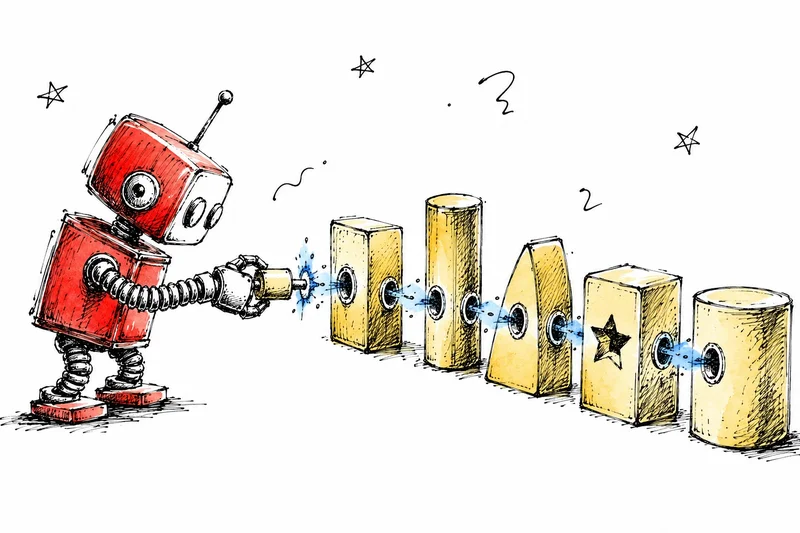
In all of the previously presented examples, we defined the tools ourselves, by hand, in the same Python script as the agent. Apparently, for a tutorial intended to help us understand how all these work, that is fine, but for a real application, this approach quickly falls apart. And that is because every tool needs a custom integration, every new model-tool pair requires its own connector, and so on. Think, for instance, that for a setup using three AI models and ten tools, we are already potentially maintaining thirty integrations, and every time one of those elements changes, something may break. In other words, as good as this approach may work for a simple model and tool setup, it doesn’t scale at all.🤷♀️
This is not a niche problem, but rather a major challenge of the agentic AI era. And it is exactly what the Model Context Protocol (MCP) was designed to solve.
So, let’s take a look!
🍨
aboutDataCreamis a newsletterAI, data, and tech. If you are interested in these topics,subscribe here!
What about MCP?
Before MCP, connecting an AI model to an external tool (like a database, a file system, a Slack workspace, or a GitHub repository) meant writing a custom integration ** every time**. The model needed to know how to call the tool in its specific format, and on the other side, the tool needed to know how to respond in a format the model could understand. If the model changed, we would need to rewrite the integration, and if there was a new tool, we would write another integration from scratch.
This is sometimes referred to as the M×N problem, meaning we have M models and N tools, creating the need for M×N custom integrations. As you may imagine, as the number of models and tools that need to be used gets larger, this doesn’t scale very well.
A useful metaphor for understanding this is the evolution and standardization of computer hardware. In the early days of computer peripherals, every printer, every mouse, every keyboard had its own proprietary connector (for example, a printer was purchased for a specific computer, and it would not work with another). Eventually, this was resolved by the use of USB as the single, standard connector, and any device that supports it works with any computer that supports it.
We can imagine MCP as the USB for AI agents. One standard protocol, and any agent that supports it can connect to any tool that supports it, regardless of which company built them.
So, the Model Context Protocol is an open standard that enables developers to build secure, two-way connections between their data sources and AI-powered tools. It was created by Anthropic and released as open source in November 2024. Essentially, it replaces custom point-to-point integrations with a single client-server protocol, enabling any MCP-compatible AI host to discover and use any MCP-compatible tools and data resources.
More specifically, the MCP architecture consists of three main participants. Those are:
- The Host, which is the AI application the user interacts with. This may be Claude Desktop, a VS Code extension, or any other app that embeds an LLM. The host manages the model’s context window, decides when to invoke tools, and routes tool outputs back into the conversation.
- The Client, which lives inside the host and manages the connection to one or more MCP servers. In other words, the client is the part of the app that manages the MCP protocol.
- The Server, which is where the actual tools and data live. An MCP server exposes- capabilities(that is, things the AI can do or read) through a standardised interface. One important thing to clarify here is that the server never communicates directly with the LLM; all interaction is mediated by the client.
In particular, regarding the capabilities exposed by the MCP server, these can be of three types:
- Tools: As we’ve already seen, tools are executable operations that return their output to the AI model. These may include querying a database, sending an email, calling a weather API, or anything else. Essentially, we can create tools for any imaginable operation, rendering them the powerful element facilitated by MCP, but also the most security-sensitive.
- Resources: Resources are essentially read-only access to data. Think, for example, of file contents, database records, and API responses. In other words, resources can retrieve information but never change their state.
- Prompts: Prompts are reusable prompt templates (duh!) that define structured interaction patterns. For example, a multi-step workflow for code review available in an MCP, server is a prompt.
A simple MCP server in Python
So, let’s try all of these in action. Here is what a minimal MCP server looks like in Python, using the official MCP SDK:
```
from mcp.server.fastmcp import FastMCP
import requests
create an MCP server
mcp = FastMCP("weather-server")
@mcp.tool()
def get_current_weather(city: str, unit: str = "celsius") -> dict:
"""Get the current weather for a given city using Open-Meteo."""
# geocode the city
geo = requests.get(
"https://geocoding-api.open-meteo.com/v1/search",
params={"name": city, "count": 1}
).json()
lat = geo["results"][0]["latitude"]
lon = geo["results"][0]["longitude"]
# fetch weather
weather = requests.get(
"https://api.open-meteo.com/v1/forecast",
params={
"latitude": lat,
"longitude": lon,
"current": "temperature_2m,weather_code",
"temperature_unit": unit
}
).json()
return {
"city": city,
"temperature": weather["current"]["temperature_2m"],
"unit": unit
}
if name == "main":
mcp.run()
```
Aaand this is it; We have now set up an entire MCP server.
Notice how we register our existing get_current_weather function as an MCP tool using @mcp.tool(). More specifically, @mcp.tool() generates the JSON schema from the type hints automatically and makes it discoverable by any MCP-compatible host. So, custom integration code and model-specific adapters are no longer needed. Any agent that is MCP-compatible can now call this weather tool by connecting to this MCP server.
So, now let’s take a look at the client side, where we can connect an agent to this server:
from anthropic import Anthropic
from mcp import ClientSession, StdioServerParameters
from mcp.client.stdio import stdio_client
async def run_agent_with_mcp():
    server_params = StdioServerParameters(
        command="python",
        args=["weather_server.py"]
    )
    async with stdio_client(server_params) as (read, write):
        async with ClientSession(read, write) as session:
            # discover available tools from the server
            tools = await session.list_tools()
            print(f"Available tools: {[t.name for t in tools.tools]}")
            # Available tools: ['get_current_weather']
            # the agent can now call this tool just like any other
            result = await session.call_tool(
                "get_current_weather",
                arguments={"city": "Athens", "unit": "celsius"}
            )
            print(result.content)
            # {'city': 'Athens', 'temperature': 29.0, 'unit': 'celsius'}
At runtime, the host discovers the tools available on the server without needing to know in advance what they are. So, the key shift is that we transitioned from hard-coded integrations (remember the hard-coded weather tool) to dynamic, discoverable capabilities (the weather tool is now available to any app via the MCP server).
What this means in practice
Before MCP, the question “can this agent use this tool?” required a custom engineering answer every time. After MCP, it becomes trivially solved, and the question is replaced with the not-so-technical one “what tools should agents have access to?“. More specifically, how should agents decide which tools to use, and how do we secure and govern tool access at scale?
But the engineering part of the question is rather solved, and this is also underlined by the impressive adoption of MCP. MCP launched in November 2024 with around 100,000 monthly SDK downloads. In March 2025, OpenAI officially adopted it. The following month, Google confirmed MCP support for Gemini, describing it as “rapidly becoming an open standard for the AI agentic era.” By March 2026, the combined Python and TypeScript SDKs had reached 97 million monthly downloads.
In December 2025, Anthropic donated MCP to the Agentic AI Foundation (AAIF), a directed fund under the Linux Foundation, co-founded by Anthropic, Block and OpenAI. This is the move that cemented MCP’s long-term viability, as it is no longer a single vendor’s project, but now sits alongside Kubernetes and PyTorch in the Linux Foundation’s portfolio of open infrastructure.
The practical consequence is that we are seeing the emergence of an MCP ecosystem: a marketplace of pre-built MCP servers for popular tools and services. MCP servers exist for GitHub, Slack, PostgreSQL, Docker, Kubernetes, and several hundred other tools, all browsable via the MCP Registry. In most cases, connecting your agent to one of these is now a configuration step, not an engineering project.
For developers building agentic applications, this changes the build vs. integrate calculation significantly. Before MCP, connecting an agent to your company’s internal knowledge base, CRM, and ticketing system required three separate custom integrations. With MCP, if servers exist for those systems (and increasingly they do), it is a matter of configuration. If they do not exist yet, writing an MCP server once means any agent (not just the one you are building today) can use it.
It is also worth knowing what MCP does not do. MCP will not replace REST APIs. MCP is a protocol for AI tool access, not a general-purpose API standard. Your REST and GraphQL APIs still serve human clients and traditional services. The only addition is that MCP wraps those APIs to make them accessible to LLMs.
MCP is powerful, and with that power comes real ** security **responsibility 🕸 that is worth flagging explicitly. More specifically, the most common risks are:
- Prompt injection via tool output: This refers to the possibility that a malicious data source could return content designed to manipulate the model into calling other tools. If your MCP server returns user-generated content (support tickets, CRM notes, etc.), the model sees it as trusted context.
- Tool poisoning: This refers to the possibility that a rogue MCP server could register tools with names mimicking trusted ones. In this way, the model may pick the wrong tools.
- Over-permissioned access: This refers to the possibility that an MCP server that exposes both read and write tools to an agent that only needs read access creates unnecessary risk.
The official MCP specification addresses this: hosts must obtain explicit user consent before invoking any tool, and implementors should build robust authorisation flows into their applications. For production deployments, treat MCP tool access with the same rigour you would apply to any external API: least-privilege permissions, input validation, and careful handling of tool outputs before they re-enter the model’s context.
On my mind
What I find most interesting about MCP is not the technical details, but rather that it represents a major technological milestone for AI. Every technology ecosystem goes through a phase where the plumbing gets standardised, and that is always the moment when the real innovation begins. This allows users and developers to stop spending time trying to solve connection problems and start spending time on application problems.
We are at that moment for agentic AI. The question of how agents connect to tools is largely solved. The much more interesting questions that now arise are about what should agents be allowed to do, how should we evaluate whether they are doing it well, how do we maintain human oversight as agents take on longer and more complex tasks, and so on. MCP is the foundation, and what gets built on top of it is the interesting part.
✨ Thank you for reading! ✨
If you made it this far, you might find pialgorithms useful: a platform we’ve been building that helps teams securely manage organisational knowledge in one place.
Loved this post? Join me on 💌 Substack and 💼 LinkedIn
All images by the author, except where mentioned otherwise