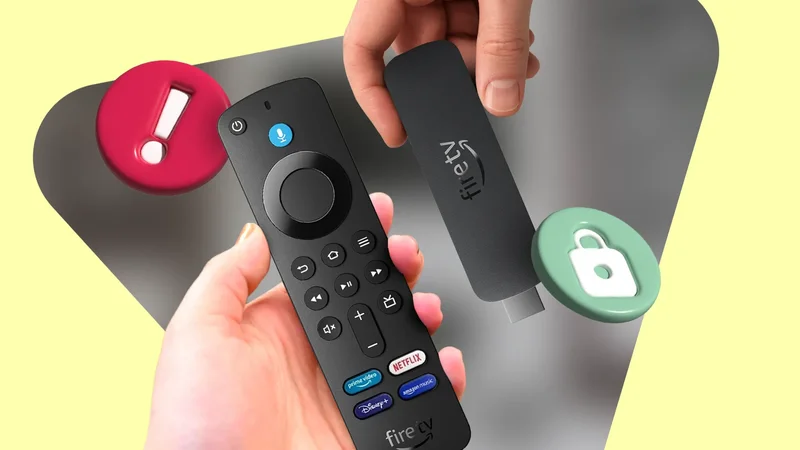
One of the smart TVs we own has terrible software — we bought it on a bargain deal knowing it would come with some caveats.
Still, that didn't matter when an Amazon Fire TV Stick would solve the problem, since it means we don't have to interact with the TV's software as much.
I have had one since the first generation, in 2014, and it has been a joy to program since. Although now my tune has changed since Amazon introduced the updated "Select" models.
The "Select" in Amazon Fire TV Sticks refers to the HDMI dongles installed with Vega OS, a replacement for Fire OS in newer Amazon devices. To me, this experience is a massive downgrade.
Sadly, now the newer Amazon Fire TV Sticks make me rethink my decade-long family-entertainment approach. Whether I like it or not, it might be time to sail into Google TV streaming.
I won't buy a Fire Stick with Vega OS
The restrictions greatly outweigh the performance
Vega OS is Amazon's custom, Linux-based replacement OS for new Fire TV devices. It's meant to replace Fire OS, the software I'm familiar with and partial to.
The upgraded OS is meant to be more streamlined, while having a focus on better performance and efficiency, since it's designed specifically for media consumption.
But the problem is that it removes support for third-party apps that use APKs, which you can easily do with the Downloader app.
The process was so easy that I could teach anyone in my family to do it.
Instead, Amazon opted for Vega OS, which only supports the VPKG format. That also effectively implies that sideloading is dead.
Additionally, that means installing a custom launcher and getting apps outside the Amazon Appstore will be notoriously difficult, if not downright impossible.
Plus, I lose some of my favorite sideloaded apps I've had since I started buying Fire Sticks, including Kodi and SmartTube (I have left the latter uninstalled since the developer's computer was infected with malware at one point, which made the older app no longer secure).
Plex is another useful app if you want an easy way to stream from your computer to your TV for any offline media you have kept on it.
Part of why having an Android-based product is that you can sideload by choice if the default experience is not good enough.
I did this for years, and that's how I was able to access different channels and media I couldn't otherwise get when I didn't use a VPN.
But now Vega OS takes that away. It almost makes me mourn that my current Fire Stick (bought it in 2023) will be the last one I ever get.
I can wait for more Vega OS supported apps, but that's going to be slim pickings, and I already don't love relying on the Amazon Appstore to get working apps.
Simply because the interface isn't friendly. It's always cluttered and riddled with unwanted sponsored content. My family finds it a frustrating experience, too.
Vega OS doesn't look much different from Fire OS; it's just less laggy to use — but what's a little bit of lag compared to losing out on all my customization and control?
Plus, if I wanted a more streamlined, lightweight option, I would have bought a Roku Streaming Stick years ago.
What I plan to do next when my Fire Stick becomes unusable
Finding a replacement for my streaming stick is still possible
Part of why I didn't want to jump into Google TV and Android TV was the cost of buying one of those new devices (I bought my Amazon Fire TV Stick upgrades during Prime Day sales).
The Fire Stick offered a budget option for streaming, which is what I used it for. I didn't need a hefty amount of RAM or storage to enjoy it.
But if I want absolute freedom again, I may look into spending up for a Google TV Streamer, or I may give the Onn 4K Pro a try if I need to respect a household budget.
I had an interest in the Nvidia Shield TV Pro, but this is completely out of my budget in Canada.
Best Buy and Walmart offer this for $260 — that's a little expensive for a 2019 streaming device, even if I heard it is a decent alternative to a Fire Stick.
However, the take-home lesson is that my next TV upgrade may require me to spend time shopping around for good software — cutting corners with the built-in OS will be a no-go.
As I don't want to rely on a streaming stick or box to solve my problems, if the smart TV's OS is capable of the same apps with sideloading capabilities, then that's all I really need.
Though Samsung and LG TVs make this process more tricky because of the Tizen OS and webOS. So I may avoid those options if I am buying this for the family.
Otherwise, I will be on the lookout for one built with Google TV, like Sony or Hisense, as I do not trust Amazon to keep Fire OS on Fire TVs long-term.
Keep those old Fire Sticks on hand
Even if your Amazon Fire Stick is from 2019, you might want to use it instead of upgrading.
I am all about preserving old electronics while supporting new ones, but with Amazon's push for Vega OS, the age of customizability and freedom will soon be gone.
Plus, it is very unlikely that the corporate giant will ever replace Fire OS on older devices — and the older OS should still work fine (though planned obsolescence is always a worry).
Nonetheless, if you're able to handle the occasional lag and stutter, there are plenty of official and non-official apps that work well on your Fire Stick.
Amazon Fire TV Stick 4K (2nd Gen, 2023)
-
**Dimensions** - 108mm x 30mm x 14mm
-
**What's Included** - Alexa voice remote, power cable with adapter, HDMI extender, 2 AAA batteries, and Fire TV Stick 4K
-
**Integrations** - Alexa
-
**Ethernet** - Yes, via external dongle
-
**Processor** - 1.7GHz Mediatek MT8696D quad-core CPU, 650MHz GE9215 GPU
-
**Storage** - 8GB
The Amazon Fire TV Stick 4K provides a speedy, zero-restriction, plug-and-play setup at a budget price. This non-select Fire TV Stick version runs Fire OS and offers a slew of compatible apps, including Netflix, Disney+, and more.