I'm a diehard Android user, but I still envy these 7 iOS features
Aug 3, 2026 — 6:00 AM ET
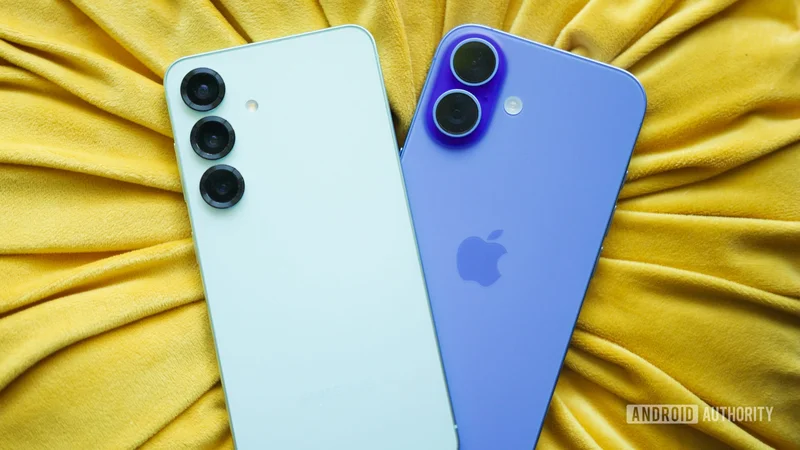
I’ve been an Android user for as long as I can remember, and I have no plans to give up my Galaxy S26 for any iPhone — not even if Apple makes it fold in half someday. But that doesn’t mean I’m blind to what the other side does better.
I keep an iPhone around for work, and while I can’t imagine using it as my daily driver, there are a few iOS features that genuinely make me jealous. Some of them Android doesn’t have at all. Others exist but feel half-baked by comparison. Either way, they sting a little.
What's Android's biggest weakness compared to iOS?
iMessage is still in a different league
Google Messages has come a long way with RCS support, end-to-end encryption, typing indicators, and reactions. But all of this only works when everyone’s on board, and that includes your carrier and even the messaging app you use. iMessage just works, even without a SIM card.
The gap isn’t just about reliability, though. iMessage is genuinely better in terms of features, too. We’re talking about better group chats, superior media sharing, SharePlay, Memoji, and fun effects. And let’s not forget FaceTime. Anyone who’s used it knows just how good it is compared to whatever video call solution Android offers.
All of this gets even harder to argue against when you factor in Apple’s ecosystem. You can switch from your iPhone to an iPad or a Mac, and your messages just follow you. RCS can replicate some of this on Android, sure, but it’s nowhere near seamless.
Live Activities make everyday tasks easier
Live activities on iPhone are another underrated gem. The idea is simple. It pins real-time, glanceable updates to your lock screen or the Dynamic Island. You can check how far your Uber is, what time your food will arrive, your favorite team’s score, or if your flight is boarding — all without opening apps. It works for timers, music players, workouts, and a lot more.
I know some Android phones have tried to replicate this, and you do get Live Updates in the notifications panel, but Apple’s implementation is in a different class. I personally love how it lets you switch between multiple activities and even dismiss them with a swipe on the Dynamic Island. It’s a genius way to make that giant pill more useful than it is an eyesore.
StandBy mode makes charging fun
StandBy mode turns your iPhone into a smart display the moment you set it down horizontally while it’s charging. It shows widgets, clocks, photos, news, stocks, calendars, and even Live Activities. At night, it dims to a red-tinted display so it doesn’t blind you. Honestly, it felt gimmicky when I first tried it. But then I started to miss it on my Android phone. And that’s usually the tell.
Yes, Android has always-on display support, but it doesn’t scratch the same itch. The widget options are limited, it doesn’t use the entire screen, and it doesn’t feel fun. Apple’s StandBy mode actually makes you want to look at your phone while it’s charging.
Apple’s Shortcuts app makes automation effortless
Apple’s Shortcuts app makes it ridiculously easy to automate certain tasks on iPhone. You can build automations for all kinds of things, like turning text into audio, starting a pomodoro timer, shortening URLs, creating GIFs, and a lot more. A few of these come ready-made, but you can also start from scratch and get as creative as you want.
Android doesn’t have anything similar. Pixel phones have Routines, but they’re pretty barebones by comparison. Samsung’s Modes and Routines are more capable, but they don’t work that well with third-party apps. The only viable options are apps like Tasker and MacroDroid, but neither is entirely free and, more importantly, comes from third-party developers.
Spotlight search is ridiculously good
Swiping down anywhere on the iPhone home screen opens Spotlight, and what you can do from that single search bar is impressive. You can use it to find messages, look up contacts, run a unit conversion, download apps, check a stock price, set alarms, and even do web searches — all without opening a single app.
Android’s search bar isn’t as capable, at least not on all phones. Pixel’s search can surface app content and settings, and Samsung has its own device search that’s somewhat similar to Spotlight. Still, there’s nothing that’s available across all Android phones, which is sad.
iCloud-style full device backup
If I could get Google to only copy one thing from iOS, it’d be this. iCloud backups are thorough and leave almost nothing behind. Apps, contacts, settings, messages, photos, videos, passwords, health data — it covers everything. So even if you lose your iPhone, your precious data is always safe. And of course, upgrading to a new one is also hassle-free. All you really need to do is sign in to your iCloud account, and everything becomes available in a few hours. There’s no need to keep both phones plugged in with a cable and wait.
Android’s backup situation is fragmented in a way that’s hard to defend. Google One covers app data, call history, contacts, messages, and a few other things, but it’s not thorough. Transfers work reasonably well when you stay within the same ecosystem: Pixel to Pixel or Galaxy to Galaxy. But the moment you cross over to a phone running a different skin, you’re looking at missing settings or broken app data.
Apple’s privacy advantage is real
This one might ruffle some feathers in the Android community, but hear me out. iPhone has a few privacy features that I genuinely miss on Android. App Tracking Transparency is a good example. Any app that wants to track you across other apps and websites has to ask permission first, and you can say no. You know it’s working when Meta publicly complains about it costing them billions in ad revenue.
Then there’s Hide My Email, which lets you generate random email aliases when signing up for apps and websites, so you can keep your actual email free from spam. Heck, Android doesn’t even have a native app locking yet. And no, Private Space and Secure Folder don’t count. To be fair, some of these are in the works, but as of now, Android lags behind iOS in terms of privacy features.
Nothing on this list is enough to make me switch, but that also kind of makes it worse. Is there any cool iOS feature you feel Android lacks? Drop it in the comments.