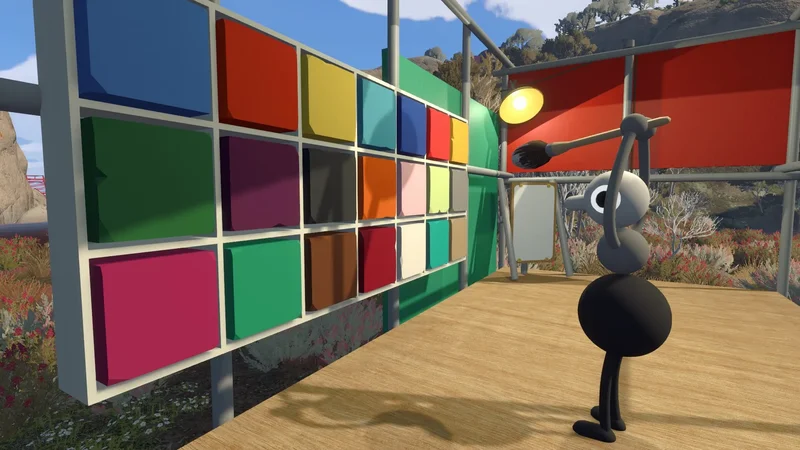
You play as a three-segmented duck-bug-thing in Big Walk, and you can change what color your segments are pretty early in the game. However, you won't be able to directly choose your colors, as your friends will be the ones in control.
Below, we explain how to change your colors in Big Walk.
How to change your color in Big Walk
Once you leave the starting room that teaches you the controls for the game, you'll be presented with a huge field with greenery around the edges. In the middle of this area, there's a structure with a bunch of colored squares inside of it.
Inside, there's a paintbrush. One player will need to pick up the brush, and use it to interact with the colored squares on the wall. With brush in hand, interact with the desired color, and then interact with the segment on your friend that you want to paint. Repeat the steps until everyone is painted nicely.
That being said, you can't really change your own colors. If your friends are nice, they'll probably paint you the colors you want to be painted. If they're cruel, maybe they'll make you completely brown so you look like poop. Sad.
There is a second way to change your color, but it's only available later in the game, and it's associated with the "Big Makeover" achievement. Check out our guide on how to "get shiny" for more information, but beware of spoilers.