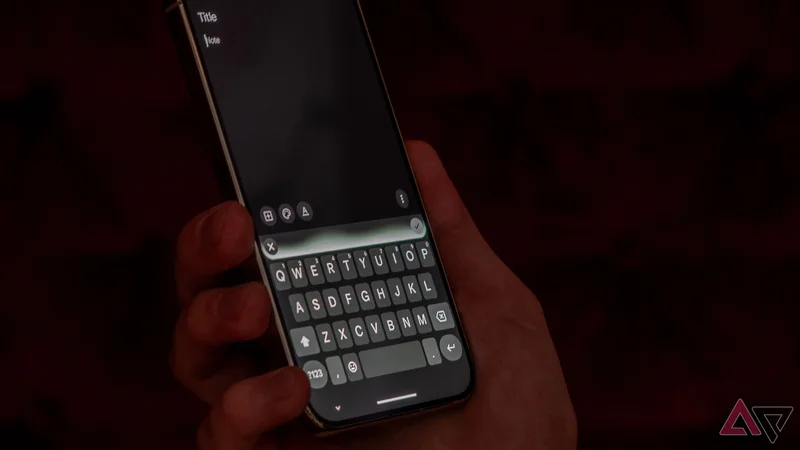
One of the reasons I do not use voice dictation on any device I own is that I'm not comfortable stringing perfect sentences together in speech. My sentences go on, I lose my words and my train of thoughts, I stammer — essentially, I ramble a lot.
So you can imagine that a new feature called Rambler coming to Gboard's voice dictation has piqued my interest. In all the demos, it promised to understand my blabber and convert it into the coherent sentence that I always intended.
But would real life tests and situations prove it to be just as good as the demos? I got my hands on Rambler running on a Google Pixel 11 Pro for a while and put it through the Rita test to see.
Rambler understood everything I said
And transcribed it perfectly
Gboard's voice typing is already extraordinary on Pixels. It uses Google Assistant to understand everything you say, including automatic punctuation, inserting emojis, and commands like capitalization, deleting, or editing.
You can see if these features are available to you by going to Gboard settings > Voice typing and seeing if you can enable Advanced features. Google even gives you a list of commands to improve your text with AI, like rephrasing, emojifying it, and shortening it.
The new Rambler feature goes far beyond that, though. It can understand all the "uhm"s and stutters, and all the corrections, even if they come in later in your dictation. You can change your mind multiple times while talking, and it will always give you the final version.
I tried it with my own rambling, saying something, correcting, continuing, then correcting something I said earlier, changing my mind in the process or adding words, and it got all of it. A shopping list over multiple confusing sentences was converted into one clear piece of text.
As I said, I've never used voice dictation before, because there's pressure of formulating the perfect sentence before I say it. It's always easier and faster to just type it.
But this? I can imagine myself using it. I didn't feel the pressure to find the perfect sentence first when I tried it, and I like that it works locally, without running everything through the cloud first.
Multiple languages don't phase it
It can even translate between them
One of the other reasons that stop me from using voice dictation is that I speak three languages, all the time, in the same sentence. My brain doesn't pick and choose what to say in which language, it just goes with the flow while I'm talking.
Traditional voice dictation forces my brain to choose one lane, one language, which isn't natural to me. I forget words, take time finding them, and lose my sentences in the meantime. Some voice dictation even forces me to choose the right language before I start speaking.
With Gboard's existing Advanced mode, I was able to at least speak without choosing the language first. But Rambler takes this to the next level by letting me switch mid-sentence, as frequently as I want, without having to stick to one language.
I tried it between English and French, peppered with a word or two of Spanish, and it got everything right. A shopping list where I was asking for tomatoes and potatoes in French, then beans in English, was typed out perfectly.
When it was done, I could even ask it to translate the whole thing to English or French, if I want consistency or if I'm sending a message to someone who doesn't understand both languages. I could also keep it as is if I'm sharing it with my husband, who also speaks French and English.
This is the voice dictation I've always wanted
Gboard's new Rambler feature is intriguing. I don't know if it will make me use voice dictation much more frequently, but I know that it seems good enough for me to give it a fair try for a while and see if it changes my habits.
I'm too used to typing, looking at my sentences, fixing my words, multiple times until the perfect sentence emerges, so I will have to let go a bit and embrace some spontaneity and chaos. And give some of the control to Gboard knowing I can always fix things before sending or saving them.
Rambler isn't the only interesting feature coming to the Google Pixel 11 series, though. There are bunch of very cool new camera features that I'm excited about just as well. Keep an eye on Android Police for our full reviews and tests.
-
Google Pixel 11-
**Brand**-
**SoC** - Google Tensor G6
-
**Display** - 6.3-inch Actua display
-
**RAM** - 12GB
-
-
Google Pixel 11 Pro-
**Brand**-
**SoC** - Google Tensor G6
-
**Display** - 6.3-inch Super Actua display
-
**RAM** - 12 or 16GB
-
-
Google Pixel 11 Pro XL-
**Brand**-
**SoC** - Google Tensor G6
-
**Display** - 6.8-inch Super Actua display
-
**RAM** - 12 or 16GB
-
-