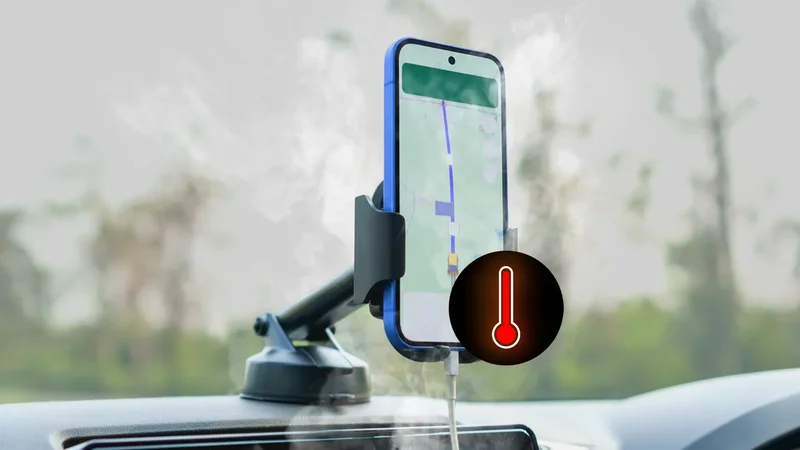
Have you ever held a phone and felt it was so blazing hot that you couldn't keep it in your hand for more than one second? Have you ever had to throw a phone in a cooler to let it come down in temperature?
This happened a couple of weeks ago with my Google Pixel 10 Pro XL, and it wasn't a fun experience. All the bad circumstances were aligned for my Pixel to go up in temperature, but I didn't expect it to get this hot.
I learned a lot from that, though. So, here's the full story, plus what you should and shouldn't do when your phone decides to nearly burn up.
Related
My Pixel wish list for 2026
This is how my Pixel 10 Pro XL overheated
And the wrong step I took to fix it
A couple of weeks ago, a friend was driving a few of us down for five hours from Paris to Bordeaux. It was a dry 100F (38°C) day amid France's terrible heatwave.
The car's air conditioner had broken down a few days earlier, so we were roasting inside, and the built-in GPS was bugging out.
My friend's iPhone had already overheated, so I volunteered my Pixel 10 Pro XL as dashboard GPS. Did I mention that all the conditions were aligned for trouble? Because they were.
You take a Google Pixel with the screen turned on using GPS, put it on a car's dashboard at 129F (53.8°C, as measured with my Pixel's built-in thermometer a bit later), and you have a recipe for disaster. Take note, kids: This is what you should not do.
After about 40 minutes, the Pixel notified me it had overheated and turned off Google Maps. I made the mistake of picking it up with my hand and instantly dropped it on the seat next to me. It was searing hot.
This wasn't a level of heat I'd ever encountered on any phone, so I used Inware to look up the battery's temperature. I still remember the number: 118F (47.7°C) — 10 degrees higher than the highest number I'd ever seen before on my Pixel.
We had a cooler in the car with some ice packs and iced water, so I carefully picked up my Pixel 10 Pro XL and threw it in there for five minutes. This, once again, was not the right thing to do.
What to do when your phone overheats
Do not throw it in the fridge or freezer!
Before this incident, I'd only run across mildly hot phone temperatures. My instinct in those cases has always been to do these steps, in order of importance:
- If the phone is charging, instantly unplug the cable or take it off the wireless charger.
- If the phone is in a case, remove it. Cases block heat and stop the phone from cooling down faster.
- Kill or pause all apps that draw a lot of power, that is, anything that uses the GPS, camera, or data.
- Avoid direct sunlight or sun reflections and keep the phone in the shade, away from any heat source or soft surface. Beds, sofas, and car seats retain heat, making cooling more difficult.
- Turn off the phone if possible.
All of that advice is sound, and it's exactly what you should do when your phone feels too hot. In my case, the phone wasn't charging and was out of the case, and Maps had stopped on its own.
I wanted to turn off the phone, but I couldn't. I blame Google for taking over the power button for Gemini and making a shutdown a two-finger affair! So the cooler was the only option I could think of.
Putting a hot phone in an icy freezer can cause condensation inside and lead to long-term damage.
But that is not the right move. A rapid temperature drop can cause the air inside to condense into water and potentially result in permanent internal moisture damage. That can lead to corrosion, short circuits, and other issues you don't want.
Instead, the best advice is to hold the phone to the air vent if you're driving or just letting ambient air cool it down. That's better long-term for your phone and your safety. You don't want corroded or damaged internals in your phone with a dangerous Lithium-ion battery nearby.
In my case, though, the car's air conditioning wasn't an option since it wasn't working. I also suspect the cooler wasn't as icy as a freezer, and I didn't leave the phone in there long enough, so I might be safe.
Related
One simple fix kept the phone's temperature under control
I learned so many lessons about overheating phones
This entire experience taught me how to deal with extreme heat on my phone. From now on, I'll never keep any phone on the dashboard and use it as GPS in such a heatwave.
It was only later that I remembered I could've used Google Maps' power-saving mode to keep the Pixel's display off. That should've reduced the phone's power draw while navigating. Checking Maps only for important direction changes would've reduced it further.
More importantly, though, I learned that I shouldn't put an overheated phone in a freezer, cooler, or fridge, no matter how tempting an idea that is. Letting it cool down naturally is a better long-term option.