When AdGuard launched, it was my saving grace for blocking ads in Chrome and other free apps with pop-up ads.
But over time, I started to notice that my phone’s battery would drain unnecessarily quickly. After some investigation, I found the AdGuard app at the top of the battery stats list nearly every time.
That’s when I started looking for alternatives and opted to use Android’s Private DNS feature.
AdGuard is no longer my preferred way to block ads in apps
The app started to test my patience
Initially, AdGuard was exactly what I needed. It aggressively blocked ads in free game apps that I liked to play and offered a decent VPN service, without giving it root access.
A system-wide ad blocker has become necessary to block all sorts of ads.
Whether it was dealing with pop-ups, banner ads that broke websites, or video ads, AdGuard could handle it all.
But after a while, my phone started dying earlier than it should, sometimes before my workday ended. After finding out AdGuard was the main culprit, I wanted to know why it was happening.
AdGuard uses a local VPN to filter data, which requires it to maintain a persistent VPN tunnel and run in the background.
This was causing my battery to drain in measurable ways and was causing real harm to my phone. I had to charge my phone more frequently, which further deteriorated my OnePlus 9 Pro’s battery.
It also had a real practical impact on my daily life, as I wasn’t able to use my phone like I normally would.
What’s more annoying is that some of the more essential features were locked behind a premium subscription that didn’t offer good value for money all of a sudden.
Features like In-App In-Game ad blocking and Browsing Security weren’t being offered in the free tier.
AdGuard started testing my patience, and my premium subscription felt like an unnecessary expense.
AdGuard’s basic ad blocker subscription plans start at $2.50 per month for a personal plan (up to three devices) and $5.50 for a family plan (up to nine devices). They also offer lifetime license access for $80.
AdGuard DNS and AdGuard VPN are separate add-on subscriptions that cost $20 per month and $12 per month, respectively.
I decided to cancel my subscription because AdGuard’s plan started to feel exploitative and not worth the battery-drain trade-off.
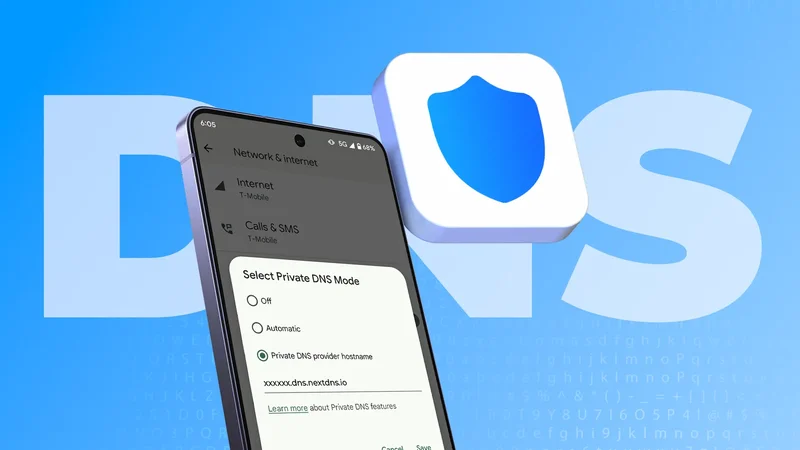
Android already has a built-in private DNS that I could configure to do the same job as AdGuard.
I found the perfect replacement that didn’t feel like a rip-off.
NextDNS is an excellent alternative that everyone should know about
It was a revelation after using AdGuard
Using Android’s Private DNS service was the final nail in the coffin for AdGuard.
Unlike AdGuard, using the Private DNS setting relieved my phone of a persistent app that constantly drained my battery.
Since there freed up the VPN slot for other services.
I chose to use NextDNS’ service as it lets me try it for free on unlimited devices.
What’s neat is that the free tier lets me use system-wide ad blocking for 300,000 queries per month. That’s more than enough for a single device.
NextDNS offers a personal pro plan for $2 per month that enables unlimited queries for unlimited devices.
Setting up NextDNS is straightforward, and it only takes a minute by following these steps:
- Visit NextDNS’ website and register an account.
Click the **Setup**tab and open the**Endpoints**section.
-
Copy your unique **DNS-over-TLS/QUIC**hostname. It should look like this:**your-config-id.dns.nextdns.io** -
Open **Settings**on your phone. -
Navigate to **Network & Internet**>**Advanced**>**Private DNS**. Alternatively, you can search for**Private DNS**in the search bar. -
Select the **Private DNS provider****hostname**option. - Paste the unique NextDNS hostname you copied earlier.
-
Tap **Save**.
After you tap Save, your phone will validate the Private DNS and show the “Connected” message.
You’re now ready to block ads on browsers and most apps without having losing battery life on your phone.
After I switched to NextDNS, I noticed a considerable increase in battery life, and most of the free apps on my phone felt usable again.
NextDNS also provides analytics I can view on its website. The reports give useful insight into any threats it blocked and safelist websites I like to support.
You can also use a third-party app called NextDNS Manager that lets you tweak all the options you can on its website.
I also love that I can use Parental Controls to block certain apps, websites, or entire categories on all devices that use my NextDNS account.
It’s a nifty feature to have to protect kids from predatory games with in-app purchases and other websites.
Why I will keep using a private DNS
Having a lighter footprint by using Android’s private DNS feature lets me conserve battery life while blocking ads.
If you’re an AdGuard user, you really don’t need to spend more and have your phone’s performance suffer when other options exist.
There’s no harm in trying out NextDNS for free, noticing your phone’s battery life, and switching if you see a noticeable difference.