I know a friend who counts the total number of apps on his phone and filters the ones he rarely uses. I haven't asked his rationale, but I reckon he does it to avoid accumulating apps that aren't useful.
It isn't a bad strategy if that's his motivation, especially if the goal is to save storage. However, I never count the apps on my phone, nor do I remove apps that I rarely use.
This doesn't mean I have plenty of storage on my phone. I have only 128GB of storage on my phone, and I'm certain my handset has more apps I rarely use than those I regularly open.
I don't remove those rarely-used apps from my phone, as they take up less space than they should to work properly.
It wouldn't have been possible had I not found the best Android feature for apps I don't use very often.
I don't remove apps I rarely use from my phone
Instead, I archive them
When you remove or uninstall an app from your phone, you free up storage because all its files are deleted. The only way to get the apps working again is to reinstall them.
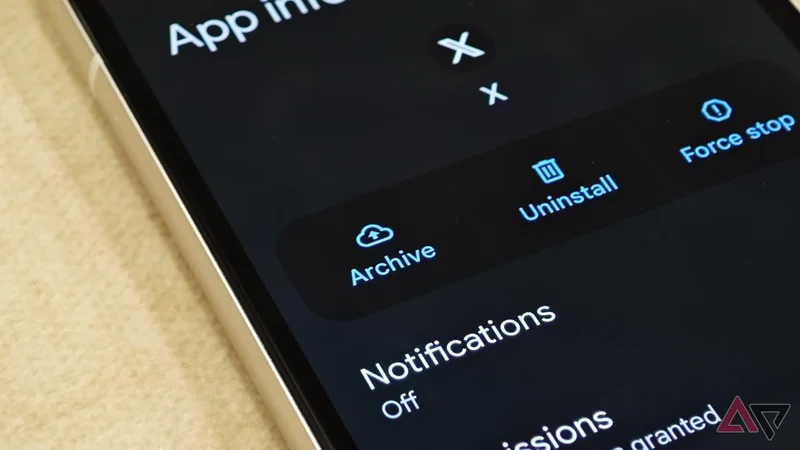
That's not what happens when you archive apps. It doesn't fully remove the app from your device, and yet it helps you save storage.
This isn't mutually exclusive. When you archive apps, it removes only the software, temporary files, permissions, and stops notifications. However, you still have the app icon and data on your phone.
This is why archiving an app doesn't save as much storage space as removing apps does. But in its defense, that's not what it aims for.
Archiving apps seeks to strike a perfect balance between keeping apps easy to restore and saving storage space. It's easy to get those apps back because you don't fully delete them from your phone.
Archived apps show faded icons, and you can tap them to reinstall them on your handset.
Although I wouldn't count it as one of its main benefits, I like that archiving apps saves me from dealing with those unnecessary notifications separately. They don't fade like the app icons — they disappear.
I get the best of both worlds when I archive apps instead of uninstalling them. However, I wouldn't mistake it as a replacement for uninstalling apps.
If I know I won't need the app again, I remove it completely. When I'm not so certain, I keep apps for a few months to see how often I open them.
If I don't need them at least once in a few months, it's a strong indication that I'm better off uninstalling than archiving. I'll save more storage space.
I also sometimes use Android's built-in unused apps feature to identify which apps I need to archive.
How to archive apps on your Android phone?
You need to follow only a few simple steps
You don't have to dig deep into Settings to archive apps on your Android handset. Open Settings on your phone, type apps in the search bar, and select the option that opens the list of all apps.
Tap the app you want to archive, and then tap Archive. Try to find the app in the app drawer now to see a faded app icon.
You can also auto-archive apps you rarely use. > General, and enable the Automatically archive apps toggle.
This will archive rarely used apps only when your storage runs low. I don't like this automatic route because I don't want to wait until my storage is near full for it to trigger.
Of all the Android phones I've used, the Samsung Galaxy handles app archiving better than everyone else. One UI has an app called Device Care, which lets you archive all your unused apps with a tap.
It also tells you how much storage you'll get back after archiving them. This is one I rate the Device Care app so highly when the goal is clearing storage space.
To archive apps, your phone must run Android 15 or later. Also, apps need to have support for the archiving functionality.
I no longer need to choose between keeping and deleting
I can say this so firmly because archiving apps gives me a middle path that works well for people like me who want to keep rarely used apps without them taking up unnecessary storage space.
The ability to archive apps isn't very old either, so I'm glad I haven't missed out on it for too long.
However, I absolutely wouldn't have minded if I found the trick earlier, because who wouldn't want to save storage without permanently deleting apps?