~/install
One command
1. Run it. The installer detects your platform, checks the download against the published SHA256SUMS, puts the binary in ~/.whetuu/bin, and adds two lines to the config of the shell you actually use. Running it twice changes nothing.
$ curl --proto '=https' --tlsv1.2 -fsSL https://yamafaktory.github.io/whetuu/install.sh | sh
macOS and Linux · read the script · tarballs and checksums
2. Open a new shell. That is the whole install.
Would rather edit your own dotfiles? Run it with WHETUU_NO_MODIFY=1 and it prints the two lines instead of writing them. whetuu init <shell> prints them too, along with the file they belong in. Uninstalling is rm -rf ~/.whetuu plus those lines.
You need a Nerd Font. The prompt uses Nerd Font glyphs for the git branch, the language logos and the prompt character. Without one, those show as empty boxes.
~/demo
See it in a real shell
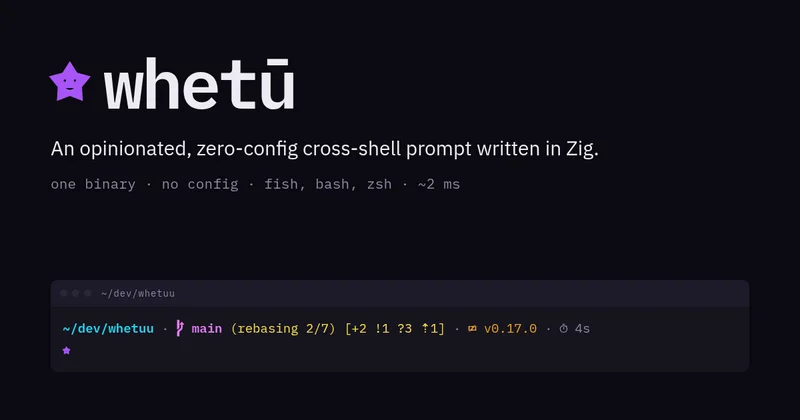
The prompt tracks the branch, the git status and the toolchain version. Pressing the up arrow opens the history picker, which filters as you type and runs what you pick.
~/modules
What it shows
Left to right, each segment appears only when it is relevant.
- user_host
- user@hostin bold green, but only over SSH or when you are root, and then in bold red as a warning.
- directory
- The current directory with $HOMEcollapsed to~. Keeps the anchor plus as many trailing directories as fit the width.
- git branch
- Branch glyph and current branch, or (detached), in magenta.
- git state
- Any operation underway, in yellow: (rebasing 2/7),(merging),(cherry-picking). Read straight from.git, with no extra subprocess.
- git status
- Conflicts, stashes, staged, modified, untracked, ahead and behind, in one bracketed group.
- language
- Logo and toolchain version in the brand colour, for 39 languages and tools. Detected from a project manifest, a source file extension, or an infra marker.
- cmd_duration
- Timer glyph and elapsed time, when the last command ran for two seconds or more.
- character
- A star, purple by default or in the language brand colour. Turns red after a failed command.
~/picker
A history picker on the up arrow
Commands are recorded once they finish, and only when they exited cleanly, so typos never clutter the list. Each is stored with the directory it ran in. The picker opens scoped to the current directory and falls back to all history when there is none.
Rows are syntax highlighted. The command name, flags, paths, variables, quoted strings and operators each take a colour from your terminal theme, so the picker matches the palette you already run. A command too wide for the window loses its middle to a … rather than its end, which keeps a run of commands sharing one long prefix apart.
- typeFilter. Every word must match, ignoring case.
- ↑ / ↓Move the selection. Up goes further back in time.
- Ctrl+GSwitch between this directory's history and all of it.
- TabCopy the selection into the search field to edit or extend.
- EnterRun it. When nothing matches any more, runs the text as typed.
- EscCancel, leaving whatever you had typed on the command line.
~/performance
Renders in about 2 ms
A prompt runs before every command, which makes it the one thing in your shell that has to be quick. Every module that reads the disk runs at the same time via std.Io, so a render takes about as long as its slowest probe rather than the sum of them all.
| Directory | Render | For comparison |
|---|---|---|
| No repo, no toolchain | 2.3 ms | — |
| Zig repo, 35 files | 3.0 ms | zig versionalone: 3.1 ms |
| Monorepo, 8259 files | 20.2 ms | git statusalone: 19.3 ms |
Measured with hyperfine --warmup 40 --runs 400 on a 13th gen i9-13900H, ReleaseFast, pinned to the performance cores on an otherwise idle machine. In the monorepo the whole prompt takes about as long as git status on its own.
A slow repository cannot hang your shell. Both subprocesses are bounded. Git gets 250 ms and the toolchain probe gets 200 ms, and they run at the same time, so the worst case is the larger of the two. Given a git that hangs for 30 seconds, the prompt still returns in 257 ms. It simply drops the git segment.
~/security
Nothing leaves your machine
A prompt sees every command you run, and the picker keeps them. That is a lot to hand a small tool, so here is exactly what whetuu does and does not do.
- No network
- There is no socket, no HTTP client and no sync anywhere in the binary. No telemetry and no update check. There is no account and no server to opt out of.
- Two files
- Running, whetuu writes exactly two. The history store, created with mode 600and reset to it on every write, so one left readable by an older version corrects itself. And a cache of toolchain version strings at~/.cache/whetuu/versions, which holds nothing else and can be deleted whenever you like.
- Data outside it
- Both files follow the XDG base directory spec, so neither lives in the install directory. Removing whetuu with rm -rf ~/.whetuucannot take your history with it.whetuu pathsprints both locations.
- One install edit
- The installer appends two lines to the config of the shell in $SHELL, and nothing else. Not the config of a shell you do not use, and never twice.WHETUU_NO_MODIFY=1makes it print them instead. Everything lands in~/.whetuu, so removing it is one directory.
- Skip a command
- Start a command with a space and it is never recorded. Use it for the ones carrying a token. Only successful commands are stored at all.
- No shell, ever
- whetuu runs two subprocesses: gitand the toolchain version probe. Both get a fixed list of arguments rather than a command line, so nothing you type is ever interpreted as a command. State like a rebase in progress is read straight out of.gitwith no subprocess at all.
- Escapes defanged
- Every control byte in a command, a branch name or a directory becomes a ?before it reaches your terminal. A repository you just cloned cannot repaint your screen or move your cursor through whetuu.
- Nothing to configure
- No config file means no config parser, no theme format and nothing of yours being executed at startup. The attack surface is the binary and the two commands above.
- One caveat
- The language module picks which toolchain to probe from the files in the current directory, so entering an untrusted repository can make whetuu run something like node --version. It runs whatever yourPATHresolves, never a binary from the repository.