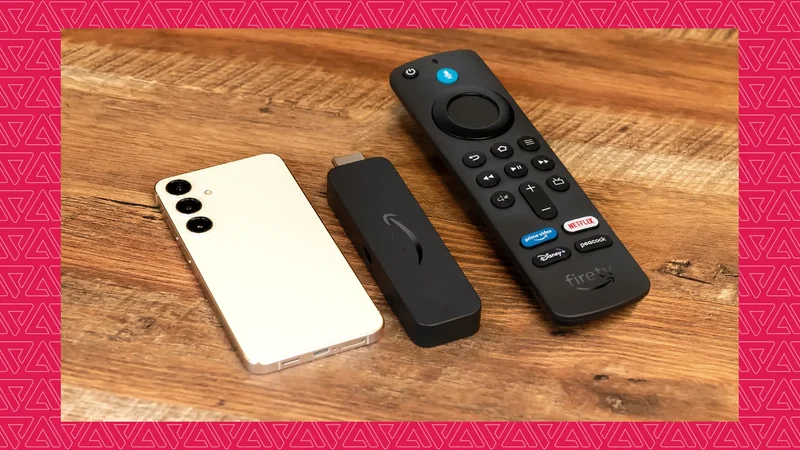
I've long been waiting to make good use of my spare phone, and I finally turned to the internet for project ideas. After a week of scouting, I decided to try something basic and yet surprisingly useful.
I connected my spare phone to my regular TV and turned it into a smart one. Although it took some time to set up, it was well worth it.
I don't say this because I enjoyed trying something new. I loved the process and the outcome, but more than that, I was happier that I would never need to buy another device to turn my regular TV into a smart one.
The experiment couldn't have come at a better time because I was looking to replace my Fire Stick. I finally did it after connecting an old phone to my TV.
Here is why I permanently retired my Fire Stick after connecting an old Android phone to my TV.
My old phone could do more than I expected on my TV
It's so much better than the Fire TV ecosystem
Amazon's Fire TV ecosystem runs on Android. More specifically, it runs Fire OS, a fork of the Android Open Source Project (AOSP). Although it's still Android, there are some notable differences between the Stick and my phone.
For example, Fire OS has Amazon Appstore instead of the Google Play Store. So, the app ecosystem on a Fire TV isn't as vast as on an Android phone. While there are workarounds to install the Google Play Store on it, official support hasn't arrived.
This makes running some of Google's popular apps tedious on my TV when it connects to a Fire TV Stick. This limitation alone is enough to make me a convert.
My Android phone, on the other hand, is more capable than the Fire TV Stick, not only in terms of raw power, but also because I can virtually run any Play Store app on my TV.
That's what I missed in my Fire TV, though the limitations became obvious only after I connected my phone. Unlike in Fire OS, I can use YouTube, Google Maps, Gmail, and play mobile games on a larger screen.
These are tangible benefits, and I love them. But there is more to why I recommend connecting your phone to your TV over using a Fire TV Stick.
I no longer worry about whether an app I want to run has a Fire TV version. It saves me from searching the web for this little thing and, more importantly, time.
The shift in mindset has now become so ingrained that I doubt I'll ever go back to using a Fire TV Stick. Amazon's move to ditch Fire OS in favor of Vega OS makes me even more uncertain about the platform's future.
I'd rather stick to what's already familiar than move to something new, unless there is something unique I love. Right now, I don't see anything unique in Vega OS.
Getting my phone to work like a Fire TV replacement took some tinkering
Getting the right accessories made all the difference
I connected my Samsung Galaxy phone to my TV, and the easiest way was wirelessly via Smart View. However, I opted for a wired connection for better latency and to make it look more like a traditional TV setup.
In addition to a USB-C-to-HDMI cable, I added my old wireless keyboard with a trackpad to the setup. A gaming controller would have been more convenient, but that would've required a new purchase.
If you have one, I strongly recommend it over a keyboard.
That's all I required. After connecting the cable, I tapped the Mirror Switch notification in the Notifications panel and followed the on-screen instructions.
Next, I installed an app called Screen Orientation Control to ensure that apps open in landscape view on my TV screen.
Don't worry about audio, because all standard HDMI cables carry both audio and video. Your TV speakers will play the sound when you watch or listen to something on your TV.
My spare Android phone is the Fire TV Stick that never was and never will be
I never missed my Fire TV Stick after I set everything up. What makes this even more exciting is that it is still a phone.
A phone isn't meant to be a Fire TV Stick, and it never will be. But thanks to Android's versatility and flexibility, it doesn't need to be one to turn my regular television set into a genuinely useful smart TV.
I'm not going back.