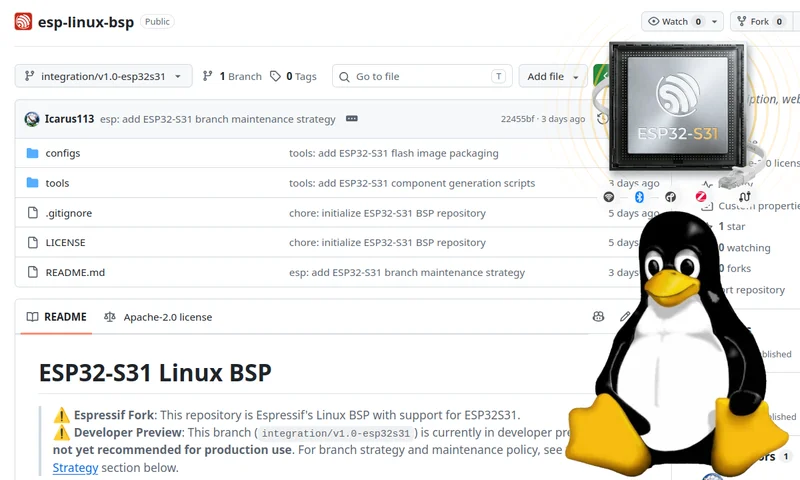
The ESP32-S31 microprocessor is getting Linux support from Espressif Systems. The ESP32-S31 dual-core RISC-V microprocessor was first unveiled in March, two ESP32-S31 development boards followed in May, and mass production was announced a few weeks ago.
The new RISC-V chip features an MMU (Memory Management Unit), which makes Linux much easier to handle, and the development boards also come with 16MB PSRAM, so a minimal Linux image is possible. Moving from theory to practice, Espressif Systems has now released a developer preview version of the ESP Linux BSP for ESP32-S31, and some community Linux ports are also in the works (more on that at the end of the article).
Let’s focus on the official ESP Linux BSP. The aforementioned repo only contains the image layout and packaging tools used by the ESP32-S31 Buildroot integration, and the core of the project can be found in the esp-buildroot-external repo with ESP32-S31 NOR boot stack and root filesystem with Buildroot 2025.02, along with instructions to build and flash an image. You can also directly check out the source code for the Linux 6.18 kernel fork used for the developer preview.
I don’t own a board, so I’ll just try to build the Linux image. A recent version of the esptool utility is still needed. Mine was esptool 4.7.0, and ESP32-S31 requires esptool 5.3.0 or greater, so I’ve updated it as follows:
| 1 2 3 4 | sudo apt purge esptool sudo apt install pipx pipx ensurepath pipx install esptool |
Let’s check the version:
| 1 2 3 | $ esptool version esptool v5.3.1 5.3.1 |
Let’s retrieve the code following the instructions from the Buildroot External Tree repository:
| 1 2 3 | mkdir ~/edev/sandbox git clone --branch 2025.02 --depth 1 https://gitlab.com/buildroot.org/buildroot.git esp-buildroot git clone -b buildroot/v2025.02-esp32s31 https://github.com/espressif/esp-buildroot-external.git esp-buildroot-external |
You’ll notice we didn’t have to clone the esp-linux-bsp repo since it will be automatically pulled by Buildroot.
Let’s configure the build:
| 1 | make -C esp-buildroot BR2_EXTERNAL=~/edev/sandbox/esp-buildroot-external O=~/edev/sandbox/esp32-s31-linux espressif_esp32s31_function_core_board_nor_defconfig |
Make sure it completes successfully, and the config file is written:
| 1 2 3 4 5 6 | make: Entering directory '/home/jaufranc/edev/sandbox/esp-buildroot' GEN /home/jaufranc/edev/sandbox/esp32-s31-linux/Makefile # # configuration written to /home/jaufranc/edev/sandbox/esp32-s31-linux/.config # make: Leaving directory '/home/jaufranc/edev/sandbox/esp-buildroot' |
We are now ready to build the Linux for ESP32-S31:
| 1 2 | ESP_ESPTOOL=$(which esptool) make -C ~/edev/sandbox/esp-buildroot O=~/edev/sandbox/esp32-s31-linux/ -j$(nproc) |
This part took a while, well over one hour, as the system downloads packages and builds them. Nevertheless, we now have our Linux image ready to be flashed to the board.
| 1 2 3 4 5 6 7 8 9 10 11 | ... gen_esp_flash_image: wrapping SPL -> spl_app.bin (load 0x2F040000) esptool v5.3.1 Creating ESP32-S31 image... Successfully created ESP32-S31 image. gen_esp_flash_image: merging slots -> s31_full_flash.bin esptool v5.3.1 SHA digest in image updated. Wrote 0xd1f000 bytes to file 's31_full_flash.bin', ready to flash to offset 0x0. gen_esp_flash_image: s31_full_flash.bin (13758464 bytes) ready in /home/jaufranc/edev/sandbox/esp32-s31-linux/images make: Leaving directory '/home/jaufranc/edev/sandbox/esp-buildroot' |
Content of the directory:
| 1 2 3 4 5 | jaufranc@CNX-LAPTOP-5:~/edev/sandbox$ ls esp32-s31-linux/images/ esp32s31.dtb fw_jump.elf rootfs.tar u-boot.dtb fw_dynamic.bin rootfs.cpio s31_full_flash.bin u-boot.itb fw_dynamic.elf rootfs.cpio.gz spl_app.bin u-boot-spl-dtb.bin fw_jump.bin rootfs.cramfs u-boot.bin xipImage |
If you have an ESP32-S31 board, you should be able to use the following command to flash the OS image:
| 1 | esptool --chip esp32s31 --port --baud 1152000 write-flash 0x0 /images/s31_full_flash.bin |
Note that the Linux BSP is only for experimentation for now, not recommended for production, and only targets the ESP32-S31. Espressif also mentions “irregular updates”, potential “breaking changes”, “limited feature acceptance”, and bugs will be fixed on a “best-effort basis” during the Developer Preview. It’s also unclear what’s implemented so far, e.g., does WiFi work?
Besides the official Linux BSP, at least two community projects have been porting Linux to the ESP32-S31-Korvo-1 board:
- GrieferPig’s work is an MMU RV32 Linux 6.12 port running natively on an ESP32-S31 microcontroller. Buildroot rootfs and reboot are stable, poweroff is not implemented, and features like WiFi, Bluetooth dual mode, and dual-core support are experimental. You can check the full status and code on GitHub.
- Marco’s esp32-s31-linux brings Linux 7.1 and OpenSBI 1.9 to the ESP32-S31 Korvo-1 board. Most peripherals other than the LCD panel, microSD slot, USB host, and WLAN modem are not enabled yet. Check out the project on GitHub.
Thanks to Andy for the tip.
Jean-Luc started CNX Software in 2010 as a part-time endeavor, before quitting his job as a software engineering manager, and starting to write daily news, and reviews full time later in 2011.