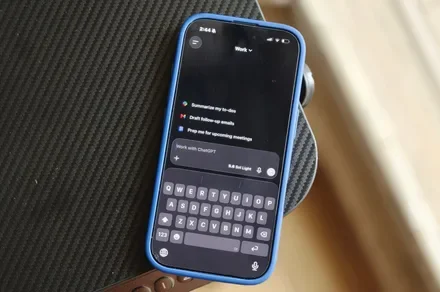
Attaching photos to a ChatGPT conversation on an iPhone has always been easy enough, but the latest update removes a few more taps from the process. A new shortcut now lets users jump straight to their most recent images, making it quicker to add a photo when asking ChatGPT to identify, explain, analyze, or simply react to something in front of them.
According to an X post by OpenAI’s Consumer Product Lead, Adam Fry, OpenAI has added the feature to the iPhone version of ChatGPT. The shortcut is part of a broader set of improvements arriving in the app, although the photo gesture is arguably the most immediately useful for anyone who regularly uses images as part of a prompt.
A long press replaces a few extra taps
Previously, adding an image required opening the + menu, selecting Photos, and then choosing an image from the photo library. The process was hardly difficult, but it involved navigating through multiple steps for something users may do several times a day.
According to the post, users can now press and hold the + button beside the ChatGPT prompt box to bring up their four most recent photos. From there, one of those images can be selected and attached directly to the conversation. The feature was also highlighted by OpenAI’s Adam Fry in a post on X as part of the company’s August 21 feature updates.
The shortcut may sound minor, but it reflects how image-based interactions are becoming a more routine part of using AI assistants. Asking ChatGPT about an object, screenshot, product, document, or problem often starts with attaching a picture, and reducing the friction could make that behavior feel more natural.
OpenAI has also been improving photo and camera uploads on iOS more broadly, with recent ChatGPT updates aimed at making image uploads faster and smoother.
Small changes matter when they remove friction
The new gesture is particularly useful for users who frequently turn to ChatGPT for quick visual questions. A screenshot can be attached for troubleshooting, a photo of an unfamiliar object can become the basis of a question, or an image can simply provide context that would otherwise take several sentences to explain.
Recent photos are the obvious target because they are usually the images users have just taken specifically to ask about. Digging through the full photo library to find something captured moments earlier is not exactly difficult, but it is one more interruption between having a question and getting an answer.
The update also arrived alongside other ChatGPT improvements, including better awareness of the current time and performance changes for longer conversations on the web, according to 9to5Mac.
No major redesign is involved here, and there is no dramatic new AI capability hiding behind the feature. Still, the best interface changes are often the ones that disappear into muscle memory. After a few uses, long-pressing the + button to grab a recent photo may simply become the faster way to start a conversation.