Outdated hardware eventually becomes a barrier to new software. My 2018 Intel MacBook struggled to run Chrome without its fans sounding like a generator.
to an M1 Mac allowed me to use the browser again. Then the Gemini sidebar reminded me why I never warmed to using artificial intelligence inside it.
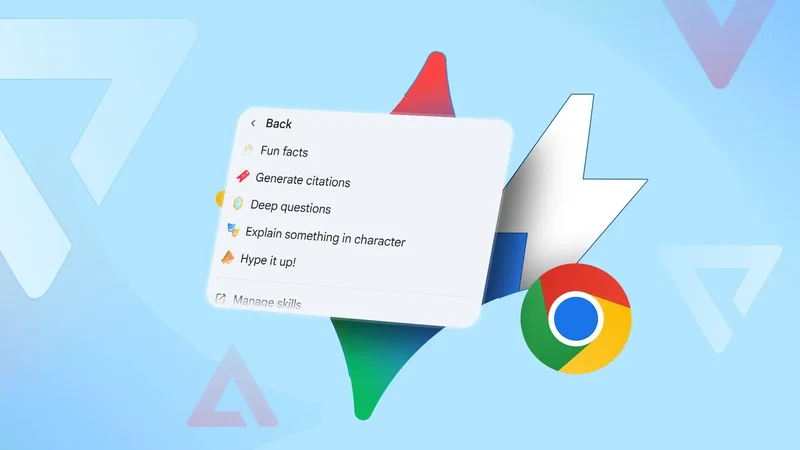
I got tired of repeating instructions and refining prompts. Then I discovered the time-saving Gemini Skills. The feature only launched a few months ago, so I hadn't missed out for long.
Here's how it's improving my routine every day.
My newfound abilities are straight from the source
It saves me from running into dead ends
Google launched Gemini Skills in May 2026. It allows me to save my most-used and effective commands as reusable templates instead of rewriting them every time.
Gemini Spark powers Gemini Skills and serves as Google's experimental workspace for building AI workflows. Google's documentation says it requires a qualifying Google AI subscription, with AI Pro or AI Ultra in the US and AI Ultra in many other supported regions.
Although I can use Skills through Gemini in Chrome, I can't access the full in-app experience. They're not available in my location. But it didn't stop me from building workflows around my own writing process.
Before becoming a consumer tech writer, I spent a year ghostwriting top-of-funnel (TOFU) business-to-business (B2B) content. It taught me how research is surprisingly the most important part of the process.
Most of the writing becomes much easier when you've gathered credible sources and statistics. But I struggle to find the right links because search results are usually outdated or come from sources without much authority.
Even when the information is accurate, it isn't always the primary source, which makes it hard to cite it confidently. AI can surface interesting numbers quickly, but it hallucinates data a lot.
It's why I don't like relying on it without further research, which wastes my time. Before, I'd manually search online for materials published within a specific date range. Now, I've created a skill called Source Tracer.
I instructed it to ignore news articles or blogs until it finds the root study, company report, government data, or other primary source a figure came from.
Visit chrome://skills/yourSkills on the Chrome PC browser and click Add to create a new skill.
Alternatively, tap the menu icon in the upper-left corner of the web page, and select Browse skills to choose from Google's collection.
You'll fill in a form prompting you to name your skill, add an optional description, and write the instructions Gemini should follow whenever you call it.
I ensured mine explained whether statistics are being quoted accurately, included a direct link, and flagged cases where it can't verify claims.
So, if I come across one, I launch the Gemini Sidebar and type / to bring up available skills. Then I select Source Tracer and paste the content to audit it.
Example instruction: Trace every statistic back to its original primary source. Ignore blogs, news articles, and AI-generated summaries unless they directly cite the source. Prioritize academic papers, government databases, corporate reports, regulatory filings, or official press releases.
Verify that the statistic is quoted accurately, explain any missing context or caveats, include a direct citation or link to the original publication, and rate the source's reliability. If the primary source can't be found, explicitly say so instead of guessing.
I compare products A and B like a pro
Not many people know the difference
I can't do without my Spec Compare skill, both professionally and casually. Part of my job involves reviewing devices to figure out which one offers more buyer value.
I can't possibly own every device, so I spend idle time reading official product pages, specification sheets, reviews, and announcements. I also use it before buying products to slow down my impulses.
It helps me monitor trends and understand where manufacturers are cutting corners. I used to switch between browser tabs and copy specifications. Then I'd paste them in Google Sheets or create a table in Docs to view them side-by-side.
It wasn't difficult, but it was repetitive and easy to lose track of smaller differences. Now, I open the official product pages for two devices in separate Chrome tabs. Then I invoke the skill and attach the relevant tabs to the prompt box.
Gemini does all the work when I press the Enter button on my keyboard.
Example instructions: Compare the products in the selected browser tabs. Extract their prices, specifications, features, pros, and cons. Then present the information in a side-by-side table, then analyze their performance, design, software, battery life, cameras, value for money, and ideal buyer.
Stay neutral, explain the trade-offs instead of picking a winner, and link every specification or claim to its original product page.
Show off your AI skills
Building Skills made me appreciate other ways of customizing longer, role-based conversations. I now use Gemini Gems more in the mobile app.
Skills are reusable workflows for repetitive tasks, while Gems are dedicated assistants with their own personalities and instructions. I use them to aid learning and work on complicated projects.
Among my favorites is Learning Coach. Normal Gemini chat usually answers my questions as quickly as possible. But Coach exists on Google's LearnLM technology, which applies educational science.
It breaks down topics into smaller bits and adjusts explanations to fit my pace.