Google Clock finally supports Live Updates for stopwatch and timer
Jul 28, 2026 — 5:08 AM ET
- Google Clock is finally getting support for Android’s Live Updates.
- The app now displays a running timer or stopwatch as a Live Update in the status bar, lock screen, and always-on display.
- Google is rolling it out as a server-side update, so it could take a while before it reaches everyone.
The Google Clock app doesn’t usually get many new features. Its last major update arrived in March and introduced new weather icons in the app’s world clock screen. However, Google hasn’t forgotten about the app, either. It’s starting to roll out a fresh update with an actually useful new feature: support for Android’s Live Updates.
You’re reading an Authority Insights story. Authority Insights brings you all the latest exclusive reports, app teardowns, leaks, and in-depth tech coverage from the Android Authority team that you won’t find anywhere else.
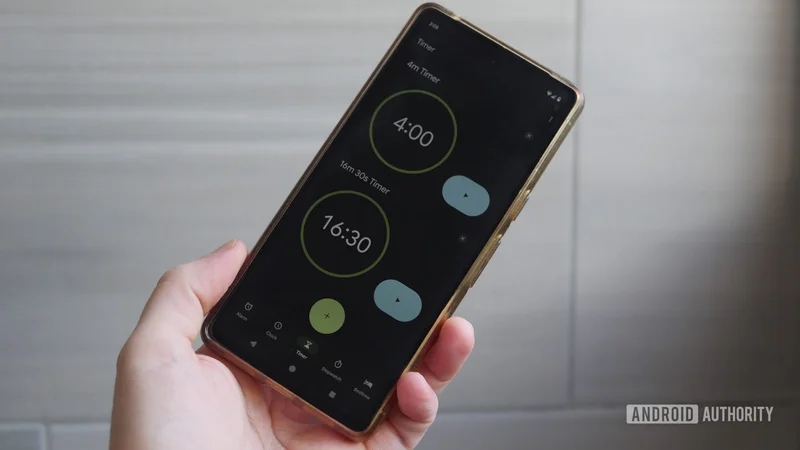
The latest version of the Google Clock app (v9.0) changes how the stopwatch or timer is displayed when a user leaves the app. The app now displays a highlighted icon in the status bar for a running timer or stopwatch. Tapping on it brings up an expanded Live Updates view with controls.
Previously, users would simply see an icon in the status bar, a simple notification with controls for the timer or stopwatch, or the running timer/stopwatch in the At A Glance widget.
The new Live Updates also appear on the lock screen as well as on the always-on display (AOD). It’s also worth noting that timers on the AOD are now properly updated in real time. Previously, timers wouldn’t update on the AOD, giving them the appearance of being frozen even though the timer would be running in the background.
Support for Live Updates in the Clock app is rolling out with Google Clock v9.0, and you can download the update from the Play Store. However, it is a server-side rollout, which means that updating to the latest version of the app doesn’t guarantee you’ll get the new features on your device. We got the feature working on our test device running Android 17 QPR2 Beta 1, but it should be available on stable Android 17 as well.