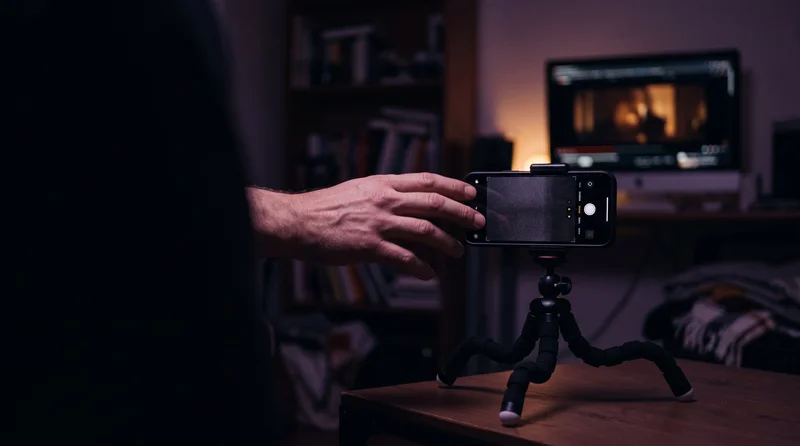
I have never taken an acting class. Two weeks ago I stood in my living room with my phone propped on a stack of books, reaching my own hand toward an imaginary torch, three separate takes, until the movement felt right. Then I watched that reach get transplanted onto a character in Lost Garden who has never set foot in my living room and isn’t played by me in any credited sense.
That’s what AI motion capture actually is: you record a real driving performance, usually your own body on a phone, and a model transfers the captured movement onto a different character. Tools like Runway’s Act-Two and Kling Motion Control 3.0 do this now without a mocap suit, a tracking volume, or a rigging pipeline. What the marketing demos don’t dwell on is that the performance still has to be directed. The tool copies whatever you feed it, mistakes included.
What Is AI Motion Capture, and How Is It Different From a Text Prompt?
A text prompt describes a category of movement, something like “she reaches slowly, hesitates, then grabs it,” and a model re-interprets that description differently on every generation. AI motion capture skips the interpretation. It reads an actual reference video, frame by frame, and reproduces the real timing and physical detail that happened in front of the camera.
Runway describes Act-Two as capturing “the movement, expressions, audio, and gestures” of a driving performance and transferring them onto a character input. Kling Motion Control 3.0 does a related job from a still image instead of a video character: it takes a reference image of your character and a separate motion reference video, then applies the movements, facial expressions, and pacing from that video while keeping the character’s visual identity intact.
A text prompt describes a category of movement. A driving performance is the movement. That distinction is the whole reason this workflow exists. A real take carries over details nobody would think to type into a prompt box:
- the exact gap in timing between a reach and the hesitation before it
- how much weight shifts through a shoulder before a hand actually moves
- the small, unplanned corrections a real body makes mid-motion that read as “alive” on screen
How Do You Record a Driving Performance That Actually Transfers Cleanly?
The transfer quality gets decided before you hit record, not after, in an edit.
- Keep the whole body in frame for the entire take.The moment an ankle or a wrist drifts out of shot, the model has to guess what that limb is doing, and guessed joints are exactly what produce sliding feet and popping arms in the final result.
- Light yourself the way you intend to light the character.No hard shadow eating half your face, no mixed color temperature fighting itself. Kling’s own guidance for Motion Control 3.0 is direct about this: a single subject, good lighting, and a clean background improve transfer quality.
- Shoot against a plain backgroundwhen you plan to pull the final scene from the character reference rather than from your driving footage. Motion Control 3.0 lets you choose which source supplies the background, but a cluttered driving shot still confuses the read on your own movement.
- Do more than one take.Treat it like a blocking rehearsal, not a single lucky performance you’re stuck with.
The camera doesn’t know the difference between a directed performance and someone waving an arm around in their living room. It copies whichever one you gave it.
On a real set, a blocking rehearsal happens before anyone rolls film, and nobody expects the first walkthrough to be the one that ends up in the movie. A driving-performance recording deserves the same patience. I run the gesture twice with no camera rolling at all, just to feel where the weight actually goes, before I record the take I intend to keep. It costs two minutes. Skipping it costs a regeneration and a second guess about whether the model got it wrong, when the honest answer is usually that the performance was never right to begin with.
Runway Act-Two or Kling Motion Control 3.0: Which Tool Fits the Shot?
It depends on how much of the body the shot actually needs.
Runway’s earlier model, Act-One, generated a character performance from a single driving video and a character image, but the transfer was limited to facial movement: eye lines, micro-expressions, lip motion, head turns. Body posture and hand movement were only inferred, which kept Act-One useful mainly for dialogue-heavy, head-and-shoulders framing.
Act-Two, released July 15, 2025, closed that gap. It maps head, face, body, and hand movement from a webcam performance with what Runway calls “exceptional fidelity and natural motion patterns,” which opens up full physical performance instead of just a talking head.
Kling Motion Control 3.0, upgraded from version 2.6 on March 5, 2026 (with day-zero access on Higgsfield), takes a different shape: a static reference image of your character plus a separate motion reference video, output at 720p or 1080p, with the option to pull the final background from either source. Its real strength shows up when one motion reference needs to drive several different characters or art styles without a re-shoot.
| Tool | Best for | What it actually captures |
|---|---|---|
| Runway Act-One | Dialogue-heavy close-ups | Face only: eyes, lips, head turns |
| Runway Act-Two | Full physical performance | Face, body, and hands from a webcam take |
| Kling Motion Control 3.0 | Reusing one motion across characters or styles | Movement, expression, and pacing applied onto a still reference |
What Breaks When You Skip Directing the Performance?
The model doesn’t know what you meant. It knows what you did in front of the camera, and it will reproduce that faithfully, hesitation and all.
My first take of the torch reach was rushed, because I was self-conscious about a grown man reaching at nothing in his living room. The transferred result read as fear, not the quiet reverence the scene needed. Nothing about the tool was wrong. I had directed the wrong performance and it had done exactly what I asked. The fix wasn’t a better prompt, because there was no prompt to fix. It was doing the take again, slower, meaning it this time.
There’s a second, quieter failure mode: a performance that’s directed well but doesn’t match the camera move the shot actually needs. A driving take built for a static close-up will fight a shot that’s supposed to push in, because the framing decision and the performance decision are still two separate jobs, even when one tool handles the transfer. Motion capture replaces the “how do I get a real body’s movement onto this character” problem. It does not replace deciding what the camera is doing while that movement happens.
That’s the part of this workflow worth writing down somewhere next to the shot itself: which take you used, which reference image it drove, which tool and version made the clip. I keep that note attached to the shot inside ScreenWeaver, so the reasoning behind a chosen take doesn’t live only in my memory of standing in a living room three times in a row.
FAQ
Do you need a mocap suit for AI motion capture in 2026?
No. Runway Act-Two and Kling Motion Control 3.0 both work from an ordinary phone or webcam recording, with no suit, markers, or dedicated capture volume required.
What’s the actual difference between Runway Act-One and Act-Two?
Act-One transfers facial performance only. Act-Two, released July 15, 2025, adds full-body and hand tracking from the same kind of driving video.
Can one motion reference be reused across different characters?
Yes. Kling Motion Control 3.0 is built specifically to apply a single motion reference to different characters and visual styles without re-shooting the performance.
None of this replaces direction. It just moves where the directing happens, from a paragraph describing a gesture to an actual body making the gesture, badly or well, three takes in a row until it’s right. The Lost Garden torch scene held on the third take, and it holds because I finally performed the reverence instead of describing it.
Sources: No Film School on Runway Act-Two; Higgsfield on Kling Motion Control 3.0.