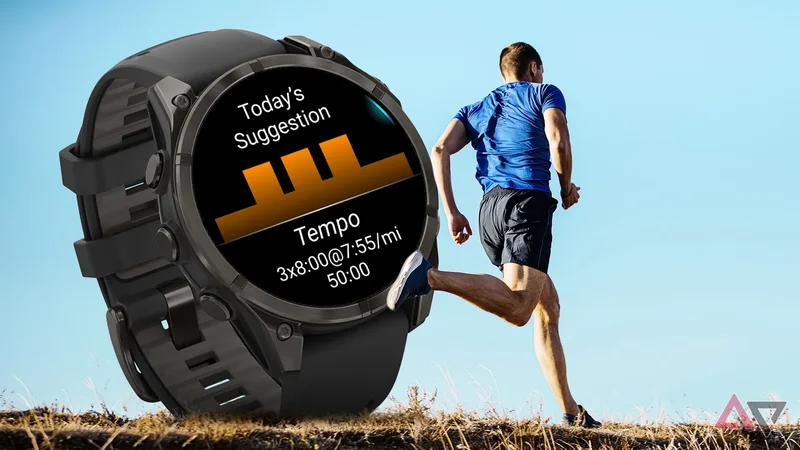
Running a half-marathon is a yearly ritual for me. It's something I've been doing for almost six years now.
However, most years I start training too late or don't train properly. This year, I changed things up. I decided to use the features on my Garmin watch to help me decide how to train and when to train.
Every morning, I wake up asking the same question. Have I recovered properly from yesterday's workout? Turns out my groggy 6 a.m. mind isn't really well-equipped to decide what my body is signaling.
My Garmin, on the other hand, tracks plenty of health metrics, and I've started relying on the Training Readiness feature to decide for me.
Instead of piecing together sleep, recovery, and training data myself, I get one score that tells me whether I'm ready for another grueling run or if I should take a rest day.
Training Readiness is more than a single score
It helps you understand what's affecting your recovery
Training Readiness isn't really a hidden feature. Garmin advertises it well enough. Still, the feature is easy to overlook because it is tucked away in the watch's interface alongside Garmin's other health metrics.
It took me a bit to figure out where to find it, so I'll make it simple for you.
Scroll through the glances on your Garmin watch. If you don't find it, scroll to the bottom, select Add, then scroll down further to Training Readiness and add it.
This will make sure it shows up alongside the other glanceable bits of information on your Garmin watch.
Now, every time I get ready for a workout or a run, the first thing I do is pop open the Readiness tab.
However, the score itself isn't why I use it, even though it gives me an at-a-glance idea whether I'm rested enough for a workout. What matters more to me is the wealth of information behind it.
Garmin combines my previous night's sleep, HRV status, recovery time, recent training load, stress, and sleep history into a single readiness score.
So, instead of opening each of these metrics individually and trying to figure out what they mean together, I get an overview in a few seconds.
It's pretty straightforward, really.
If I've slept well and recovered properly, something that shows up in my sleep data and heart rate data, the score reflects that.
If I've had a poor night's sleep after a hard training session, or a night out partying, well, you know what the results are going to be.
Those scores are accurate. Having trained on a day with extremely low recovery, I ended up fatiguing myself to the point that I had to forgo multiple days of training, throwing my workout plan out the window.
Training Readiness also helps you understand exactly what aspect of your health contributed to a high or low score.
Select the Readiness score, and it'll drop you into details about the individual aspects contributing to recovery.
This includes everything from recovery time to sleep information or accumulated fatigue from multiple days of poor habits.
That context matters when you are trying to fix the underlying cause of poor recovery.
If I'm overtraining, I'll usually cut down my workout by fifteen minutes or take a deload week. If I'm sleeping poorly, well, that's pretty obvious.
This hidden Garmin feature helps me decide how hard to train
Recovery is just as important as the run
Before I started paying attention to the Training Readiness tab on my Garmin, I mostly followed my workout schedule irrespective of how I was feeling.
I'm not about to miss out on a long run if it says so on the calendar. That, however, is a very poor approach to training.
As I approach my mid-30s, I've started paying much more attention to recovery parameters, not just how hard I'm going to push myself.
Now, I approach my workouts differently.
I'm only comfortable sticking with harder, longer runs when my readiness score tells me to. The downtime from an injury just isn't worth it.
If the score is somewhere in the middle, I'll usually do a lighter strength workout.
The biggest difference, though, is on days when the readiness score tells me that it is low. Those are the days when I go for a walk, a light recovery run, or take a rest day.
I've come to count on this score because, surprisingly enough, it is very indicative of my body's real state.
Since it is based on my actual metrics instead of an arbitrary feeling, it shouldn't be a surprise that it is accurate.
However, I personally, and we generally, have a tendency to ignore such figures. Now, I don't.
It's helped me discover patterns in my body and general life schedule that I hadn't observed before.
Rather than wondering why I had a terrible run after the fact, I now have a good idea of the outcome beforehand and can avoid torturing my body.
Keep in mind that Training Readiness isn't a replacement for an actual coach or just good judgment.
If I'm feeling great despite a mediocre score, I'll still go ahead with my planned workout. But Training Readiness gives me another data point to make up my mind.
Training Readiness helps me adjust my training instead of forcing a workout
The biggest benefit of this tucked-away feature is that it removes unnecessary guesswork from my training.
Instead of trying to gauge whether I'm up to the workout, or trying to make sense of a dozen parameters, I can look at one score and decide my fitness plan for the day.
It's completely changed my approach to training. If you own a Garmin fitness watch, I'd highly encourage you to check out the feature if you haven't yet.
Garmin's high-end fitness watches are known for accuracy and long battery life. The Venu 3 delivers on both fronts, focusing on top-notch sleep tracking and 14 days of battery life. Packing a large 1.4" AMOLED display, the fitness watch offers animated workouts, a built-in fitness coach, and all the health metrics you could need.