Google Calendar has always been where I keep track of my plans. Meetings, appointments, birthdays, and reminders all go in there, and I never really expected it to do much more than that.
Then I stumbled across a feature I'd completely overlooked.
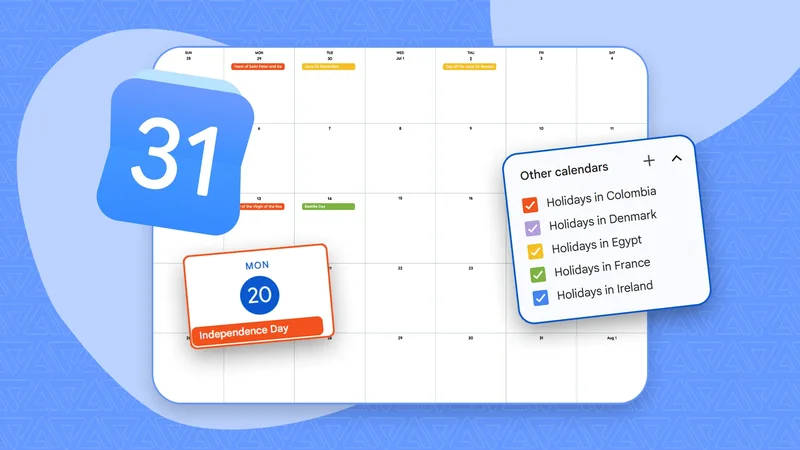
Google Calendar's built-in Browse calendars feature lets you subscribe to calendars for regional and religious holidays, sports schedules, moon phases, and more.
Now I never have to wonder when my favorite team's next game is, whether a public holiday is coming up, or even when the next full moon falls.
Related
These small changes subtly reshaped how I plan my days
Google Calendar isn't limited to the events you create
Your calendar doesn't have to start from scratch
Like most people, I assumed Google Calendar only showed the events I took the time to add myself. If I wanted to remember something, I had to create an event and pick a date.
However, Google Calendar has an underrated feature called Browse calendars of interest that lets users subscribe to collections of events that update automatically.
To subscribe, you must visit the Google Calendar website, click the gear icon, open Settings, select Add calendar, and choose Browse calendars of interest.
You can browse categories like Regional holidays, Sports, and Phases of the Moon, and subscribe with a single click. The calendars sync to your Google account and appear alongside your own events across your devices.
I stopped forgetting public holidays
Working across time zones became less of a guessing game
Working with people in different countries means public holidays don't always line up with my own. More than once, I've sent a message or suggested a meeting, only to realize later that half the team was off for a national holiday.
Subscribing to holiday calendars in Google Calendar solved that problem almost immediately.
Instead of looking up public holidays whenever I scheduled something, they appeared alongside my own events.
Google lets you subscribe to holiday calendars for different countries and regions, and it automatically keeps them updated as dates change or new holidays are added.
Now, before I send a meeting invite or plan work with someone overseas, I can glance at my calendar and see if they're likely to be out of the office.
Even outside of work, it's surprisingly useful. I no longer have to search online to check whether an upcoming Monday is a public holiday or wonder why a business might be closed.
I always know when my favorite team is playing
Game day never sneaks up on me anymore
I'm not someone who follows every game, but I do like knowing when my favorite team is playing. The problem was that I was constantly looking up the schedule or realizing I'd missed a game after seeing the result online.
That's no longer something I have to think about.
Google Calendar lets you subscribe to sports calendars through Browse calendars of interest, and after you've chosen a team, its upcoming fixtures appear automatically in your calendar.
Instead of checking a sports website and then switching back to my calendar to see if I'm free, I can see upcoming games alongside my meetings and appointments.
That makes it much easier to plan, whether I'm deciding when to meet friends, scheduling other activities, or making sure I don't accidentally book something during a game I want to watch.
It even keeps track of the phases of the moon
The most unexpected calendar I subscribed to
Credit: Lucas Gouveia / Android Police \| voronaman / Shutterstock
I don't check the moon phases every day, but there are plenty of times when it's nice to know when a full or new moon is coming.
Whether you're planning an evening hike, trying your hand at astrophotography, stargazing with friends, or you're curious about what's happening in the night sky, having those dates already on your calendar means you don't have to search for them later.
When you subscribe to the Phases of the Moon, Google Calendar adds the four primary lunar phases to your calendar. That includes New Moon, First Quarter, Full Moon, and Last Quarter.
Related
Surprisingly, I was able to stay mostly on top of my summer chores
Google Calendar became more than just my planner
The Browse calendars of interest feature completely changed how I use Google Calendar. Whether it's a public holiday in another country, my favorite team's next match, or even the next full moon, the information is already waiting for me on the app.
Subscribing to these calendars doesn't mean cluttering my schedule. Each calendar can be shown or hidden whenever I want, so if I only need my sports calendar during the season or my holiday calendar while planning meetings, I can toggle it off just as easily as I turned it on.