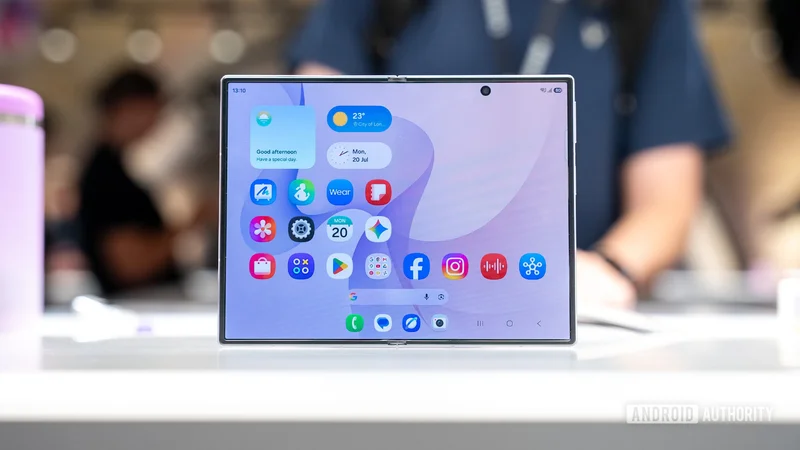
The Samsung Galaxy Z Fold 8 is now official. And while that means new, exciting hardware is available for enthusiasts to handle, it also means a fresh batch of wallpapers has arrived. The great thing about wallpapers is that they’re a quick way to give your phone a new lick of paint without forking out for a new device.
Samsung Galaxy Z Fold 8Samsung Galaxy Z Fold 8
New form factor • More Affordable • Fast Charging • Flagship specs
A fresh take on Samsung's book-style foldable
Samsung's Galaxy Z Fold 8 introduces a wider foldable design that prioritizes comfort and portability. With a lighter body, 45W charging, Snapdragon 8 Elite Gen 5 power, Galaxy AI features, and capable dual 50MP cameras, it's an easier entry into Samsung's foldable lineup.
Download the Samsung Galaxy Z Fold 8 wallpapers here
Let’s start with the basics. We advise you to avoid simply saving the image previews shown below. These wallpaper previews are compressed and optimized for improved website performance. Instead, click the button below the gallery to download the full-resolution wallpapers.
Now, for the wallpapers themselves, Samsung uses the same ribbon motif across all 11 available wallpapers, but each differs greatly in color. Some wallpapers include color combinations, like Green Rust and Yellow Purple, while others stick to a central shade, like Blue and Pink.
The first four wide wallpapers, in addition to the Cover Screen wallpaper, are courtesy of X user Fahad Ali Javed, while the remaining walls were shared by tipster Ice Universe (via iDownloadBlog). See the wallpapers below.
Samsung Galaxy Z Fold 8 wallpapers
How to set these Samsung Galaxy Z Fold 8 wallpapers on your phone:
- Launch the Settings app.
- Select Wallpaper \& style.
- Tap on More wallpapers.
- Find and select your Samsung Galaxy S26 wallpaper.
- Customize the wallpaper, then hit Set Wallpaper.
- Choose whether you want to set the wallpaper on your Home screen or Lock screen (or highlight both).
- Pick Set.
How to set a wallpaper on iPhone:
- Open the Settings app.
- Tap on Wallpaper.
- Select Add New Wallpaper.
- Find and select the Samsung Galaxy S26 wallpaper you want to set.
- Customize your wallpaper and settings to your liking, then tap on Add.
- Hit Set as Wallpaper Pair.
Editor’s note: These instructions were put together using a Google Pixel 8a running Android 16 and an Apple iPhone 15 running iOS 18.5. Steps may differ, depending on your device and software version.
Frequently asked questions
What is the size of Samsung Galaxy Z Fold 8 wallpapers?
Stock wallpapers usually correspond with the specific device’s screen, but in Samsung’s case, the wallpapers are usually a little wider to support the unique One UI screen scrolling effect. The wallpaper resolutions included in the download folder are 2,504 x 2,504 and 2,048 x 2,048.
Can I use a Samsung Galaxy Z Fold 8 wallpaper on any device?
Yes. Wallpapers are simply images, so yes, you can use them on any device as long as the OS allows you to change the background.
Thank you for being part of our community. Read our Comment Policy before posting.