You’ve just finished writing an article and, almost mechanically, you click the small square in the top-left corner of the screen. Millions of people do this every day. But how many know what that icon actually means?
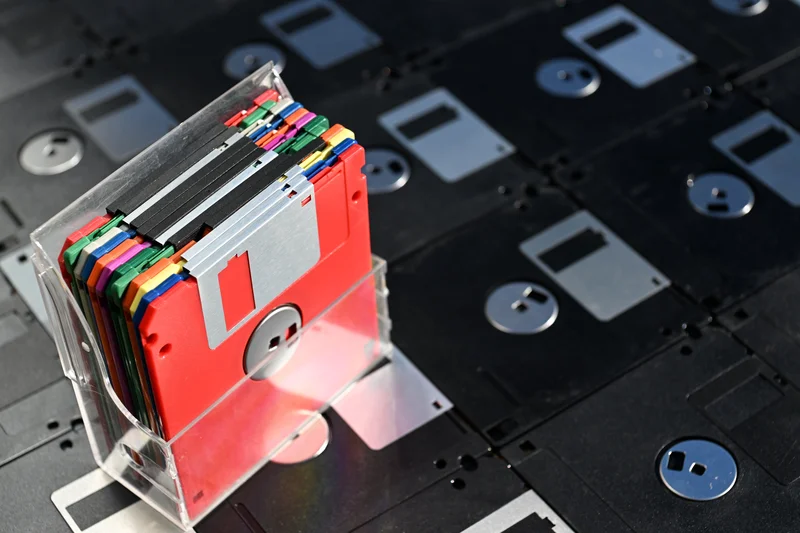
Older users will recognize it as the stylized silhouette of a 3.5-inch floppy disk, but many of those who now use it daily as the Save symbol have never held one in their hands.
Sony introduced that floppy-disk format in 1987 after experimenting with less capable systems, so the icon we click in Windows represents a device that is nearly 40 years old.
This small disk, which held 1.44 megabytes, quickly became hugely popular after it was adopted as a standard by IBM PS/2 computers and then by virtually all other manufacturers, including Apple. It was easy to carry and fast to load. Its hard plastic shell and a sliding metal shutter protected it from shocks, scratches and bending.
Yes, bending — because its predecessors, nicknamed floppys, were a thin mylar sheet inside a flexible cardboard sleeve. There were 5.25-inch disks, preceded by 8-inch ones used early on in large professional machines. The 5.25-inch format became widespread with the boom of the personal computer. When IBM launched its first PC in 1981, it offered a dual floppy drive, each capable of 160 kilobytes (later up to 640K). Today it’s hard to imagine how an operating system or a spreadsheet could fit in so little space.
Not even a moderately sized photo taken on today’s mobile phones would fit on one of those disks. Yet, in the late 1990s Sony introduced digital cameras that recorded directly onto 5.25-inch disks as if they were film.
IBM decided to name its floppy drives “A:” and “B:”, reserving “C:” for a future hard disk, which at the time was almost a rarity. The “C:” remains on our computers today; the other two drives fell into oblivion many years ago. In fact, if you still have floppies of those older formats, you most likely don’t have the proper drives. If you urgently need to read one, try secondhand shops or eBay. Connecting them to your machine is another matter. Some later models use USB, but direct connection to the motherboard can be more complicated.
That is the problem of technological obsolescence — archivists’ nightmare. A 11th-century parchment can still be read; an inscription on the walls of Luxor can still be read; a file recorded on a floppy in the 1980s, using a long-forgotten processor and operating system, probably cannot.
Floppies were slow to die. In an attempt to delay the inevitable, IBM released a double-capacity version that met with little success. In the mid-1990s a company called Iomega, specialized in mass-storage media, introduced the Zip, a disk the same size as the classic 5.25 but with the astonishing capacity of 100 megabytes.
The Zip was a phenomenal hit, but it didn’t last long, partly because of a nasty tendency for its heads to go off-track and destroy data, and mainly because of the arrival of a new optical medium: CDs and, later, DVDs. Although burning data to them made them somewhat cumbersome for everyday use.
The article is finished and saved. To retrieve it I’ll click the corresponding icon: a half-open cardboard folder. When was the last time I held a physical cardboard folder? Yet another icon that evokes an almost vanished object.
And how do I send my article to the paper? By email, of course. I just click another icon, the one that shows an envelope (or sometimes a paper airplane like the ones we folded in school). An envelope? Do I have a single unused envelope at home? When did I last write a handwritten letter myself? The few times I need one, I have to overcome the laziness of going to the stationery shop — and then to the tobacconist for a stamp. Except for some utility bills, it’s rare that I receive a letter in an envelope anymore. Yet that symbol persists on my computer screen.
New phones, old symbols
Next: to make a phone call or a WhatsApp call the icon shows a handset like those on old desk phones — the kind with a rotary dial or a numbered keypad that have disappeared from many homes. Ironically, it’s the same symbol that appears on mobile phones.
In some audio apps you can still see cassette-tape icons. In some video apps the record command is shown as a camera with two film reels, like those used in Hollywood’s silent era.
Windows’ icon collections still include images of CRT monitors, film cameras, CDs, DVDs, analog videotapes and even a fax terminal.
For younger generations, these symbols have lost much of their original meaning. Much like Egyptian hieroglyphs, where each sign could have several interpretations depending on context, but rarely referred to the actual object. A loaf of bread followed by a wavy snake simply meant “father”; a cartouche around a group of signs identified a proper name, such as a pharaoh.
With the spread of the cloud, new symbolic needs have emerged. And, surely, other icons we take for granted today will disappear. The USB flash drive, for example? Or the image of a desktop computer, replaced by one of the new fist-sized PCs or a tablet?
But the modest floppy icon as a synonym for “save” remains. All the designers’ attempts to create alternatives have met with little success or have simply been unintelligible to the average user. The small square drawing remains on our computers, even if for many it is now just an archaeological artifact.