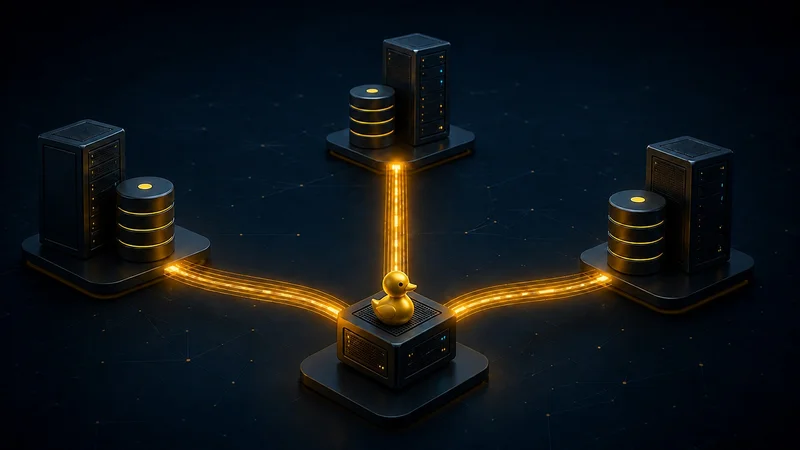
Quack. Its main aim was to allow DuckDB databases held on different servers to communicate with each other over HTTP in a client/server arrangement and allow them to read and write each others data.
In other words, using the Quack protocol, DuckDB sitting on server A could now query or write to a DuckDB database on remote server B. This might sound a bit like distributed data processing, but it’s not and the DuckDB team was at pains to emphasize that Quack does not facilitate distributed query processing.
Even so, I was intrigued and could see many uses for Quack. In particular, I was interested to find out if it was possible to fire off parallel SQL statements on each server and have the outputs of each query gathered and made available for use or display on a coordinating server.
Note that this is a different proposition from simply joining tables across different servers in a single SQL statement. DuckDB can do that by attaching a database from server B to server A, for example, then running SQL on server A that can read data on server B as if it were local.
So, to investigate the concurrent reads and writes that Quack should enable, I created a GitHub repo called cluster-duck, and no, it’s not a distributed DuckDB cluster. It’s just a comic take on the common, rude expression you probably already know. But it will let you do concurrent reads and writes on remote DuckDB databases.
Note: Before proceeding I’d like to state that I have no affiliation or commercial asscociation with any of the products, systems or their creators that are mentioned in this article.
The set up
To test Quack out, I set up 3 AWS EC2 servers via a CloudFormation stack. Each server holds one DuckDB database with one of the servers also acting as a coordinator node. You can find the CF stack on my GitHub repo.
From AWS CloudShell (or locally if you have the AWS CLI installed), with the repository checked out, deploy the stack with:
aws cloudformation deploy \
--region us-east-2 \
--stack-name cluster-duck-test-v2 \
--template-file python-reference/infra/aws/cluster-duck-3-node.yaml \
--capabilities CAPABILITY_NAMED_IAM
For all three EC2 servers, the following was installed,
- Amazon Linux 2023 ARM64.
- A 512 MB swap file.
- Python 3.12 and pip.
- A Python virtual environment at: /opt/cluster-duck-venv
- duckdb==1.5.5
- boto3
- DuckDB 1.5.5 ARM64 CLI at: /usr/local/bin/duckdb
- The official DuckDB Quack extension, loaded by the worker process.
- The Quack server program at: /opt/cluster-duck/quack_server.py
- The worker database at: /var/lib/cluster-duck/worker.duckdb
- A systemd service named: cluster-duck-quack.service
- An automatic shutdown timer, four hours by default.
Quack listens on port 9494 by default. Its authentication token is retrieved from an encrypted SSM Parameter Store parameter.
The Python source is copied onto all three servers because they share the same CloudFormation launch template. However, the coordinator is only made executable as a command on one server – usually worker 1.
These files are installed on every server:
/opt/cluster-duck/quack_server.py
/opt/cluster-duck/seed_related_data.py
/opt/cluster-duck/related_cluster_sql.py
/opt/cluster-duck/cluster_duck/sql_api.py
The coordination server (Worker 1) additionally gets these command launchers:
/usr/local/bin/cluster-duck
/usr/local/bin/cluster-duck-sql
When you run cluster-duck-sql on the coordinator, this eventually starts:
/opt/cluster-duck-venv/bin/python
/opt/cluster-duck/related_cluster_sql.py
The Python source is compressed and embedded directly inside the CloudFormation template as a Base64-encoded archive.
During EC2 bootstrap, the user-data script:
- Decodes the embedded archive.
- Creates /opt/cluster-duck.
- Extracts the Python files into that directory.
- Creates the command launchers on worker 1.
- Starts the Quack service on every worker.
Everything needed is contained in the CloudFormation file.
How the coordination works
Quack carries each SQL statement to the chosen DuckDB server and returns its result. The part that coordinates the three calls is the Python code running on Worker 1.
First, every — query or — query-file argument is validated as a single SQL statement and turned into a QueryFragment. The fragments are labelled in the order in which they were supplied:
fragments.append(
QueryFragment(worker_id, f"query-{index}", sql)
)
The coordinator then creates one thread per fragment and a barrier with the same number of participants:
barrier = threading.Barrier(len(fragments))
epoch = time.perf_counter()
def run_fragment(fragment):
    barrier.wait()
    started = time.perf_counter()
    raw_result = self.executor(fragment.worker_id, fragment.sql)
    finished = time.perf_counter()
    return {
        "start_offset_ms": (started - epoch) * 1000,
        "duration_ms": (finished - started) * 1000,
        "result": raw_result,
    }
with ThreadPoolExecutor(max_workers=len(fragments)) as pool:
    futures = {
        pool.submit(run_fragment, fragment): fragment
        for fragment in fragments
    }
The barrier holds the threads until every fragment is ready, then releases them together. They will not start on precisely the same CPU cycle because normal operating-system scheduling still applies, which is why the output includes a measured start spread.
Each fragment gets its own local DuckDB client connection on the coordinator. That connection loads Quack, attaches one remote worker and sends the statement through remote.query():
with duckdb.connect() as connection:
    connection.execute("INSTALL quack")
    connection.execute("LOAD quack")
    connection.execute(
        f"ATTACH {endpoint} AS remote "
        f"(TYPE quack, TOKEN {token}, DISABLE_SSL true)"
    )
    cursor = connection.execute(
        f"SELECT * FROM remote.query({sql_string(sql)})"
     )
    columns = tuple(description[0] for description in cursor.description)
    return FragmentResult(columns, cursor.fetchall())
The call to fetchall() materialises each result on Worker 1. The coordinator waits for all the futures, records when each one started and how long it took, and then presents the separate results in one output. Quack is doing the remote execution and transport; the fragment construction, simultaneous release, timing and result collection are all being done by Python.
Creating our test data
Each of the three servers has a different DuckDB database as follows.
```
Worker Database file Generated table
Worker 1 /var/lib/cluster-duck/worker.duckdb sales
Worker 2 /var/lib/cluster-duck/worker.duckdb customers
Worker 3 /var/lib/cluster-duck/worker.duckdb products
```
Each generated table contains an appropriate synthetic data set of ten million records. Here are the first 5 records of each to give you a better idea what’s in them.
```
query-1 (worker-1) - select * from sales limit 5
sale_id customer_id product_id quantity sales_channel payment_method sale_status catalogue_price sold_unit_price discount_pct sale_date
1 7,920 104,730 2 store bank_transfer shipped 1,052.3 999.69 0.05 2024-01-02
2 15,839 209,459 3 marketplace wallet processing 99.59 89.63 0.1 2024-01-03
3 23,758 314,188 4 telephone invoice returned 1,146.88 974.85 0.15 2024-01-04
4 31,677 418,917 5 online card cancelled 194.17 194.17 0 2024-01-05
5 39,596 523,646 1 store bank_transfer completed 1,241.46 1,179.39 0.05 2024-01-06
query-2 (worker-2) - select * from customers limit 5
customer_id customer_code country segment membership_tier is_active credit_limit joined_date last_seen_at
1 CUST-0000000001 US small_business silver True 250.10 2015-01-02 2025-01-01 00:00:01
2 CUST-0000000002 DE enterprise gold True 250.20 2015-01-03 2025-01-01 00:00:02
3 CUST-0000000003 FR public_sector standard True 250.30 2015-01-04 2025-01-01 00:00:03
4 CUST-0000000004 CA consumer silver True 250.40 2015-01-05 2025-01-01 00:00:04
5 CUST-0000000005 AU small_business gold True 250.50 2015-01-06 2025-01-01 00:00:05
query-3 (worker-3) - select * from products limit 5
product_id sku category brand supplier_region catalogue_price stock_quantity discontinued introduced_date
1 SKU-0000000001 home Bramble EU 5.01 13 False 2020-01-02
2 SKU-0000000002 garden Cobalt US 5.02 26 False 2020-01-03
3 SKU-0000000003 sports Dove APAC 5.03 39 False 2020-01-04
4 SKU-0000000004 clothing Elm UK 5.04 52 False 2020-01-05
5 SKU-0000000005 food Aster EU 5.05 65 False 2020-01-06
```
The data is generated directly inside each DuckDB database during the first EC2 bootstrap. It isn’t uploaded from your computer or copied between servers. Each server follows this sequence.
1. Determine which worker it is
CloudFormation gives every EC2 instance a WorkerIndex tag:
Worker 1 → WorkerIndex=1
Worker 2 → WorkerIndex=2
Worker 3 → WorkerIndex=3
The bootstrap script reads that tag through the EC2 Instance Metadata Service:
WORKER_INDEX=$(curl -fsS \
  -H "X-aws-ec2-metadata-token: $IMDS_TOKEN" \
  http://169.254.169.254/latest/meta-data/tags/instance/WorkerIndex)
2. Run the data-generation program
CloudFormation installs this program on every server:
/opt/cluster-duck/seed_related_data.pyIt then runs:
/opt/cluster-duck-venv/bin/python /opt/cluster-duck/seed_related_data.py \
--worker "$WORKER_INDEX" \
--rows 10000000
The row count comes from the CloudFormation RowCount parameter, which defaults to 10 million.
3. Open the worker’s DuckDB file
The program opens:
/var/lib/cluster-duck/worker.duckdbwhich contains this code.
with duckdb.connect(str(args.database)) as connection:
    connection.execute(
        CREATE_SQL[args.worker],
        {"row_count": args.rows},
    )
Every server uses the same database filename, but it’s a different file on a different EC2 instance.
Accessing your coordinator terminal window
We want to run some demos, and for that you need to be able to access the CLI terminal of your coordinator EC2 server. To do that open the AWS console and go to the EC2 console. You’ll see a screen like this.
Click the Instance ID that corresponds to your coordinator instance. On the next screen there will be a Connect button towards the top right corner. Click that. You’ll see this screen
Make sure you’ve selected the SSM Session Manager radio button, then click the Connect button at the bottom right of the screen. That should give you access to the CLI terminal window like this,
Examples
In the following examples, to make things as clear as possible I use the raw SQL text in the code snippets, however it’s also possible to store the SQL in separate files and use those files as input. For example,
[root@ip-10-42-0-10 ~]# cluster-duck-sql \
  --query-file "worker-1=/root/cluster-duck-sql/sales.sql" \
  --query-file "worker-2=/root/cluster-duck-sql/customers.sql" \
  --query-file "worker-3=/root/cluster-duck-sql/products.sql"
1. Running some simple SQL statements
In the terminal CLI, type in the following code.
```
sh-5.2$ sudo -i
[root@ip-10-42-0-10 ~]# cluster-duck-sql \
--query "worker-1=SELECT sale_status, COUNT() FROM sales GROUP BY sale_status ORDER BY sale_status" \
--query "worker-2=SELECT country, COUNT() FROM customers GROUP BY country ORDER BY country" \
--query "worker-3=SELECT category, COUNT(*) FROM products GROUP BY category ORDER BY category"
output
Concurrent remote queries
worker table start_offset_ms duration_seconds
worker-1 query-1 0.996 0.572
worker-2 query-2 5.514 0.572
worker-3 query-3 0.738 0.54
Start spread: 4.776 ms
query-1 (worker-1)
sale_status count_star()
cancelled 2,000,000
completed 2,000,000
processing 2,000,000
returned 2,000,000
shipped 2,000,000
query-2 (worker-2)
country count_star()
AU 1,666,666
CA 1,666,667
DE 1,666,667
FR 1,666,667
UK 1,666,666
US 1,666,667
query-3 (worker-3)
category count_star()
clothing 1,666,667
electronics 1,666,666
food 1,666,666
garden 1,666,667
home 1,666,667
sports 1,666,667
```
2. Some complex SQL (I’ve cut out some of the output to save space)
```
[root@ip-10-42-0-10 ~]# time cluster-duck-sql \
--query "worker-1=WITH daily AS (
SELECT
sale_date,
sales_channel,
payment_method,
sale_status,
COUNT() AS transaction_count,
SUM(quantity) AS units,
SUM(quantity * sold_unit_price) AS revenue,
AVG(discount_pct) AS average_discount,
QUANTILE_CONT(sold_unit_price, 0.50) AS median_price,
QUANTILE_CONT(sold_unit_price, 0.95) AS p95_price
FROM sales
GROUP BY ALL
),
analysed AS (
SELECT
,
SUM(revenue) OVER (
PARTITION BY sales_channel
ORDER BY sale_date
ROWS BETWEEN 29 PRECEDING AND CURRENT ROW
) AS rolling_30_row_revenue,
RANK() OVER (
PARTITION BY sale_date
ORDER BY revenue DESC
) AS daily_revenue_rank
FROM daily
)
SELECT *
FROM analysed
WHERE daily_revenue_rank <= 3
ORDER BY sale_date DESC, daily_revenue_rank
LIMIT 100" \
--query "worker-2=WITH customer_groups AS (
SELECT
country,
segment,
membership_tier,
is_active,
YEAR(joined_date) AS joined_year,
CASE
WHEN credit_limit < 2500 THEN 'under_2500'
WHEN credit_limit < 5000 THEN '2500_to_4999'
WHEN credit_limit < 7500 THEN '5000_to_7499'
ELSE '7500_plus'
END AS credit_band,
COUNT() AS customer_count,
AVG(credit_limit) AS average_credit_limit,
STDDEV_POP(credit_limit) AS credit_limit_stddev,
QUANTILE_CONT(credit_limit, 0.50) AS median_credit_limit,
QUANTILE_CONT(credit_limit, 0.95) AS p95_credit_limit,
MIN(joined_date) AS first_joined,
MAX(last_seen_at) AS most_recent_activity
FROM customers
GROUP BY ALL
),
ranked AS (
SELECT
,
SUM(customer_count) OVER (
PARTITION BY country
) AS country_total,
RANK() OVER (
PARTITION BY country
ORDER BY customer_count DESC
) AS group_rank
FROM customer_groups
)
SELECT
,
ROUND(100.0 * customer_count / country_total, 2) AS percentage_of_country
FROM ranked
WHERE group_rank <= 10
ORDER BY country, group_rank
LIMIT 100" \
--query "worker-3=WITH inventory_groups AS (
SELECT
category,
brand,
supplier_region,
discontinued,
YEAR(introduced_date) AS introduced_year,
COUNT() AS product_count,
SUM(stock_quantity) AS stock_units,
SUM(stock_quantity * catalogue_price) AS inventory_value,
AVG(catalogue_price) AS average_price,
STDDEV_POP(catalogue_price) AS price_stddev,
QUANTILE_CONT(catalogue_price, 0.50) AS median_price,
QUANTILE_CONT(catalogue_price, 0.95) AS p95_price
FROM products
GROUP BY ALL
),
ranked AS (
SELECT
,
SUM(inventory_value) OVER (
PARTITION BY category
) AS category_inventory_value,
RANK() OVER (
PARTITION BY category
ORDER BY inventory_value DESC
) AS inventory_rank
FROM inventory_groups
)
SELECT
,
ROUND(
100.0 * inventory_value / category_inventory_value,
2
) AS percentage_of_category_value
FROM ranked
WHERE inventory_rank <= 10
ORDER BY category, inventory_rank
LIMIT 100"
Output
Concurrent remote queries
worker table start_offset_ms duration_seconds
worker-1 query-1 1.673 15.491
worker-2 query-2 1.84 4.045
worker-3 query-3 1.42 4.045
Start spread: 0.420 ms
query-1 (worker-1)
sale_date sales_channel payment_method sale_status transaction_count units revenue average_discount median_price p95_price rolling_30_row_revenue daily_revenue_rank
2025-12-30 store bank_transfer cancelled 6,849 34,245 32,722,337.65 0.05 955.72 1,810.568 588,590,148.25 1
...
...
...
2025-11-11 marketplace wallet completed 6,849 6,849 6,199,619.04 0.1 905.5 1,714.096 557,458,798.88 2
query-2 (worker-2)
country segment membership_tier is_active joined_year credit_band customer_count average_credit_limit credit_limit_stddev median_credit_limit p95_credit_limit first_joined most_recent_activity country_total group_rank percentage_of_country
AU small_business gold True 2,017 7500_plus 21,659 8,874.317 794.81 8878.10 10115.70 2017-01-01 2025-04-26 17:20:41 1,666,666 1 1.3
AU public_sector gold True 2,017 7500_plus 21,649 8,873.263 794.868 8876.70 10114.30 2017-01-01 2025-04-26 17:20:35 1,666,666 2 1.3
...
...
...
US small_business silver True 2,022 7500_plus 21,605 8,876.671 792.939 8873.30 10110.10 2022-01-01 2025-04-26 17:46:37 1,666,667 10 1.3
query-3 (worker-3)
category brand supplier_region discontinued introduced_year product_count stock_units inventory_value average_price price_stddev median_price p95_price category_inventory_value inventory_rank percentage_of_category_value
clothing Aster US False 2,020 33,457 83,743,010 84191813103.00 1,004.833 577.373 1004.90 1904.90 4188462626332.28 1 2.01
clothing Aster UK False 2,020 33,458 83,228,180 83715767600.00 1,005.04 577.369 1005.20 1905.42 4188462626332.28 2 2
...
...
...
home Dove APAC False 2,024 32,999 82,797,401 83251410292.23 1,004.931 577.217 1005.23 1904.83 4190160306717.15 8 1.99
home Dove APAC False 2,020 33,008 82,760,072 83227553226.96 1,005.078 577.503 1005.33 1905.43 4190160306717.15 9 1.99
...
...
sports Elm EU False 2,020 33,006 82,731,982 83205651717.58 1,005.109 577.373 1005.19 1905.44 4190156973777.15 9 1.99
sports Bramble EU False 2,020 33,005 82,700,285 83167881906.05 1,004.964 577.415 1005.21 1905.36 4190156973777.15 10 1.98
real 0m17.664s
user 0m1.643s
sys 0m0.389s
[root@ip-10-42-0-10 ~]#
```
3. Concurrent writes/reads
To show this we’ll concurrently write 20 new records into our sales table and fire off three reads. Each read sees a consistent snapshot containing whichever independent insert transactions had committed before that read began. It may therefore see none, some or all of the new rows, but it will not see half of an individual insert or a result that changes while the SELECT is being scanned.
Every insert in this example is a separate autocommit transaction. If 19 inserts succeed and one fails, the 19 successful writes remain committed. There is no distributed transaction and Cluster-Duck does not roll successful statements back.
To make the demonstration repeatable, first remove any rows left by any earlier runs:
[root@ip-10-42-0-10 ~]# cluster-duck-sql \
  --allow-write \
  --query "worker-1=DELETE FROM sales WHERE sale_id BETWEEN 30000001 AND 30000020"
Note also that in order to make changes to data in a database we should supply the — allow-write argument.
Now run the 20 inserts and three reads together. To see what SQL is run for each of the query labels in the output we can use the — show-sql argument.
```
[root@ip-10-42-0-10 ~]# cluster-duck-sql \
--show-sql \
--allow-write \
--query "worker-1=INSERT INTO sales VALUES (30000001,1,1,1,'online','card','completed',100.00,100.00,0.0,DATE '2026-08-09')" \
--query "worker-1=INSERT INTO sales VALUES (30000002,2,2,2,'store','bank_transfer','processing',110.00,104.50,0.05,DATE '2026-08-09')" \
--query "worker-1=INSERT INTO sales VALUES (30000003,3,3,3,'marketplace','wallet','shipped',120.00,108.00,0.10,DATE '2026-08-09')" \
--query "worker-1=INSERT INTO sales VALUES (30000004,4,4,4,'telephone','invoice','completed',130.00,110.50,0.15,DATE '2026-08-09')" \
--query "worker-1=INSERT INTO sales VALUES (30000005,5,5,5,'online','card','processing',140.00,112.00,0.20,DATE '2026-08-09')" \
--query "worker-1=INSERT INTO sales VALUES (30000006,6,6,1,'store','bank_transfer','shipped',150.00,150.00,0.0,DATE '2026-08-09')" \
--query "worker-1=INSERT INTO sales VALUES (30000007,7,7,2,'marketplace','wallet','completed',160.00,152.00,0.05,DATE '2026-08-09')" \
--query "worker-1=INSERT INTO sales VALUES (30000008,8,8,3,'telephone','invoice','processing',170.00,153.00,0.10,DATE '2026-08-09')" \
--query "worker-1=INSERT INTO sales VALUES (30000009,9,9,4,'online','card','shipped',180.00,153.00,0.15,DATE '2026-08-09')" \
--query "worker-1=INSERT INTO sales VALUES (30000010,10,10,5,'store','bank_transfer','completed',190.00,152.00,0.20,DATE '2026-08-09')" \
--query "worker-1=INSERT INTO sales VALUES (30000011,11,11,1,'marketplace','wallet','processing',200.00,200.00,0.0,DATE '2026-08-09')" \
--query "worker-1=INSERT INTO sales VALUES (30000012,12,12,2,'telephone','invoice','shipped',210.00,199.50,0.05,DATE '2026-08-09')" \
--query "worker-1=INSERT INTO sales VALUES (30000013,13,13,3,'online','card','completed',220.00,198.00,0.10,DATE '2026-08-09')" \
--query "worker-1=INSERT INTO sales VALUES (30000014,14,14,4,'store','bank_transfer','processing',230.00,195.50,0.15,DATE '2026-08-09')" \
--query "worker-1=INSERT INTO sales VALUES (30000015,15,15,5,'marketplace','wallet','shipped',240.00,192.00,0.20,DATE '2026-08-09')" \
--query "worker-1=INSERT INTO sales VALUES (30000016,16,16,1,'telephone','invoice','completed',250.00,250.00,0.0,DATE '2026-08-09')" \
--query "worker-1=INSERT INTO sales VALUES (30000017,17,17,2,'online','card','processing',260.00,247.00,0.05,DATE '2026-08-09')" \
--query "worker-1=INSERT INTO sales VALUES (30000018,18,18,3,'store','bank_transfer','shipped',270.00,243.00,0.10,DATE '2026-08-09')" \
--query "worker-1=INSERT INTO sales VALUES (30000019,19,19,4,'marketplace','wallet','completed',280.00,238.00,0.15,DATE '2026-08-09')" \
--query "worker-1=INSERT INTO sales VALUES (30000020,20,20,5,'telephone','invoice','processing',290.00,232.00,0.20,DATE '2026-08-09')" \
--query "worker-1=SELECT COUNT() AS visible_rows FROM sales WHERE sale_id BETWEEN 30000001 AND 30000020" \
--query "worker-1=SELECT COUNT() AS visible_rows FROM sales WHERE sale_id BETWEEN 30000001 AND 30000020" \
--query "worker-1=SELECT COUNT(*) AS visible_rows FROM sales WHERE sale_id BETWEEN 30000001 AND 30000020"
Output
Concurrent remote queries
worker table start_offset_ms duration_seconds
worker-1 query-19 77.923 3.648
worker-1 query-11 26.242 3.705
worker-1 query-23 4.64 3.727
worker-1 query-5 8.747 3.691
worker-1 query-1 4.832 3.744
worker-1 query-2 5.243 3.903
worker-1 query-15 113.315 3.823
worker-1 query-6 15.126 3.923
worker-1 query-22 84.907 3.853
worker-1 query-14 35.127 3.907
worker-1 query-18 71.325 3.871
worker-1 query-21 56.68 3.888
worker-1 query-12 28.05 3.936
worker-1 query-7 15.349 3.949
worker-1 query-20 89.082 3.875
worker-1 query-10 36.901 3.93
worker-1 query-16 77.02 3.895
worker-1 query-13 19.964 3.954
worker-1 query-3 5.632 3.968
worker-1 query-8 58.938 3.916
worker-1 query-9 15.774 3.959
worker-1 query-4 50.36 3.954
worker-1 query-17 84.575 3.936
Start spread: 108.675 ms
query-19 (worker-1)
SQL:
INSERT INTO sales VALUES (30000019,19,19,4,'marketplace','wallet','completed',280.00,238.00,0.15,DATE '2026-08-09')
Result:
Count
1
query-11 (worker-1)
SQL:
INSERT INTO sales VALUES (30000011,11,11,1,'marketplace','wallet','processing',200.00,200.00,0.0,DATE '2026-08-09')
Result:
Count
1
query-23 (worker-1)
SQL:
SELECT COUNT(*) AS visible_rows FROM sales WHERE sale_id BETWEEN 30000001 AND 30000020
Result:
visible_rows
4
...
...
query-22 (worker-1)
SQL:
SELECT COUNT(*) AS visible_rows FROM sales WHERE sale_id BETWEEN 30000001 AND 30000020
Result:
visible_rows
16
...
...
query-18 (worker-1)
SQL:
INSERT INTO sales VALUES (30000018,18,18,3,'store','bank_transfer','shipped',270.00,243.00,0.10,DATE '2026-08-09')
Result:
Count
1
query-21 (worker-1)
SQL:
SELECT COUNT(*) AS visible_rows FROM sales WHERE sale_id BETWEEN 30000001 AND 30000020
Result:
visible_rows
13
...
...
query-17 (worker-1)
SQL:
INSERT INTO sales VALUES (30000017,17,17,2,'online','card','processing',260.00,247.00,0.05,DATE '2026-08-09')
Result:
Count
1
[root@ip-10-42-0-10 ~]#
```
The output shows that by the time query-23 ran, 4 records had been inserted. By the time query-22 ran, 16 records had been inserted and for query-21, 13 new records had been written. This makes sense as we can see from the start_offset_ms timings that the order of running for the queries was query-23, then query21, and finally query-22.
5. You can run DDL too
Create 3 new tables, one in each database , then query them.
```
[root@ip-10-42-0-10 ~]# cluster-duck-sql \
--allow-write \
--query "worker-1=CREATE OR REPLACE TABLE sales_agg AS SELECT sale_status, COUNT() AS sale_count FROM sales WHERE sale_status = 'cancelled' GROUP BY sale_status" \
--query "worker-2=CREATE OR REPLACE TABLE customers_agg AS SELECT country, COUNT() AS customer_count FROM customers WHERE country = 'UK' GROUP BY country" \
--query "worker-3=CREATE OR REPLACE TABLE products_agg AS SELECT category, COUNT(*) AS product_count FROM products WHERE category = 'sports' GROUP BY category"
cluster-duck-sql \
--query "worker-1=SELECT * FROM sales_agg ORDER BY sale_count DESC" \
--query "worker-2=SELECT * FROM customers_agg ORDER BY customer_count DESC" \
--query "worker-3=SELECT * FROM products_agg ORDER BY product_count DESC"
Output
Concurrent remote queries
worker table start_offset_ms duration_seconds
worker-1 query-1 1.141 0.599
worker-2 query-2 1.033 0.603
worker-3 query-3 0.755 0.622
Start spread: 0.386 ms
query-1 (worker-1)
Count
1
query-2 (worker-2)
Count
1
query-3 (worker-3)
Count
1
Concurrent remote queries
worker table start_offset_ms duration_seconds
worker-1 query-1 0.925 0.464
worker-2 query-2 1.178 0.448
worker-3 query-3 0.675 0.467
Start spread: 0.503 ms
query-1 (worker-1)
sale_status sale_count
cancelled 2,000,000
query-2 (worker-2)
country customer_count
UK 1,666,666
query-3 (worker-3)
category product_count
sports 1,666,667
```
The cost of all this.
The cost of this set-up shouldn’t be a concern. For a start, DuckDB and Quack are free to download and use. The three EC2 servers that I’m standing up are tiny t4g.nano instances. As well as that, we have three 8 GB gp3 volumes, public IPv4 addresses, Systems Manager, Parameter Store and a Lambda custom resource. The Lambda invocation is short-lived, but remains deployed until the stack is deleted. This Lambda is called TokenManagerFunction in the CloudFormation template. Its only job is to manage the three Quack authentication tokens. It works like this,
CloudFormation stack creation
          ↓
Invoke TokenManager Lambda
          ↓
Generate three random 64-character tokens
          ↓
Store them as SecureString parameters in SSM
          ↓
Return success and stop
Here is an estimated cost if we ran this whole set-up for 4 hours.
Component                     Approximate cost
Four hours of EBS             $0.011
Four hours of EC2             $0.050
Four hours of public IPv4     $0.060
Total                         $0.121
The $0.121 figure is an estimate for us-east-2, before any credits or free-tier allowances, tax and data-transfer charges. Qualifying AWS Free Tier users may receive some public IPv4 hours at no charge. AWS bills gp3 storage in per-second increments, with a 60-second minimum.
For peace of mind, though, I would always advise tearing down any AWS infrastructure created after you’re done with it. This is easily done if you use CloudFormation by running the following command with the AWS CLI.
aws cloudformation delete-stack \
  --region us-east-2 \
  --stack-name cluster-duck-test-v2
Summary
I created the “cluster-duck” repo to test DuckDB’s new Quack communications protocol. Quack allows DuckDB databases on different servers to “talk” to each other over HTTP, and DuckDB is positioning it as an enabler of client/server communications between DuckDB databases.
This development is potentially very useful and I was particularly interested to see how well Quack handled concurrent reads and writes to and from a remote database.
In my tests, and in the example I demonstrated, the answer seems to be it handles it pretty well.
The DuckDB team have stated that Quack is an experimental feature and very much a work-in-progress. To that point, you can expect potential changes to the protocol, function names, settings and defaults, so definitely do not use Quack for any production systems.
Hopefully the concepts I’ve outlined in this article will be useful if you have a need to run parallel queries or other SQL statements moere generally against DuckDB databases running on different servers.
I can’t help but wonder what future plans DuckDB have for Quack. If it becomes a fully supported part of the DuckDB eco-system I could definitely see Quack supplying the transport and session handling to a future distributed DuckDB engine, but that’s probably a long way off. But, even it just does what its capable of now, Quack will be useful in its own right.
That’s all from me for now. You can access all the code, CloudFormation template etc… in my GitHub repo at:
More information on DuckDB and Quack can be found in the DuckDB online documentation at this link,
PS I’m on the market for contract work just now. If you or someone you know is looking for an experienced data engineer, either remote or based in Edinburgh, UK, with skills in AWS, AI, Python, SQL, PySpark, DuckDB, etc., let me know via LinkedIn