I've picked up a lot more physical activity lately, and every time I trip on a trail rock or drop a weight at an awkward angle, I think about the Google Pixel 10 Pro in my pocket.
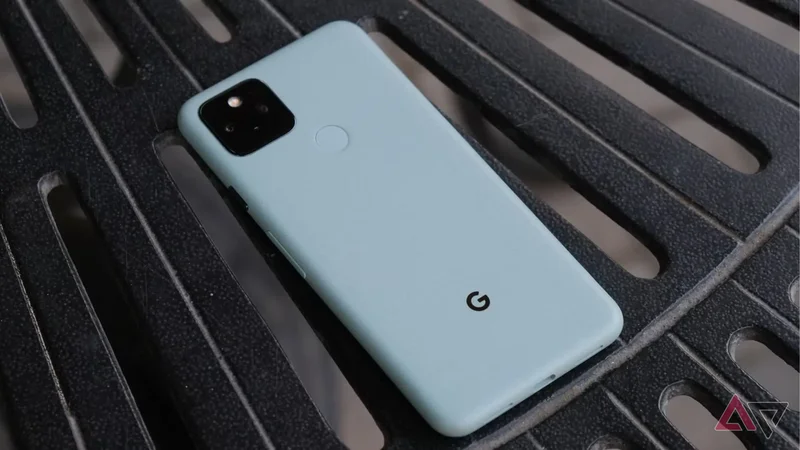
I realized pretty fast that I'd feel a lot less anxious if I wasn't carrying around my beloved phone when I went hiking or hit the gym at 6 a.m. I had a Pixel 5 in a drawer, but Google stopped updating it in October 2023.
That's a consequence of using an old drawer phone. A spare sitting three years past its last security patch and is most likely slow, almost to the point of being unusable.
So I put LineageOS on it, and that Pixel 5 now runs a newer version of Android than Google ever shipped to it.
What is LineageOS?
Why it suits a phone Google had abandoned
LineageOS is an open source Android build derived from the Android Open Source Project, maintained by volunteers instead of a manufacturer.
The current stable release is LineageOS 23.2, which landed in February 2026 on Android 16 QPR2 and brought the Material 3 Expressive design the previous build had to skip.
What really matters for old hardware is how far back the support goes. The 2026 release covers devices up to the Pixel 4, OnePlus 7, Redmi Note 7 Pro, and Galaxy S10. However, the Pixel 10 has no build at all.
My Pixel 5's last update from Google was Android 14, in October 2023. It's now running on two Android versions past that.
You also get a build with no carrier software and none of the manufacturer additions, plus Lineage's own open source apps for the basics. Google services and the Play Store aren't included, though you can add them.
Installing it on the Pixel 5
Back up before you start, because everything goes
The first thing I did was enable OEM unlocking and USB debugging in the developer options menu, since nothing else works without them.
Unlocking the bootloader wipes the phone completely. It's a full factory reset, so anything you haven't saved is gone.
I downloaded the LineageOS build for the Pixel 5 along with its recovery image, then opened Android Platform Tools on my laptop.
With the phone in fastboot mode, I flashed the Lineage recovery image onto the boot partition and booted into it.
Lineage recovery runs its own wipe before installing, so that happened again from there. Applying the update package over ADB sideload took a few minutes.
MindTheGapps went on in the same recovery session, before the first boot. LineageOS recommends it as the Google Apps package, and adding it afterward means wiping and starting over, so it isn't something to leave for later.
The phone booted, and the setup looked like any other Android phone.
Living with it day to day
Smoother than a 2020 phone has any right to be
The Pixel 5 never had flagship silicon, since it shipped with a Snapdragon 765G, yet it runs Android 16 without stuttering.
Much of that has to do with what I didn't install. Lineage ships lightweight open source apps for the basics, so none of the bloat that kills the battery and affects performance is there taking up room.
My workout playlist, a map app, and a podcast client covered everything I needed by the end of that first gym session.
None of Google's Pixel-exclusive features are here, but I stopped noticing within a week. After all, a phone that plays music and tracks a trail doesn't need call screening.
Where the friction shows up
Play Integrity and a shorter support life than you'd expect
One of my banking apps refuses to run, and it's because of Play Integrity rather than anything LineageOS did wrong.
The project states that it won't intentionally circumvent an integrity check Google put in place for app developers. It argues that bypassing the check risks a backlash against every custom OS and could get them blocked from the Play Store entirely.
Netflix is hidden on the Play Store on these devices for the same reason, and Google's payment app runs the check every time it's opened.
There are ways to bypass this, but I won't do that on a phone I paid nothing for and might drop on a trail.
Updating was even less of a problem than I expected. Lineage has its own Updater app, and devices already on an official build move to newer releases over the air without a reset.
The actual limit is how long a phone stays on the list. LineageOS maintains official builds for only its two most recent versions, and devices that aren't ported can't move forward.
This is something to keep in mind before you plan around it, especially on a Pixel. Google stopped releasing Pixel kernel source, and the LineageOS team has explained what that means for Pixels being first in line for each release.
What the Pixel 5 does for me now
Three years after Google walked away from it, the Pixel 5 is the phone I take anywhere I don't want to use an expensive one. The only cost is an evening and a banking app I don't want on a spare to begin with.
The striking part of this exercise is how little the hardware turned out to be a problem. A midrange 2020 chip runs a 2026 Android build without complaint, which means the original end-of-life date was a business decision rather than a technical one.
This is becoming harder to reconcile now that the Pixel 6 is reaching the end of its software support on even better hardware.