Halimah Delaine Prado, Google General Counsel, reveals the rise of AI-powered phishing scams originating from China's 'outsider enterprise.' She explains how these criminals use artificial intelligence to create highly convincing fake websites, impersonating trusted brands like T-Mobile to defraud hundreds of thousands of Americans, causing millions in losses. Prado highlights Google's strategy to combat these evolving threats.
NEWYou can now listen to Fox News articles!
Your phone rings, and the caller sounds official. They say your bank account or government service needs immediate verification. A link arrives moments later. The page looks like Google Play, and the caller tells you to install an app to fix the problem. Then the app asks you to turn on Accessibility access, a powerful Android permission that can let an app read the screen and control taps.
That approval can give the latest RedHook Android malware far more control than a regular app should have. Researchers at Group—IB, a global cybersecurity company that investigates online fraud and digital crime, analyzed the new threat. They say the upgraded remote access trojan, a type of malware that lets criminals control a device remotely, abuses Android's Wireless Debugging feature to gain shell-level privileges. That means it can run powerful system commands and change protected settings that ordinary apps cannot access, although it does not gain full root control.
RedHook can then watch the screen, record what you type, operate apps and steal login information. The new technique also helps it install or remove apps without showing the usual approval prompts. That makes one rushed permission decision especially costly.
Free live CyberGuy class: Sick of Spam? Join us July 22
Join us Wednesday, July 22, at 1 p.m. ET for a free CyberGuy Live class that will help you cut down on robocalls, spam texts, junk email and other unwanted messages. Kurt "CyberGuy" Knutsson will walk you step by step through simple ways to filter spam, clean up your inbox and recognize the messages that could put your personal information at risk. No technical experience is needed. You’ll also receive our spam-stopping checklist, and every registrant will get a link to the class recording afterward.
Reserve your free spot today at CyberGuyLive.com.
NEW BANK SCAM LAWS COULD STOP SUSPICIOUS PAYMENTS
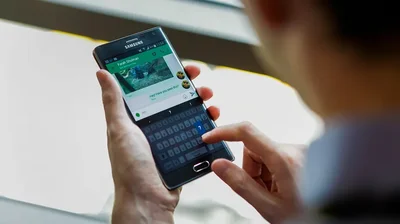
Cybersecurity researchers warn that RedHook Android malware can seize extensive control of a phone after users install a malicious app and enable Accessibility permissions. (Photographer: Chris Goodney/Bloomberg via Getty Images)
RedHook Android malware starts with a convincing scam
The attack begins with social engineering. Criminals call or message victims while posing as bank employees, government representatives or support agents. They direct people to fake websites that resemble official services or the Google Play Store. However, the app comes from outside Google Play. The victim sideloads an APK, which means installing an Android app from another source. After installation, the app guides the victim through enabling Accessibility.
Android built Accessibility services to help people use their devices. However, those services can also let an approved app observe the screen and perform actions for the user. RedHook takes advantage of that control. It simulates taps, opens Settings and enables Developer Options. Next, it turns on Wireless Debugging and asks Android for a pairing code.
The malware reads the code and connects back to the phone through 127.0.0.1, a local address that points to the same device. In effect, RedHook tricks the phone into connecting to its own powerful debugging controls, giving the malware deeper access without a computer.
Why Wireless ADB gives RedHook more control
ADB stands for Android Debug Bridge. Developers use it to manage a phone from a command line, install test apps and troubleshoot software. Android introduced Wireless Debugging with Android 11, allowing ADB connections over Wi-Fi instead of a USB cable. Once RedHook pairs with the phone, it gains shell-level access. That gives the malware more authority than a normal Android app, allowing it to run powerful commands and change protected settings. However, it still does not gain full root control.
RedHook can then grant itself additional permissions, capture low-level touch activity and avoid some confirmation screens that would normally alert the user. The malware also borrows from Shizuku, a legitimate Android utility used by developers and power users. Shizuku allows approved apps to use elevated Android features without rooting a phone. RedHook repurposes parts of that framework to carry out malicious commands.
What RedHook can do after it takes control
Group-IB counted 53 commands that attackers can send to the current RedHook version. Some commands appear unfinished, but the working features give criminals extensive access to an infected phone.
- Attackers can stream the screen and capture screenshots.
- The malware records keystrokes and can collect screen-lock credentials.
- It can simulate taps, swipes, drags and long presses.
- Contacts, text messages and installed app lists can be collected.
- RedHook can install new APKs or remove apps without the usual prompts.
- Fake verification windows and black-screen overlays can hide its activity.
- The malware can activate a camera, including during a fake identity check.
- Remote commands can lock, unlock, wake or reboot the phone.
That access creates several opportunities for fraud. A criminal could watch you sign in to a banking app, capture a verification code or place a convincing overlay above a real login screen. RedHook may also remove security software or install another malicious app.
RedHook uses several tricks to stay on your phone
Gaining access helps the attacker only while the malware remains active. Therefore, RedHook includes several persistence methods designed to keep Android from shutting it down. It can play silent audio so the operating system treats its process as important. A WakeLock keeps the CPU awake. Meanwhile, two separate services monitor each other and restart their partner when one stops.
RedHook also sets a five-minute alarm that checks whether its services remain alive. After a reboot, a receiver can restart the malware and reconnect its privileged helper. It even adjusts its out-of-memory score to reduce the chance that Android will close it when memory runs low. These methods make removal harder. They also explain why simply swiping the app away may accomplish very little.
Red flags to watch for before you tap Allow
One warning sign may have an innocent explanation. Several appearing together should make you stop and investigate.
- A caller or message pressures you to install an app immediately.
- The download page resembles Google Play, but it opens inside a web browser.
- An app asks for Accessibility access without a clear need for it.
- Instructions tell you to tap Build number seven times to enable Developer Options.
- Wireless Debugging appears enabled although you never use developer tools.
- A black overlay or fake system-update screen blocks your view.
- An unfamiliar app keeps reopening or resists removal.
- A bank or government representative asks you to install an APK from a link.
Do not let an urgent tone make the decision for you. Legitimate organizations can give you time to verify a request through an official phone number or website.
AMAZON RECALL TEXT SCAM COMES WITH RED FLAGS
A new version of RedHook malware exploits Android's Wireless Debugging feature, allowing attackers to steal data, control apps and monitor victims' devices. (Photographer: Angel Garcia/Bloomberg via Getty Images)
Ways to stay safe from RedHook Android malware
A few checks can stop this attack before it reaches the Wireless Debugging stage. Other steps can help limit the damage if you already installed a suspicious app.
Settings may vary depending on your Android phone’s manufacturer
1) Install apps through Google Play
Avoid APK files sent through texts, messaging apps or unexpected phone calls. Apps downloaded from unknown sources can put your device and personal information at risk. You should also review which apps can install software from outside Google Play. Open Settings and search for Install unknown apps . Turn off this permission for browsers, messaging apps and file managers unless you have a specific reason to use it.
2) Verify the caller on your own
Hang up and call the organization using the number printed on your bank card or listed on its official website. Avoid phone numbers included in the message, pop-up or download page. Be especially cautious when someone contacts you unexpectedly and pressures you to change a phone setting or install an app. Google lists both behaviors as warning signs of a possible scam.
3) Treat Accessibility requests as highly sensitive
Open Settings and search for Accessibility . Then review Installed apps , Downloaded apps or Installed services , depending on your phone. Turn off access for anything you do not recognize. An ordinary banking, delivery or government app rarely needs permission to read your screen and control your taps. Pause whenever an app claims that Accessibility access is required to complete verification. As CyberGuy has previously reported, malware can abuse Accessibility permissions to take control of an Android phone.
4) Keep Google Play Protect enabled and run a scan
Open the Google Play Store > tap your profile icon > Play Protect . Tap Scan to check the apps currently installed on your phone. Play Protect may warn you about harmful software, which you can disable or remove from the phone. Google Play Protect, which is built-in malware protection for Android devices, automatically removes known malware. However, Play Protect may not catch every malicious app, so strong antivirus software adds another layer of protection.
5) Use strong antivirus software
Strong antivirus software can help flag malicious links, suspicious downloads and harmful apps. Keep its protection active, especially if you sometimes receive APK files for work or testing. However, do not assume an antivirus scan has fully removed RedHook if the app keeps returning or your settings continue to change. Get my picks for the best 2026 antivirus protection winners for your Windows, Mac, Android and iOS devices at CyberGuy.com
6) Install Android and Google Play system updates
Open Settings > Software updates , then follow the prompts. You can also check your Android security update and Google Play system update under About phone > Android version . Paths can differ slightly by device.
7) Get help if you think your phone is infected
Turn on Airplane mode and use another trusted device to contact your bank and change important passwords. Do not enter more information on the affected phone. Try to remove the suspicious app or contact your phone manufacturer, carrier or a trusted repair professional for help. A factory reset may be necessary if the app returns or the phone continues behaving strangely.
8) Consider removing exposed personal information
A data removal service can help reduce the personal details available about you on people-search sites. That may include your home address, phone number and information about relatives. However, a data removal service cannot clean malware from your phone, recover stolen login information or remove data that criminals already copied. You can also submit opt-out requests yourself for free, although the process can take time. Information may later reappear, so continued monitoring may be needed. Check out my top picks for data removal services and get a free scan to find out if your personal information is already out on the web by visiting Cyberguy.com
HALLUSQUATTING AI ATTACK COULD HIJACK YOUR COMPUTER
Security experts say Android users should avoid sideloading apps and be cautious of unexpected requests to enable Accessibility or Developer Options. (Photographer: Brent Lewin/Bloomberg via Getty Images)
Kurt's key takeaways
RedHook depends on social engineering before it can take control. The attacker still needs you to install a malicious app and approve powerful Accessibility permissions. That gives you a chance to stop the attack early. Be suspicious of urgent calls, fake app pages and anyone who tells you to install an APK from a link. Google Play Protect and strong antivirus software can help, but your best defense is slowing down before you approve an unexpected request.
Should Android make Accessibility permissions harder to approve when an app comes from outside Google Play? Let us know by writing to us at Cyberguy.com.
CLICK HERE TO DOWNLOAD THE FOX NEWS APP
Sign up for my FREE CyberGuy Report
- Get my best tech tips, urgent security alerts and exclusive deals delivered straight to your inbox.
- For simple, real-world ways to spot scams early and stay protected, visit CyberGuy.com - trusted by millions who watch CyberGuy on TV daily.
- Plus, you'll get instant access to my Ultimate Scam Survival Guide free when you join.
Copyright 2026 CyberGuy.com. All rights reserved.
Kurt "CyberGuy" Knutsson is an award-winning tech journalist who has a deep love of technology, gear and gadgets that make life better with his contributions for Fox News \& FOX Business beginning mornings on "FOX \& Friends." Got a tech question? Get Kurt’s free CyberGuy Newsletter, share your voice, a story idea or comment at CyberGuy.com.